
A Service Desk engineer can view all service desk records of the project to which he or she is assigned. To restrict access to the Service Desk records belonging to a particular department or location, a rule has to be defined in every project. This may be required when there are a number of engineers and it helps to keep the engineers focussed on their areas of responsibility.
Select 'Group Access Control' option on the right hand side panel.
Click on 'Access Control'. A list of configured Access Control rules is displayed.

You can edit an existing access control by clicking on it or click on 'ADD' to add a new access control.
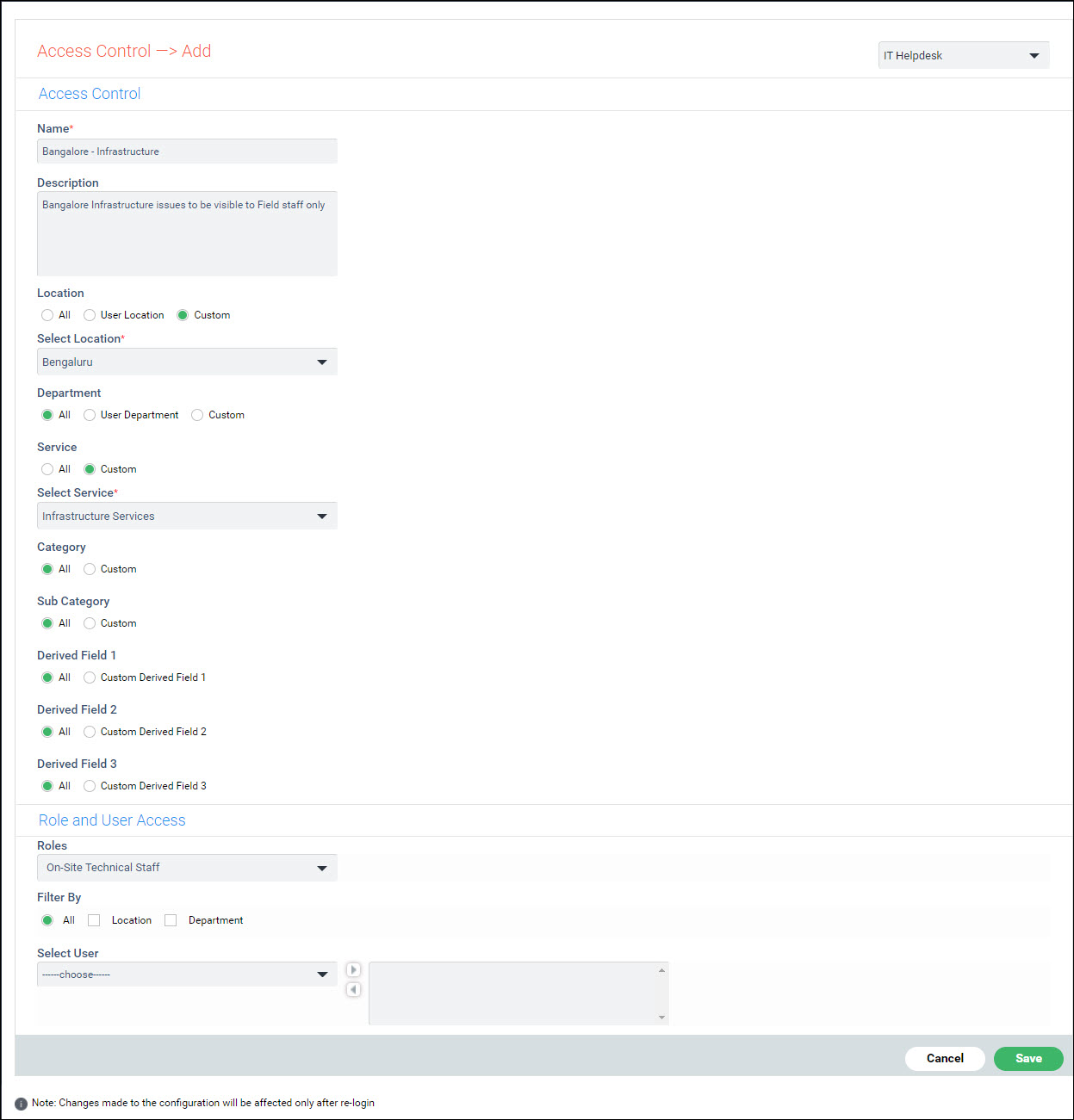
The fields are described below.
| |||||||||||||||||||||||||||||||||||||||
Click on 'Save' or 'Update' to save the access control.
To delete an access control, select the control on the listing screen and click on 'DELETE'.
 Note: These records will
be displayed under each of the Projects when 'Overall' option is selected.
By default this option is visible only to a Service Desk engineer.
This option can be made visible for other users by enabling ‘Display All
<project> tab for Service Desk Users’ flag in 'Project Settings'.
Note: These records will
be displayed under each of the Projects when 'Overall' option is selected.
By default this option is visible only to a Service Desk engineer.
This option can be made visible for other users by enabling ‘Display All
<project> tab for Service Desk Users’ flag in 'Project Settings'.