
Agent Mapping Rule allows you to define a rule for automatic mapping of agents to a master agent.
Click the 'Settings' tab. In the 'Asset and Inventory' section, click 'Node Rules Engine'.
On the left hand menu click on 'Master Agent Mapping Rule'. The list of Master Agent Mapping rules is displayed.

Rules can be run on demand, by selecting them and clicking on 'On Demand'.
When an agent maps to multiple rules, by default it is mapped based on the first rule configured. The order can be changed by clicking on 'Preference Settings'. Refer to Preference Settings for details.
To add a new rule, click 'Add'.
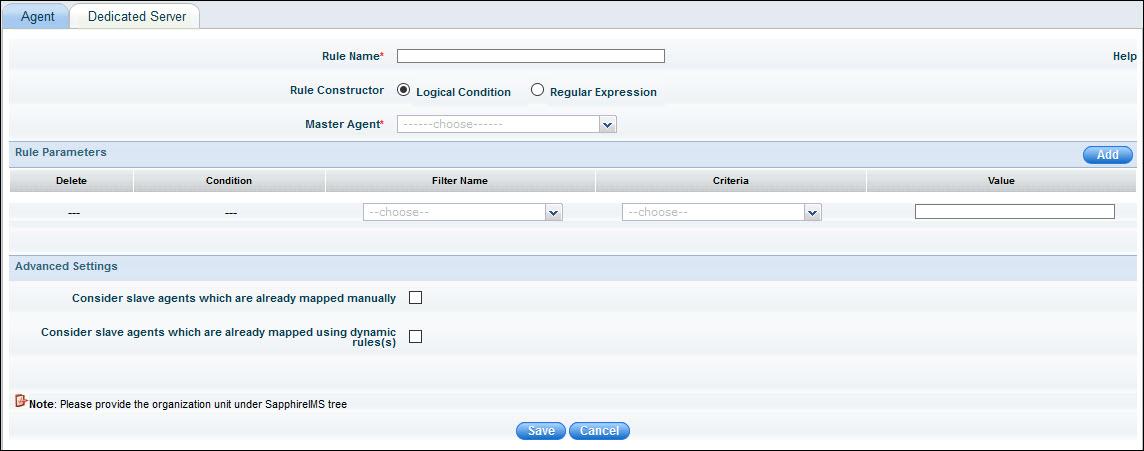
Rules can be based on a 'Logical Condition' or 'Regular Expression'. The Regular Expression can be used to include a subset of systems by applying a regular expression to one of Host Name, IP address, IP range or Gateway IP. The Logical conditions can be used to create multiple rules based on conditions for Organization Unit, Host Name, IP address, IP range or Gateway IP.
The following screen is displayed when 'Logical Condition' is selected.
If you select 'Regular Expression', you will see the following screen.
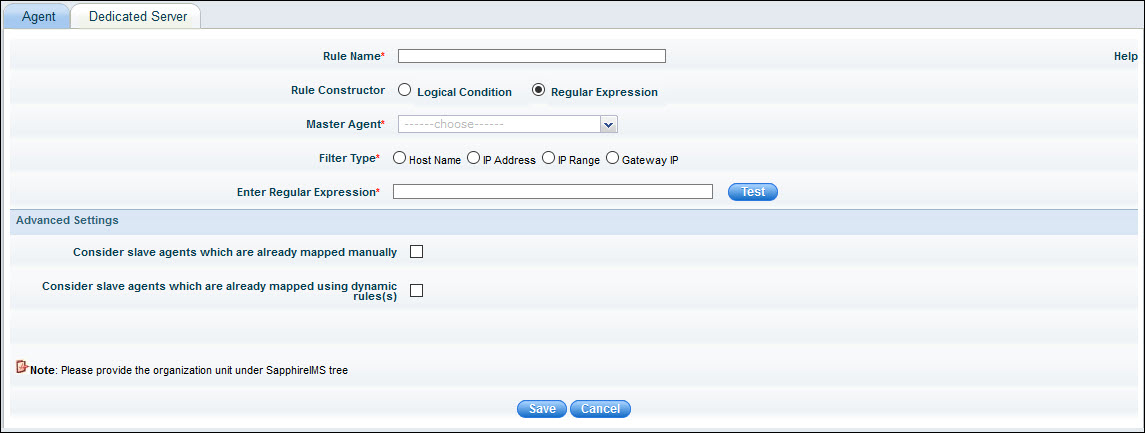
The table below describes the fields.
|
Click on 'Save' to save the rule.
The agent mapping rules are run every 15 minutes and map all new agents which have been discovered.
Sometimes, an agent may fall under more than one agent mapping rule. If no preference is set, the agent will be mapped to the first configured agent mapping rule. To explicitly define the agent preference, select the rule name and click 'Preference Settings'
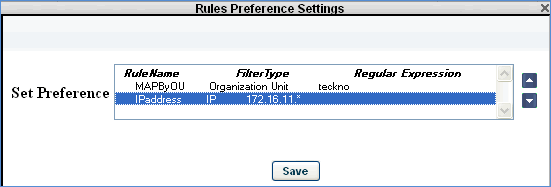
Select the preference for the agent nodes to be associated with the master agent and click 'Save'
Click the Audit log icon to view the audit log for the rule. The audit log displays all changes to the rule.
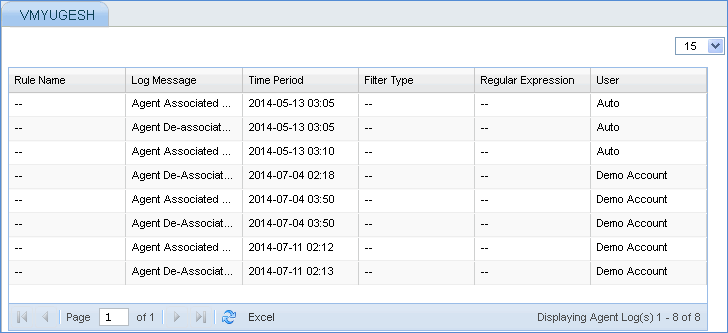
To view the agent nodes associated to the agent mapping rule, in the Master Agent Mapping Rule page, click the agent mapping rule
Click the Audit log icon to view the agent mapping details.
Click this tab to view the dedicated server details. The term 'Dedicated server' is more meaningful in 'Enterprise' or 'Enterprise Plus' editions of SapphireIMS, where the discovered nodes are associated with a specific data collector that is selected at the time of discovery.

Note: In the case of Professional edition, there will be only one dedicated server listed and all the discovered systems are automatically associated with the server.
Click on ' '
to view the list of associated systems. Select a host name and click
on 'De-Associate' to de-associate the host from the server. The host
is then associated to the primary data collector. Hosts that are associated
to the primary server cannot be de-associated from the primary server.
'
to view the list of associated systems. Select a host name and click
on 'De-Associate' to de-associate the host from the server. The host
is then associated to the primary data collector. Hosts that are associated
to the primary server cannot be de-associated from the primary server.

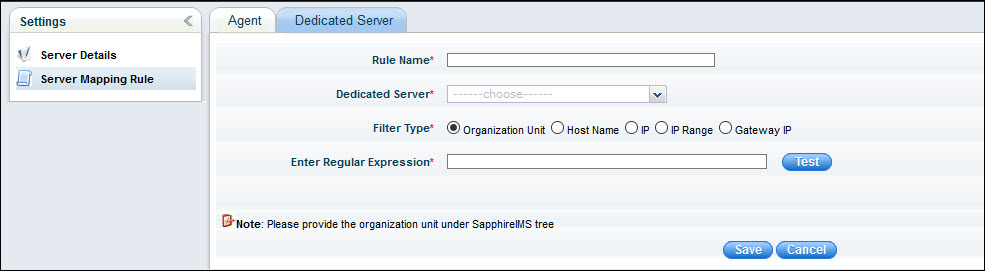
The rule configuration is similar to the master agent mapping rule in the 'Professional' edition. This rule allows you to define an automatic mapping rule for bulk mapping of hosts to a particular data collector or dedicated server.
|