
Note: Before configuring application discovery rules, the systems have to be discovered first. Refer to the section on 'Discovery Profiles and Wizard' to understand on how to do discovery.
Application discovery enables you to configure application discovery rules for discovering applications in SapphireIMS across the network for the purpose of performance monitoring. Applications are discovered in SapphireIMS with the help of sensors. Sensor is a small executable component which performs the deep discovery of a particular application (all information with respect to ports, data sources and dependencies is collected). In SapphireIMS, each application has a sensor which has an XML formatted file as the output.
The generic sensor identifies the applications and launches the individual sensors which parses the output and stores the data in SapphireIMS server.
For example, to identify MySQL Server, the sensor needs to check if mysqld.exe process is running on the windows machine. A set of per-defined rules are executed by the generic sensor thread to identify the application.
Once the application is identified, a deep level discovery will happen on each of the applications. Application deep level discovery is done by its tiny client/utility known as sensor.
The generic sensor will launch the application sensors as per the configuration defined, and waits for the sensor to exit and then parses the output. The parsed output is then updated in the database using the web service.

Agent less environment:
In the agent less environment, the generic sensor applies the remote mechanism to identify the application. After identification of the application, it checks if the sensor has the privilege to be copied to the target machine. The sensors that have privilege will be copied to the target machine and will collect the deep level discovery data of the application. Other sensors are not deployed on the remote machine for deep level discovery. After discovery, the server performs a clean-up operation on the target machine
Agent Environment:
In the agent environment, the required sensors are downloaded from the server when you perform the application discovery for the first time. For subsequent discoveries, the same sensors are used until they are replaced on the server.
To view the list of sensors supported in SapphireIMS, click the 'Settings' tab. In the 'Asset and Inventory Management' section, click 'Application Discovery'
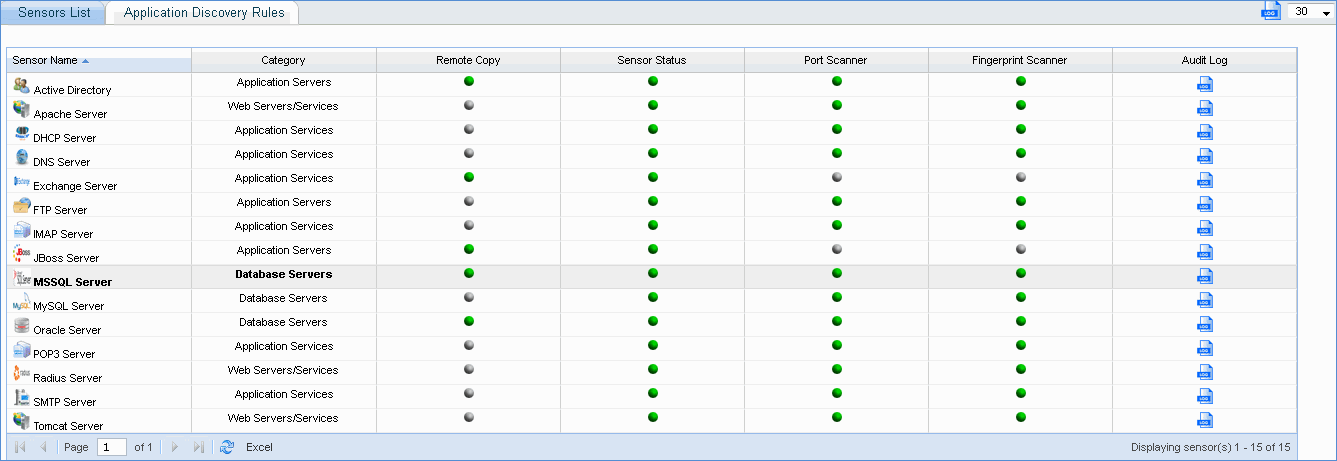
Remote Copy: If Remote Copy is enabled, then selected sensors are deployed on the target agent less machines to perform deep discovery and dependency mapping. For agent based machines, Remote Copy is not needed to perform deep discovery and dependency mapping.
Currently, remote copy feature is available only for the following applications:
Active Directory server
Exchange server
JBoss server
MSSQL server
Oracle server
Port Scanner: If this sensor feature is enabled, the ports defined in SapphireIMS for the application are scanned. (For e.g., http, https, AJP and JMX ports are scanned for each of the discovered nodes and displayed in case of JBoss server)
Fingerprint Scanner: If this sensor feature is enabled, finger print scanner executes the finger printing algorithm on the nodes classified by port scanner to determine if the application is actually running on the specified port
For example: Port 80 is common for all web services like JBoss, Apache, etc. So port scanner identifies if port 80 is used by any of the applications. Finger print scanner then identifies the specific application that is running (Jboss/Apache/etc.) on the port
Audit
Log: Click ' ' to view history of changes to the
sensor configuration at an individual or global level.
' to view history of changes to the
sensor configuration at an individual or global level.
The application discovery rule enables you to configure the sensor settings of multiple applications along with appropriate credential profiles defined for discovery.
Click 'Add' to add an application discovery rule
Select the scope of the application discovery
IP Range - Specify IP address range
Specific IP - Specify a particular IP address
Node Level - Select only specific nodes from the discovered list
Organization Unit - Select nodes belonging to a particular organization unit
Baseline Compliant Nodes - Select nodes that are compliant to the baseline rule configured
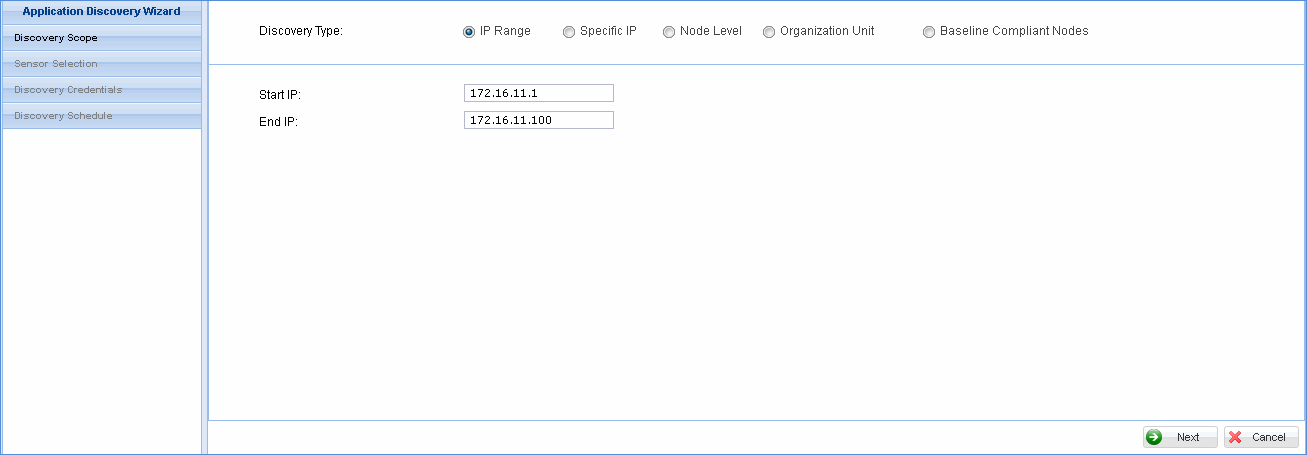
Click 'Next' to proceed with the rule definition

Select 'Remote Copy', 'Port Scanner' and 'Fingerprint Scanner' status of the individual sensors
Click 'Next'
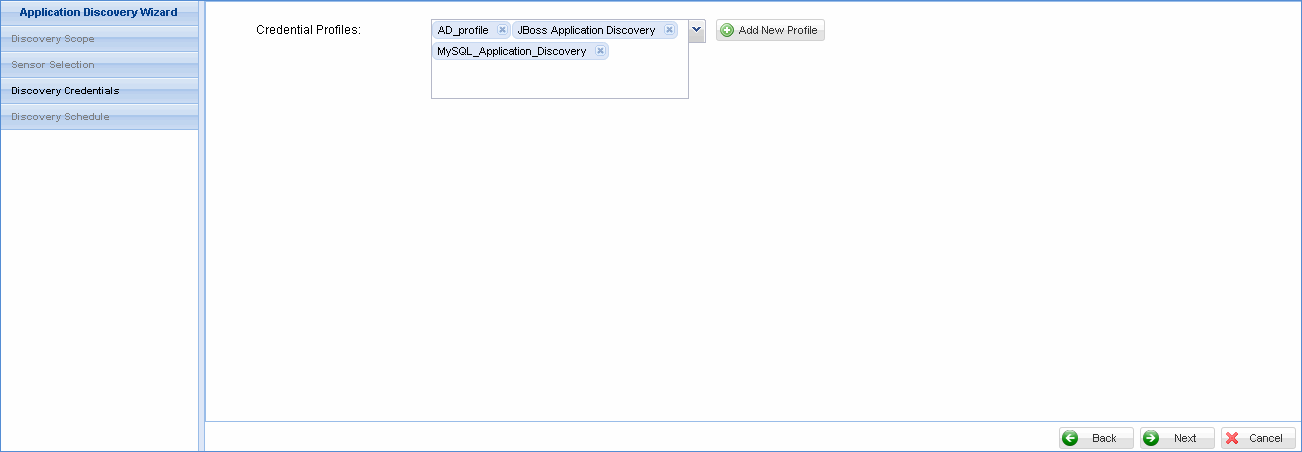
Select the application discovery credential profiles from the list or click 'Add New Profile' to define a new application discovery credential profile.
Note: Credential profiles are necessary if the discovered application should be monitored for performance. Only when the application is monitored for performance, it is eligible for BSM rule creation in case the application has dependencies
Click 'Next'

Select the schedule for executing the application discovery rule and save the configuration. The application discovery rule is listed as shown below.

Click the link to view application discovery job status

Note: On the SapphireIMS menu, point to ‘Inventory’ and click ‘Application Discovery’ to view the results of the application discovery jobs