
SapphireIMS supports automation of workflow tasks using Robotic Process Automation (RPA). This section describes the use of RPA Add-on features for automated generation of Forms in CMDB.
Using SapphireIMS you can automate the process of generating forms based on fields in the CMDB. You can design a template using a HTML editor use the built in editor. The template could include images including logos etc. SapphireIMS has built-in macros which can be inserted as required in the template. While generating the Form, the macros will get substituted with the actual values.
The template is used to generate the Form which is generated on events like asset creation, deletion, status change etc.
Click on 'RPA Add-on' in the CMDB Settings menu. The list of templates is displayed.

Click on 'ADD'. The template creation screen is displayed.
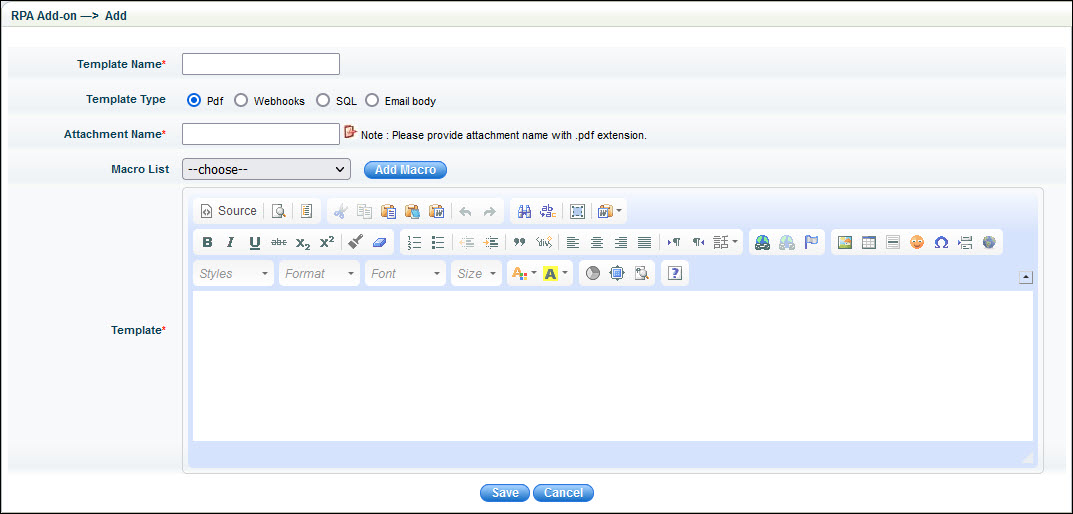
The fields in the screen are described below.
|
Click on 'Save' after the fields. The template is created and displayed in the list.
A custom business rule has to be added which would run on a state change and generate and attach the PDF form to the record.
 option.
This opens a pop-up screen where you can copy/paste the HTML content.
option.
This opens a pop-up screen where you can copy/paste the HTML content. button.