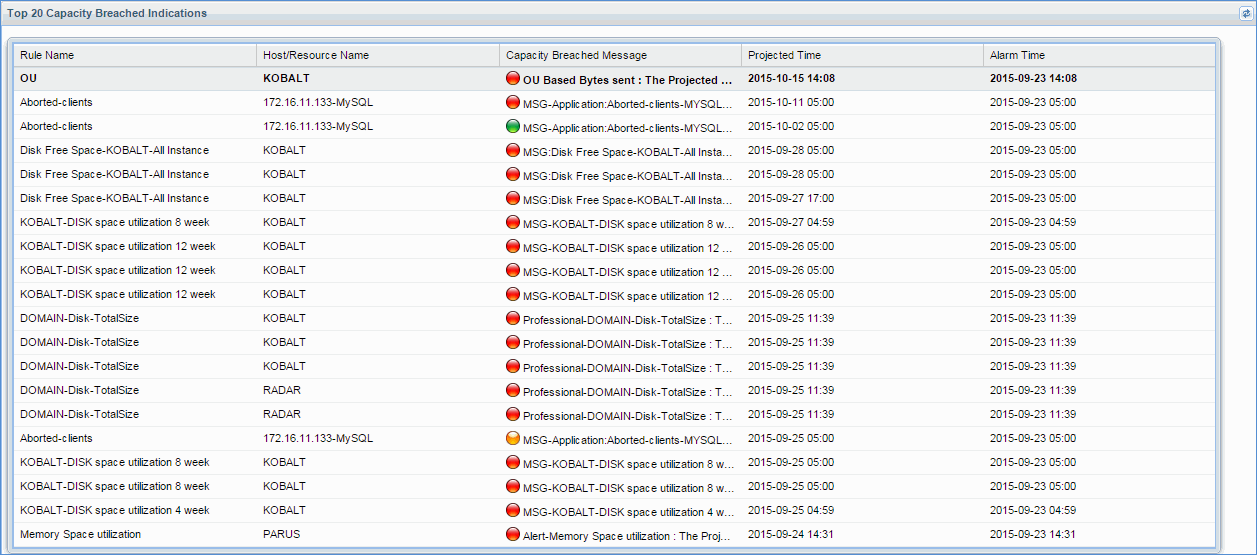
Dashboard provides the bird view of summary for various capacity planning rules configured, a capacity planning score board has been provided where it highlights the machines /resources which needs immediate attention. The score board has been calculated by providing higher weight-age for Error breaches followed by Warning breaches, and Info breaches with lowest weight-age. A section in dashboard is provided to list Top-20 capacity breach notifications.
To configure capacity planning rules, go to 'Settings > Business Service Monitoring > Capacity Planning'.
On the SapphireIMS menu, point to 'Performance' and click 'Capacity Planning'. The List View is displayed for the capacity planning rules configured for performance monitoring as shown below along with 'Last Forecasted Time' and 'Next Forecasted Time'.
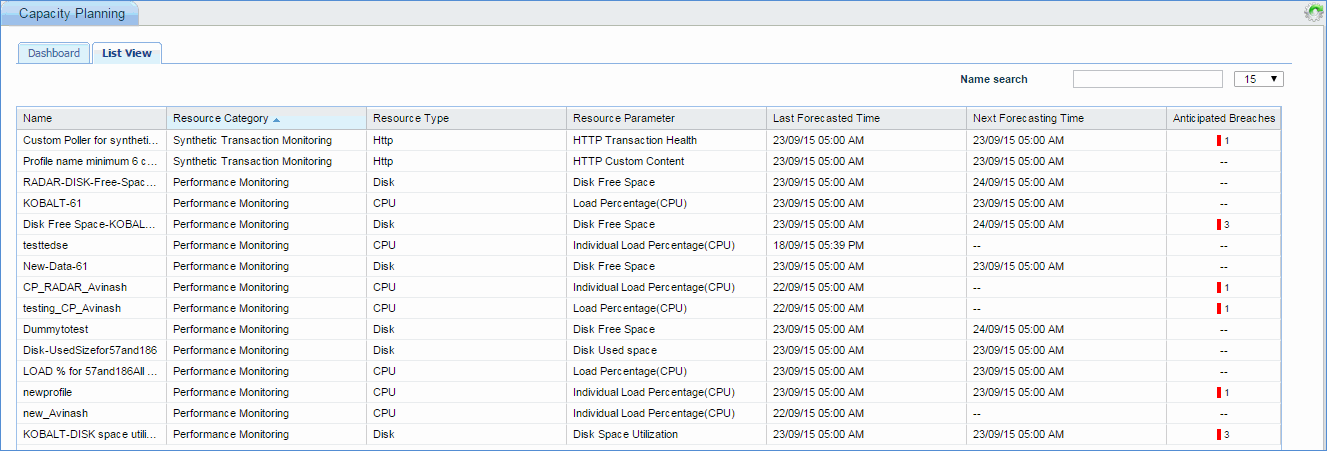
The split of Anticipated Breaches as Info, Warning and Critical is displayed along with the counts. Clicking on any breach indicator, causes the Breach List View to be displayed in a pop-up containing the Anticipated Breach details.
Click the 'Dashboard' tab to view the dashboard.
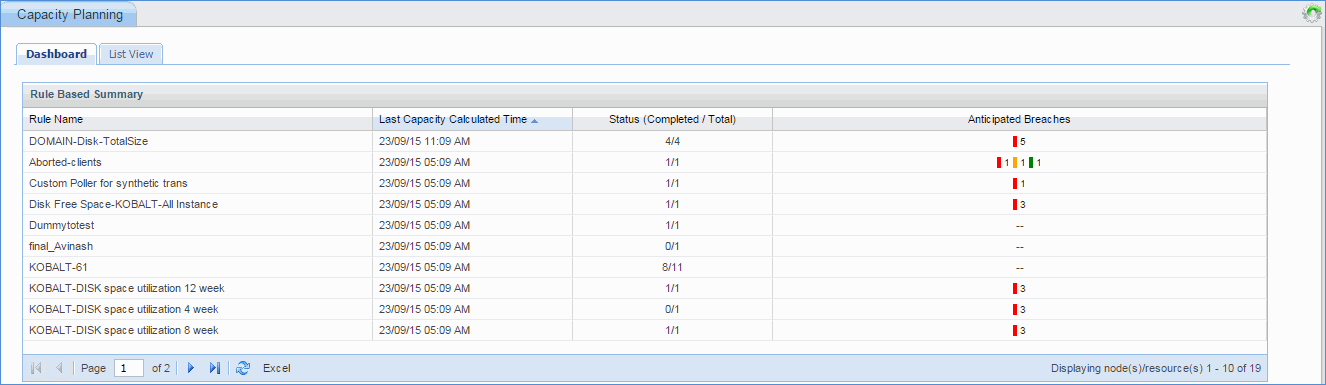
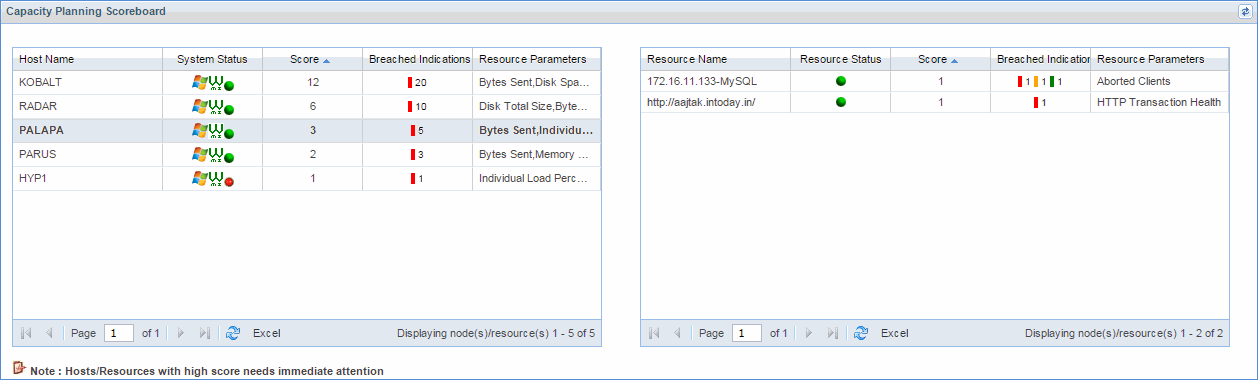
The capacity planning scoreboard displays host details along with capacity threshold breach.
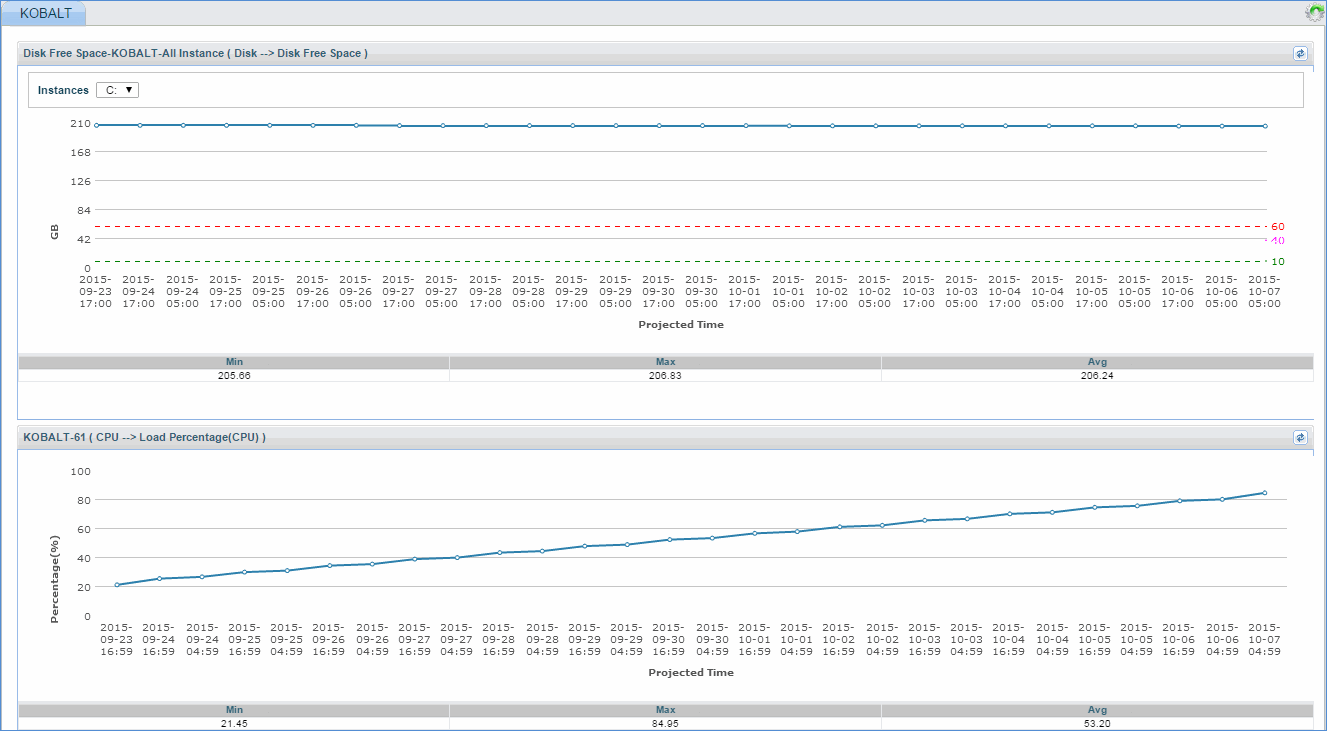
Click on host name 'Kobalt' to view the capacity threshold breach graph for host 'Kobalt'