
Within a Service, the record can be classified further by Category and Sub Categories. For example, within the Application Service, there could be categorization based on the application like SAP, Oracle Database etc. There are pre-shipped categories for the in-built projects. You can also add new categories.
Click on 'Categorization' option on the right hand side panel.
Click on 'Category'. The list of Categories is displayed.
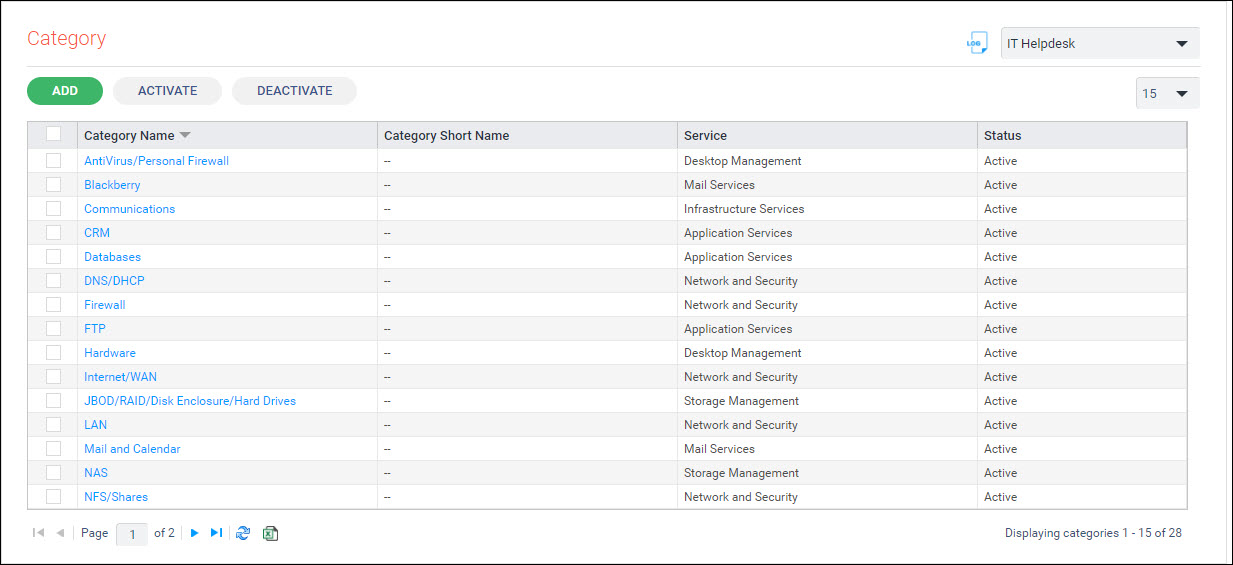
To add a new Category, click on 'ADD'. The category addition screen is displayed.
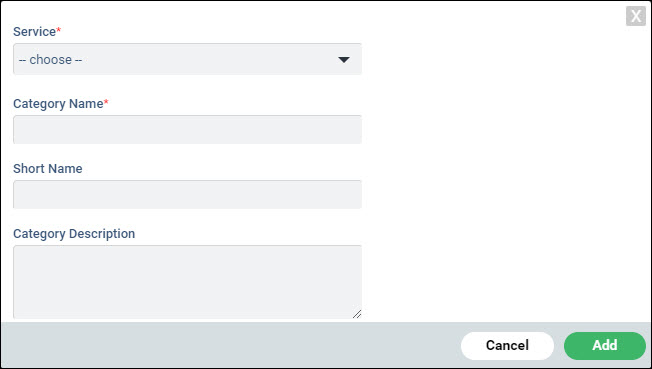
Select the 'Service' under which the Category has to be added.
Enter the 'Category Name', the 'Short Name' and 'Category Description'.
Click on 'Add'.
To Deactivate a Category, select the Category and click on 'DEACTIVATE'. Once the Category is deactivated, it cannot be used for classification of the record.
To Activate a Category, select the Category and click on 'ACTIVATE'.