
Child Records can be created for any parent record. Child records are used in a situation where a process is broken up into sub-processes and a dependency created. Child Records can be created for the sub-processes and there is a dependency where the parent record does not complete its work flow until the child records complete their work flows.
Refer to Service Desk->Service Desk Common Features->Child Records for usage of the Child Records feature. The following steps describe the configuration of Child Records. The configuration includes configuring the fixed fields and additional fields which need to appear in Child Records and also the Child Record Numbering format.
Select 'General Settings' option on the right hand side panel.
Click on 'Child Record Configuration'. The Child Record Configuration for fixed fields is displayed.
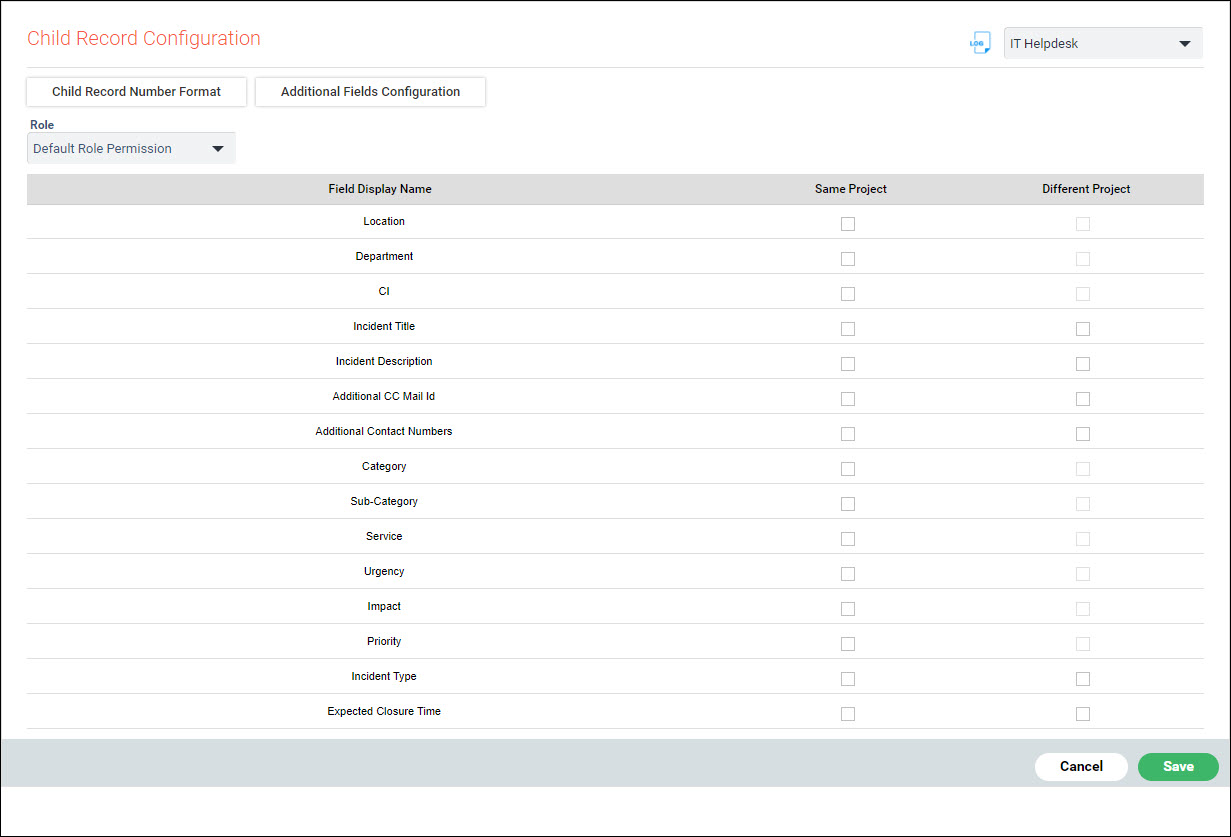
Select the 'Role' for which the Fixed fields have to be populated in the Child Record from the Parent.
Select all the fields which need to be enabled in the Child Record by selecting 'Same Project' or 'Different Project' depending on whether the parent is in the same project or in a different project.
Select the 'Additional Fields Configuration' to configure the additional fields.
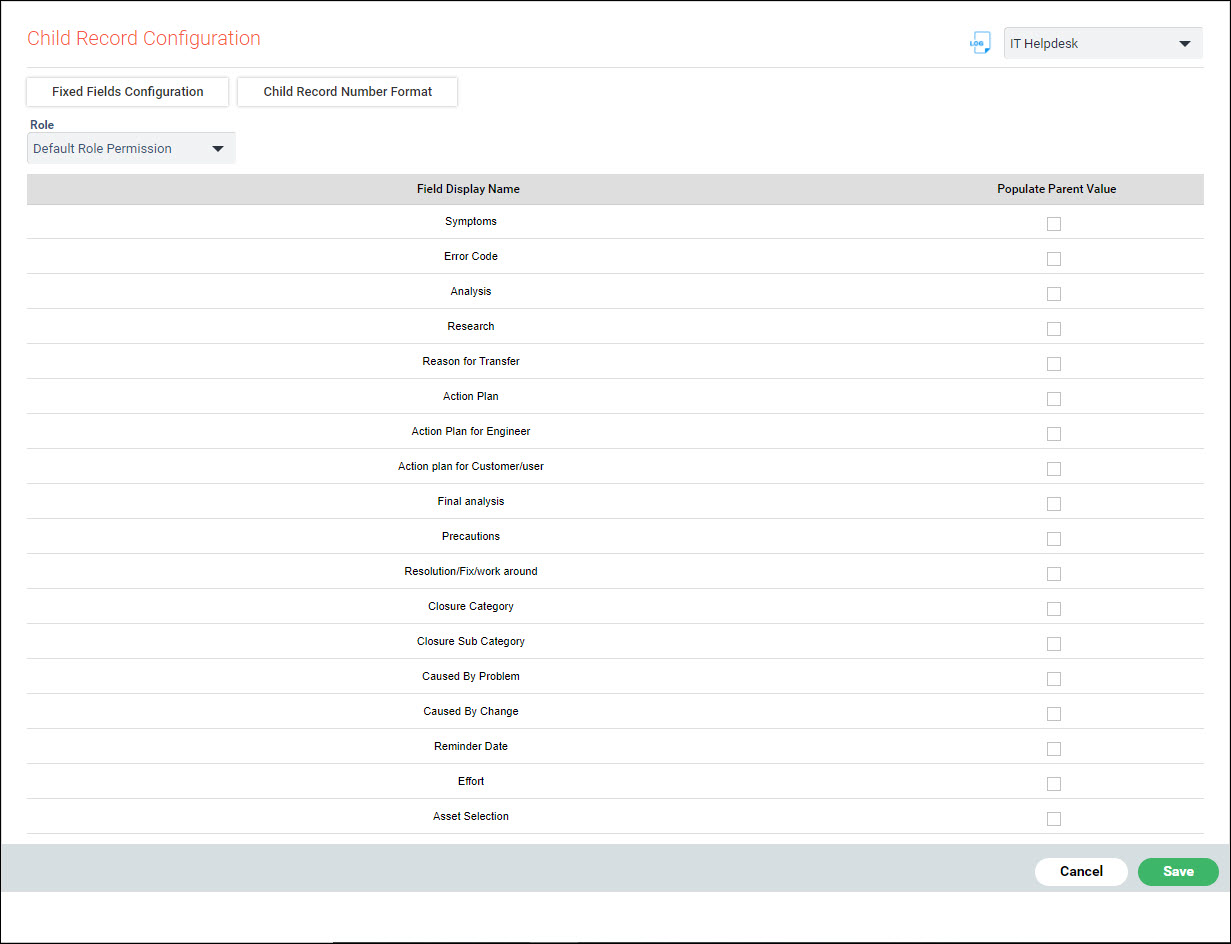
Update the fields in a similar manner as Fixed fields.
Click on 'Child Record Number Format' to configure the record number format.
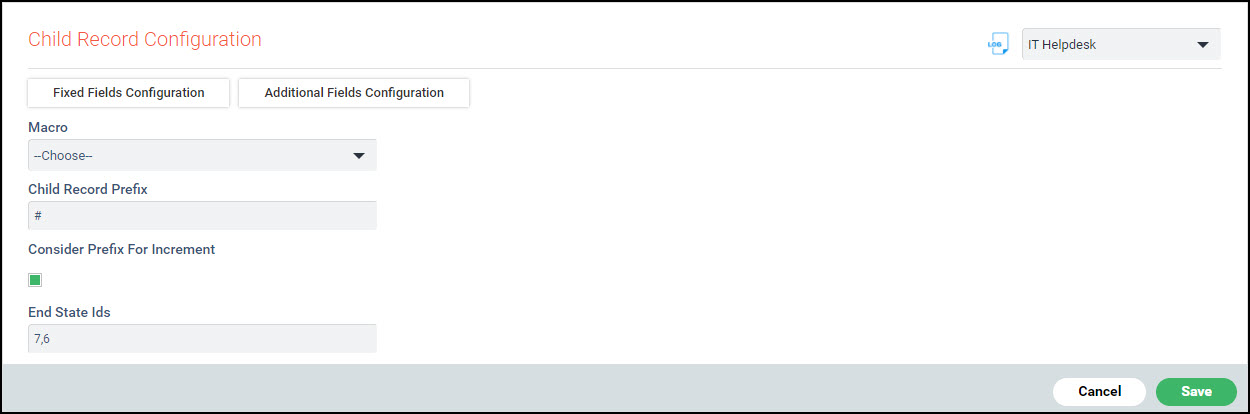
Using the 'Macro' create the 'Child Record Prefix'.
Select 'Consider Prefix for Increment' if the prefix has to be considered for increment.
Select the 'End State Ids' to which the child record needs to be moved to allow the parent record to move to the end state.
 Note: Contact SapphireIMS
Support to get the State IDs for your projects.
Note: Contact SapphireIMS
Support to get the State IDs for your projects.