
Custom Query Reports allows you to configure reports based on custom database queries. These queries are written to populate the report from the database. SapphireIMS pre-ships some queries. For new queries, contact SapphireIMS Support.
Custom Query reports display the report details based on the custom query and the time scale filter selected.
On the SapphireIMS menu, point to 'Reports' and click 'Asset and Inventory Reports'.
Click the ‘Custom Query Reports’ link. Click on the ‘Add’ button. A screen to display the report details is displayed. As an example, the report below displays the list of Zombie nodes for which no data collection has happened for 30 days.
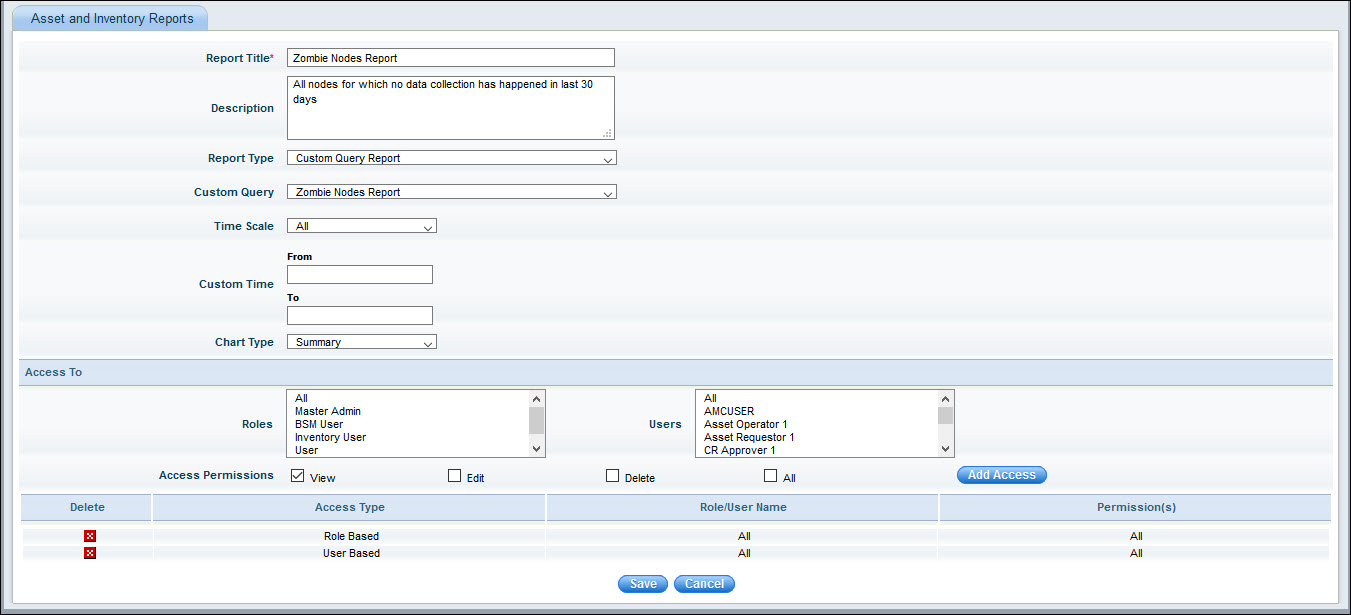
The fields are described below.
|
Enter the fields and click on 'Save'. The report gets added and appears in the report list.
Run the report and the following is displayed.
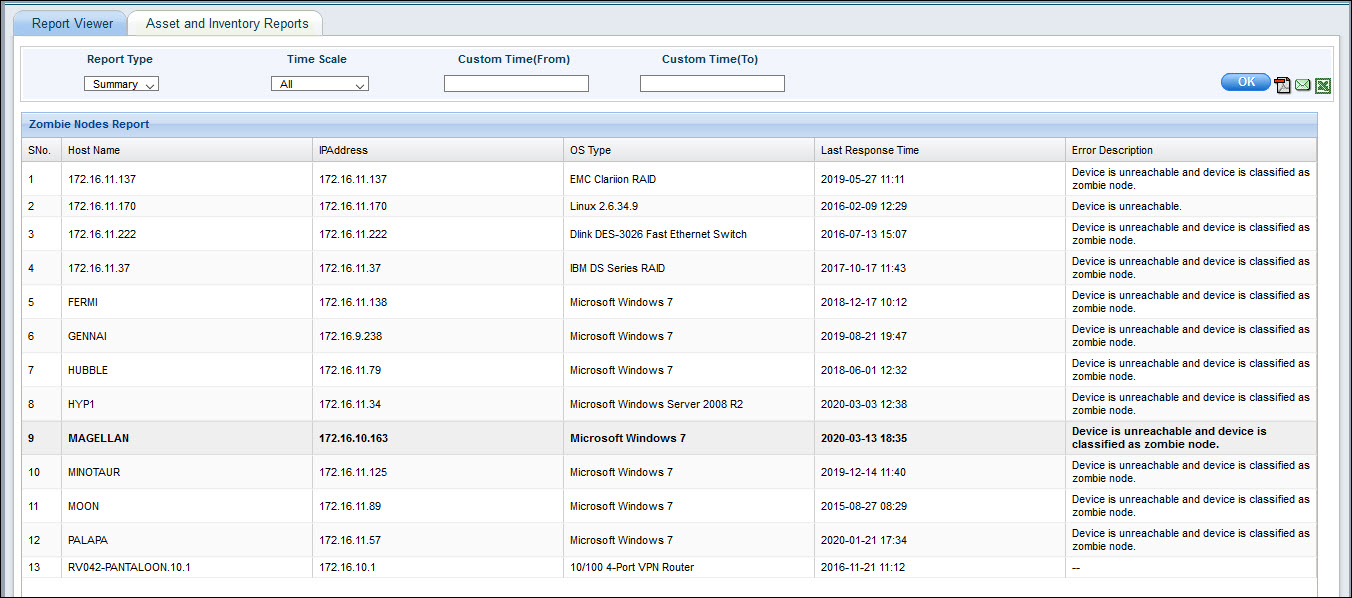
You can change the report type and time scale.