Customize Built-in Attributes


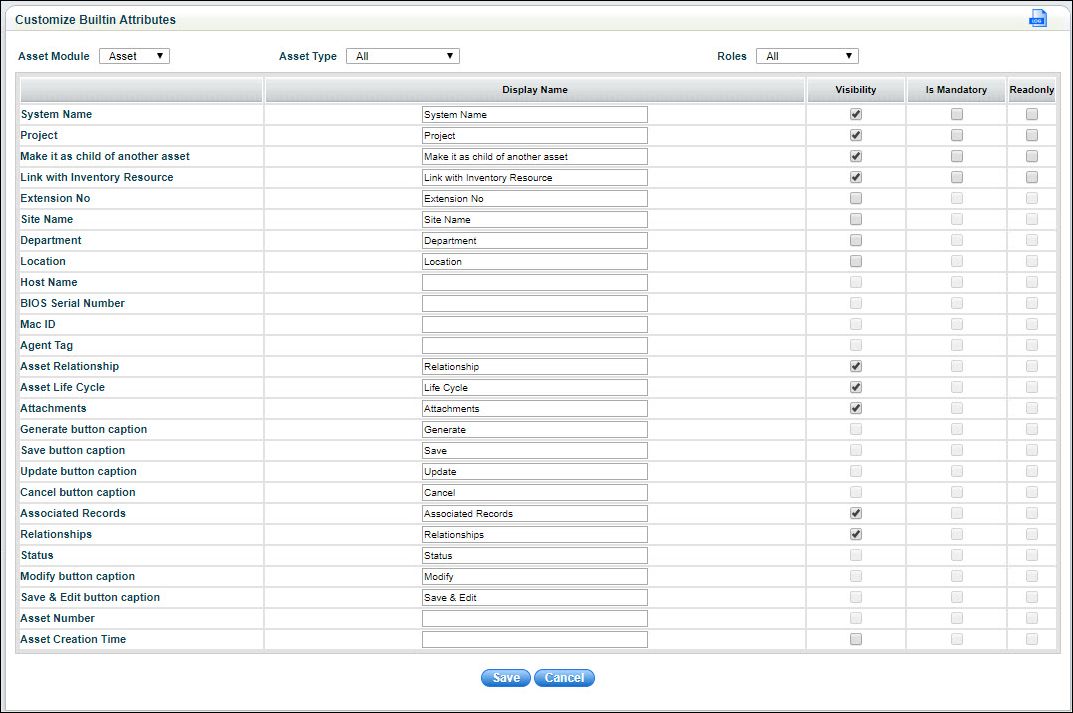
SapphireIMS provides built-in asset fields for assets, contract documents and configuration items as seen in the screen below.


Settings-Ass&Inv-Ass-CustomizeBuiltIn.jpg

Customize Built-in Attributes


Serial No

Field Name

Description

     1

Asset Module

Select the ‘Asset Module’ for which the fields are to be customized.

     2

Asset Type

Select the ‘Asset Type’ for which the fields are to be customized.

     3

Roles

Select the 'Role' for which the fields are to be configured.

     4

Display Name

Enter the text to display as the name of the field.

     5

Visibility

Select this check box to make the field visible.

     6

Is Mandatory

Select this check box to make this field mandatory.

     7

Read-only

Select this check box to make this field read-only.