
The Dashboards on the Service Desk Home screen can be customized for users and technician roles.
Select 'General Settings' option on the right hand side panel.
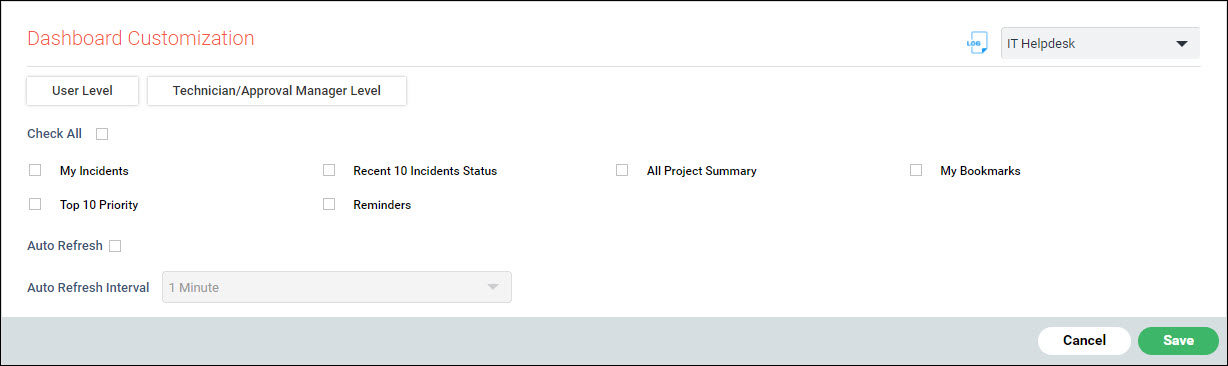
Click on 'Dashboard Customization'. The Dashboard configuration screen for User Level is displayed.
To configure the Dashboards for Technician/Manager Level, click on 'Technician/Approval Manager Level'.
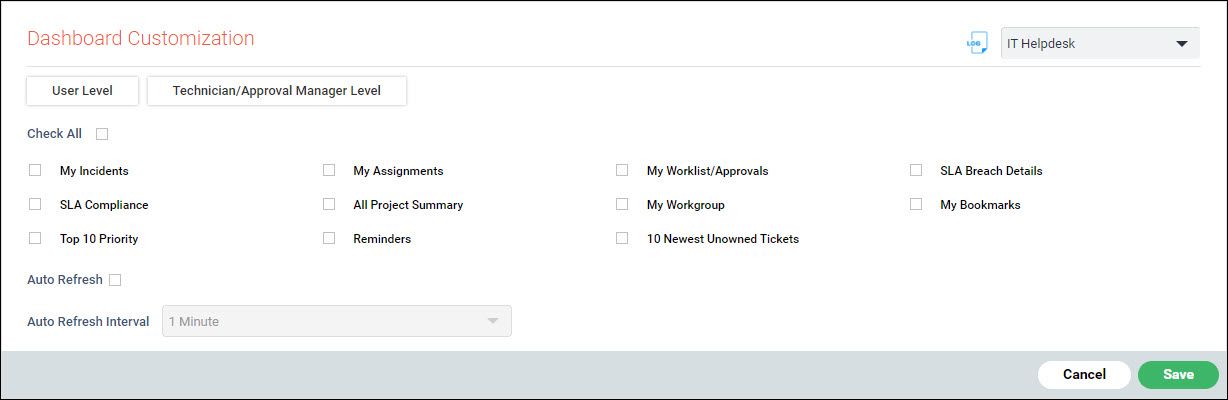
Click on the check boxes to select the dashboards to be displayed.
Click on 'Auto Refresh' to automatically refresh the dashboards at regular intervals.
Select the 'Auto Refresh Interval'.
Click on 'Save'.