To
edit a custom report, select a report from the custom report list and
click the ‘Edit’ icon ‘ ’. All
the options available as part of creating a ‘Custom Report’ will be available
to be edited.
’. All
the options available as part of creating a ‘Custom Report’ will be available
to be edited.
To delete a system report, select a report from the custom report list and click ‘Delete’.
In scenarios where new report is more or less similar to the existing reports, option is provided to copy, the existing report template and make a few changes if required.
1. To duplicate a service desk custom report
click the icon ‘ ’
’
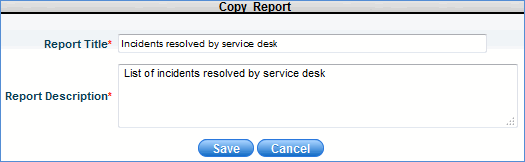
2. Enter the ‘Report Title’ and ‘Report Description’ as shown in the image below.