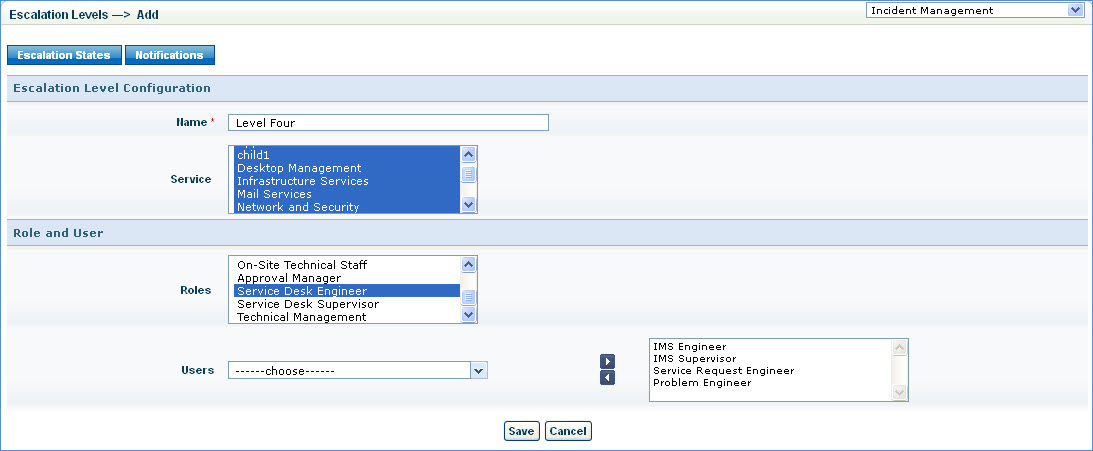
Escalation levels are the levels defined to maintain a hierarchy of managers to whom the record can be escalated to.
It allows management to monitor the priorities and urgent issues. These levels can be defined to include selected users and roles.
Follow the steps below to configure escalation level
1. 'Service' list box displays the available services. Select the service/services this escalation level will be defined for.
2. Roles: Select one or more roles to be included in this escalation level.
3. Users: Select one or more users who will be part of this escalation level and add by clicking the arrow ' '
'
4. Save the configurations