
This topic gives an overview of the Asset and Inventory Reports.
 Note: If only the ITSM module
is installed, then only the Asset Reports are available. If only the ITOM
module is installed other than Asset Reports all other Inventory reports
are available. If both ITSM and ITOM module are installed, then all the
reports are available.
Note: If only the ITSM module
is installed, then only the Asset Reports are available. If only the ITOM
module is installed other than Asset Reports all other Inventory reports
are available. If both ITSM and ITOM module are installed, then all the
reports are available.
Click on 'Reports' and under that click on 'Asset and Inventory Reports'. The list of Inventory Report categories is displayed.

The categories of reports are displayed on the left hand menu and the reports under each category are listed on the right. The following categories of reports are available.
Serial No |
Category |
Description |
1 |
Inventory Summary Reports |
Detailed listing of the data. For example, the Hardware Inventory Report lists all the hardware details |
2 |
Inventory Analytical Reports |
Analytical reports provide a distribution report based on selected fields. For example, an OS distribution report will give a count of systems by OS version. The report is two dimensional and selecting multiple parameters on which the distribution is to be analyzed will display each combination in a separate row. |
3 |
Inventory Chart Reports |
These are charts which show the various distributions based on selected parameters. |
4 |
Asset Summary Report |
Detailed listing of Assets in CMDB |
5 |
Asset Analytical Reports |
Provides charts for various type of analysis of asset parameter distributions. |
6 |
Custom Query Reports |
Allows creation and display of custom reports |
7 |
Compliance Reports |
Reports on software license compliance |
8 |
Software Metering Reports |
Reports on software usage |
9 |
Other Reports |
Reports for Inventory Change Logs and VM Inventory can be created. Note that these are not in-built. |
Select a category to see the reports which are available under that category.
The list of reports with their description is displayed.
Click on a report to view the report. For example, when you click on 'Laptops Inventory Summary Report', the report opens in the 'Report Viewer' tab.
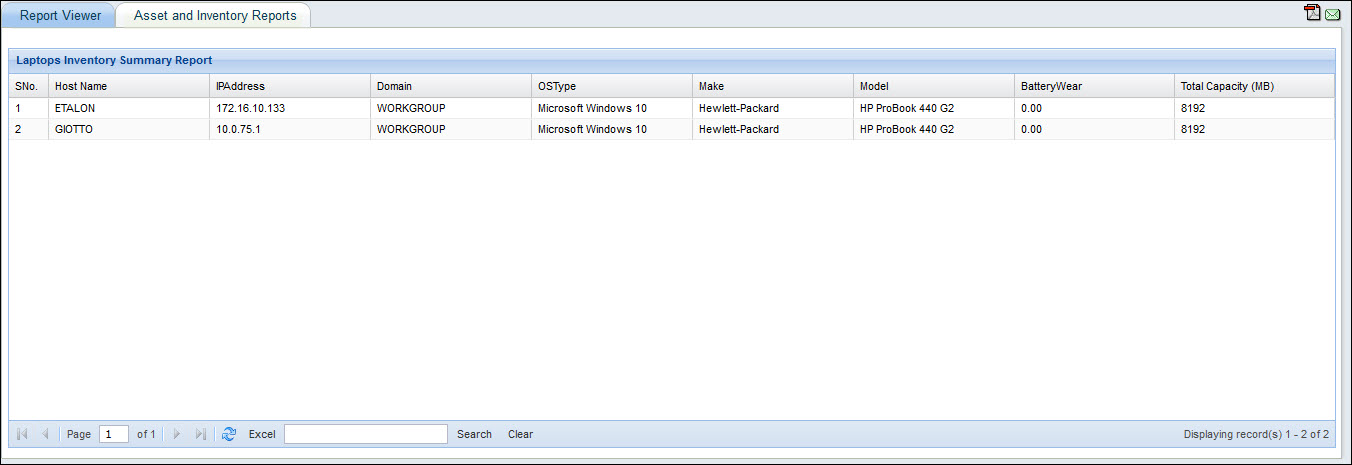
Click on  to save the report as a PDF file.
Click on  to send the
report as an e-mail.
to send the
report as an e-mail.
Click on the 'Excel' option at the bottom of the screen to save the report as an Excel file.
Click on  to edit the
report. Make changes and click on 'Update'.
In-built Reports which have the icon
to edit the
report. Make changes and click on 'Update'.
In-built Reports which have the icon  are not
editable.
are not
editable.
Select on one or more reports and click on 'Delete' to delete the reports.
Note: You can only delete
the Custom Reports which are created and not the in-built reports.
To add a custom report, click on 'Add'. The next few topics describes report addition in detail.