
Inventory Scheduler in SapphireIMS helps you to schedule inventory collection for different kinds of inventory at different time intervals. The inventories that can be scheduled are Hardware, Software, File System Trawl and Custom Inventory at user defined time intervals.
Click the 'Settings' tab. In the 'Asset and Inventory Management' section, click 'Inventory Scheduler'
The 'Inventory Scheduler' listing page is displayed. A 'Default' inventory schedule profile with same schedule for all inventory types at an interval of 86400 seconds for all the systems is listed along with any other user defined inventory schedules.

Click 'Mapped Systems' to view the list of systems mapped to the corresponding inventory profile
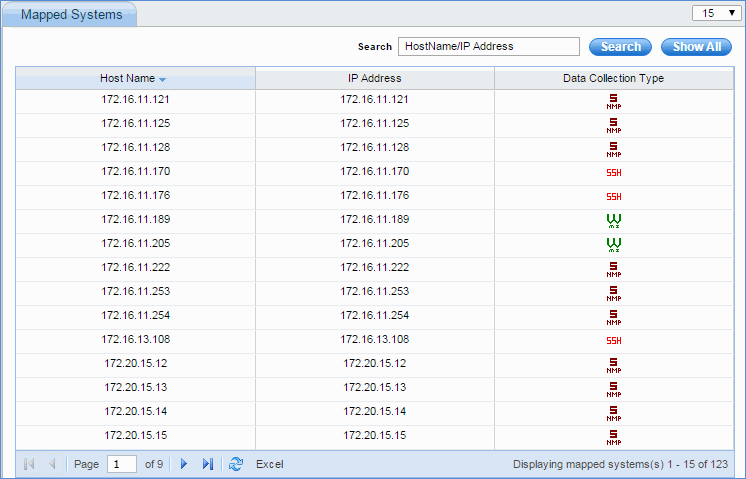
Note: If the user has manually mapped the system to an inventory schedule profile under 'Node Operations' module, the system cannot be mapped to the 'Default' profile as user profile mapping takes precedence over default profile mapping.
Click 'Add' to add a new inventory schedule
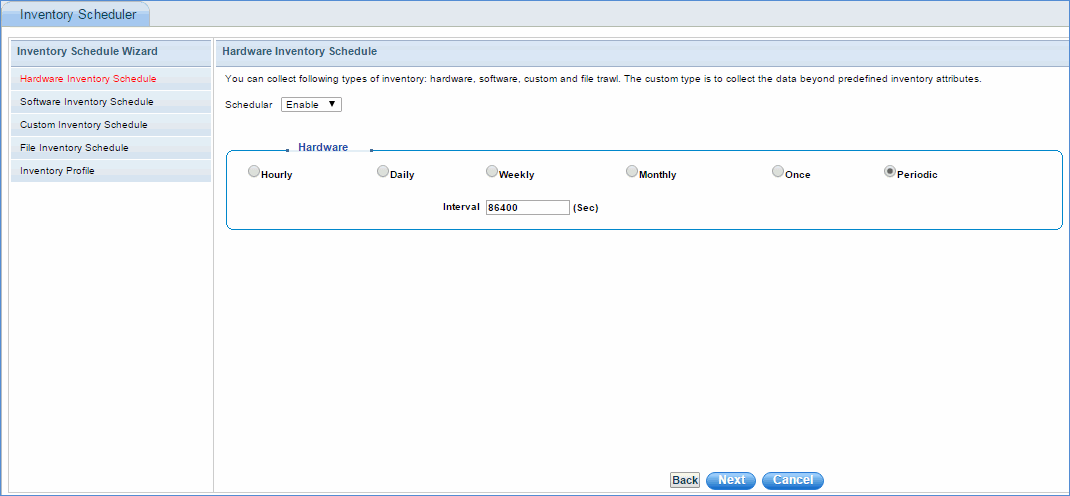
Select the hardware inventory schedule as shown in the above image and click 'Next'
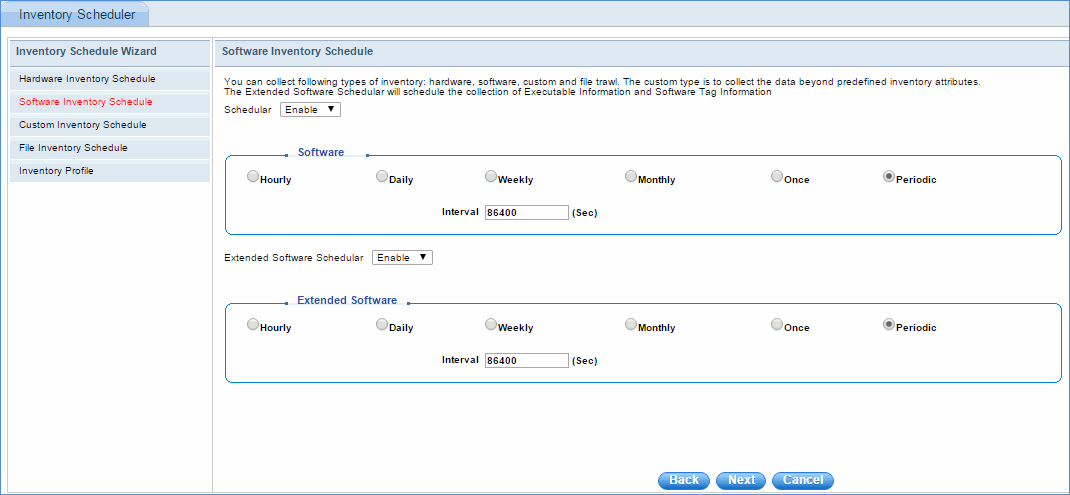
In the software inventory scheduler configuration wizard, the scheduler is provided to select the software inventory schedule for collecting data. The Extended Software Inventory scheduler can be enabled or disabled. The Extended Inventory scheduler performs collection of executables and also SWTag collection in case of SapphireIMS agent machines.
Select the software inventory schedule as shown in the above image and click 'Next'
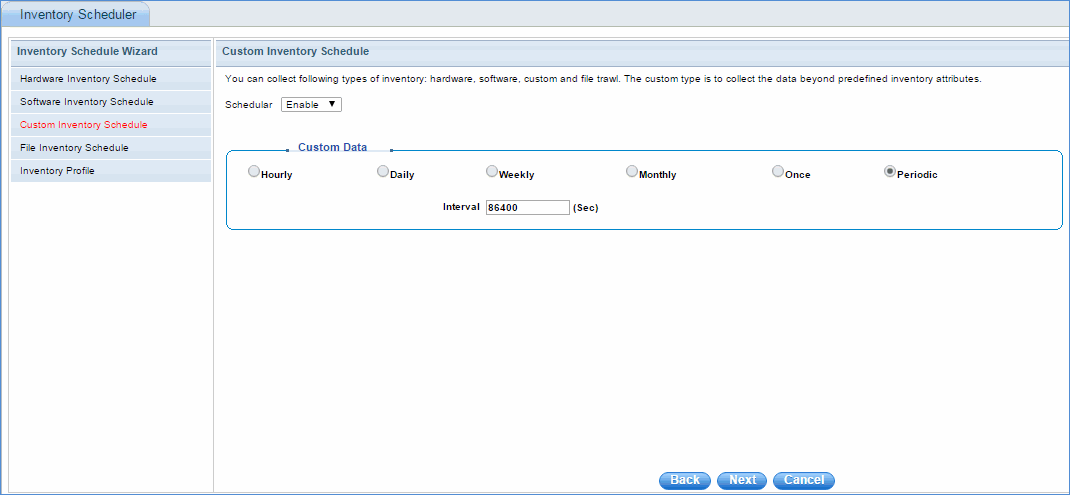
Select the custom inventory schedule as shown in the above image and click 'Next'
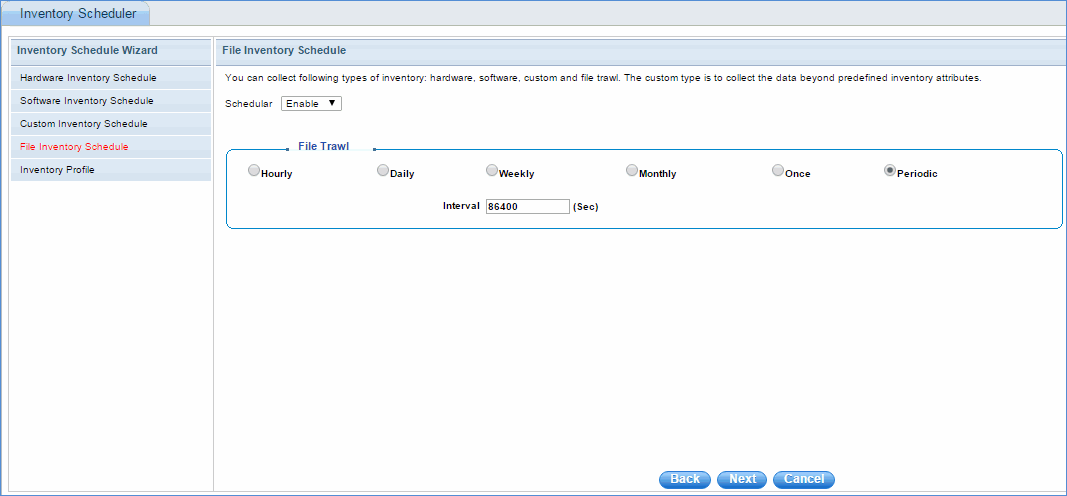
Select the file trawl inventory schedule as shown in the above image and click 'Next'
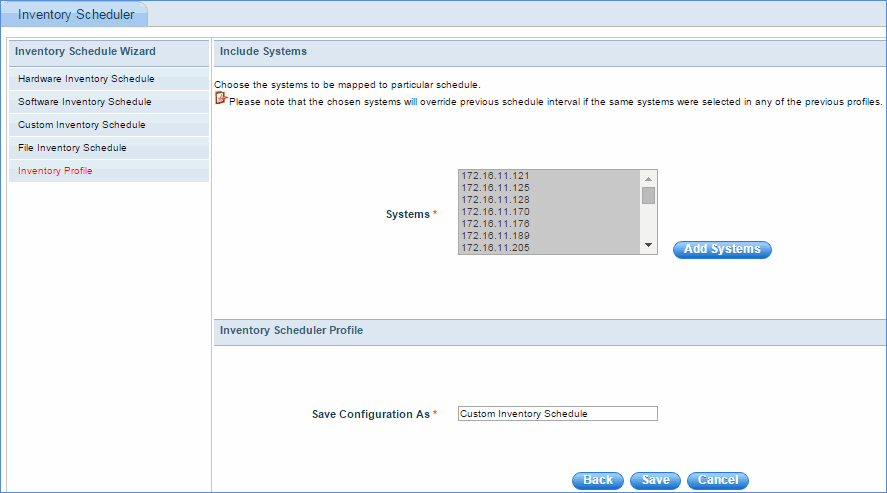
Select the systems to be associated to the particular inventory schedule, enter the configuration name of the schedule, and click 'Save'