
MIS (Management Information System) reports are an added functionality to enable quicker and meaningful reports for the administrators and system managers to get a complete understanding of the resources usage, uptime/downtime, performance or call tracking. This provides extensive reporting and analysis to support better decision making and to plan/organize the business operations.
MIS Reports are created by bundling reports from across the modules into a single report.
On the SapphireIMS menu, point to 'Reports' and click 'MIS Reports'. This will display the list of in-built MIS Reports available.
To add a new report click on 'Add'. The following screen is displayed.
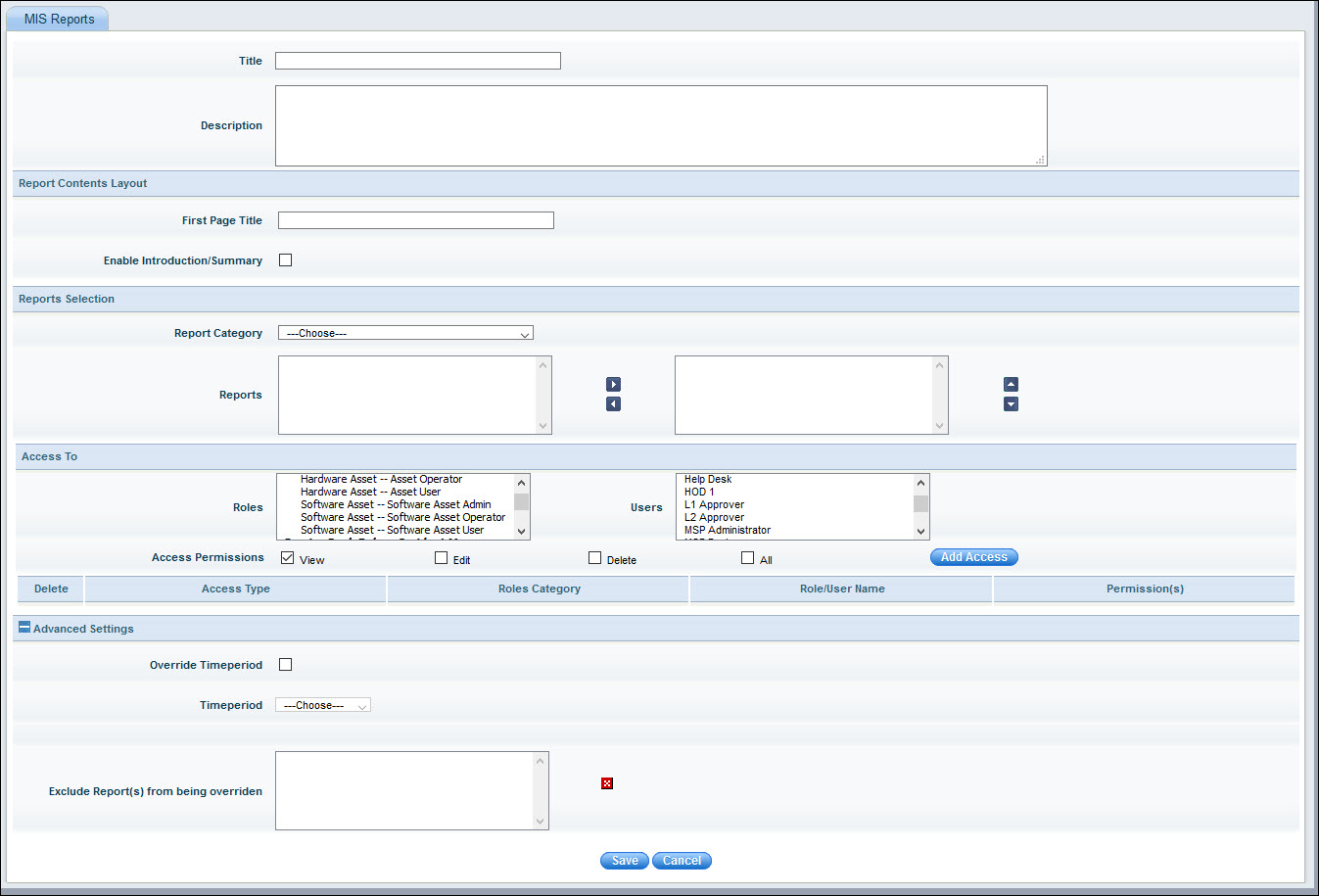
The fields are described below.
|
Note: Service desk in-built reports are included in MIS Reports. Click the 'Report Category' drop down to select the reports.
1. Click 'Reports', 'MIS Reports' to display the MIS Reports listing screen.
2. Click on a report to view it in 'Report Viewer'
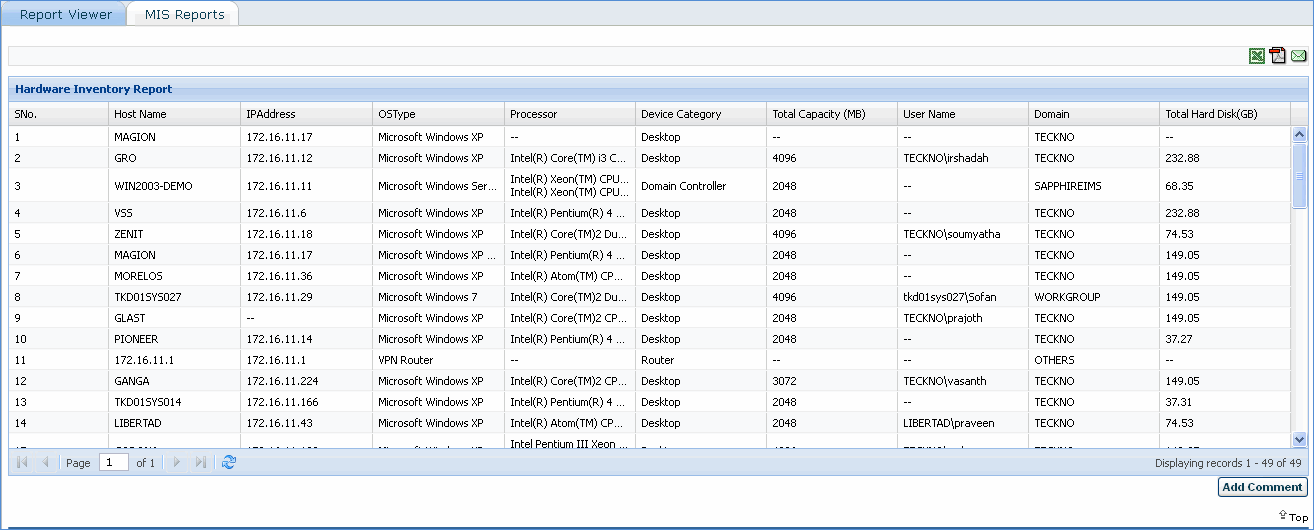
Click
the .gif) icon, provide the page settings and click the 'Generate' button to
export the report in PDF format.
icon, provide the page settings and click the 'Generate' button to
export the report in PDF format.
Click
the  icon, to export the report in Excel format.
To edit an MIS Report, select the report from 'Reports' > 'MIS Reports' and click 'Edit'. This displays the report edit screen.
To delete an MIS report, select the report from 'Reports' > 'MIS Reports' and click 'Delete'. The selected report is deleted on confirmation.
 to remove these
reports from the list
to remove these
reports from the list