
After the record is submitted, the Problem Manager assigns the record to a Problem Support Engineer or to a Workgroup which will work on the problem.
Click on the 'Submit as' option and select 'Assign'.
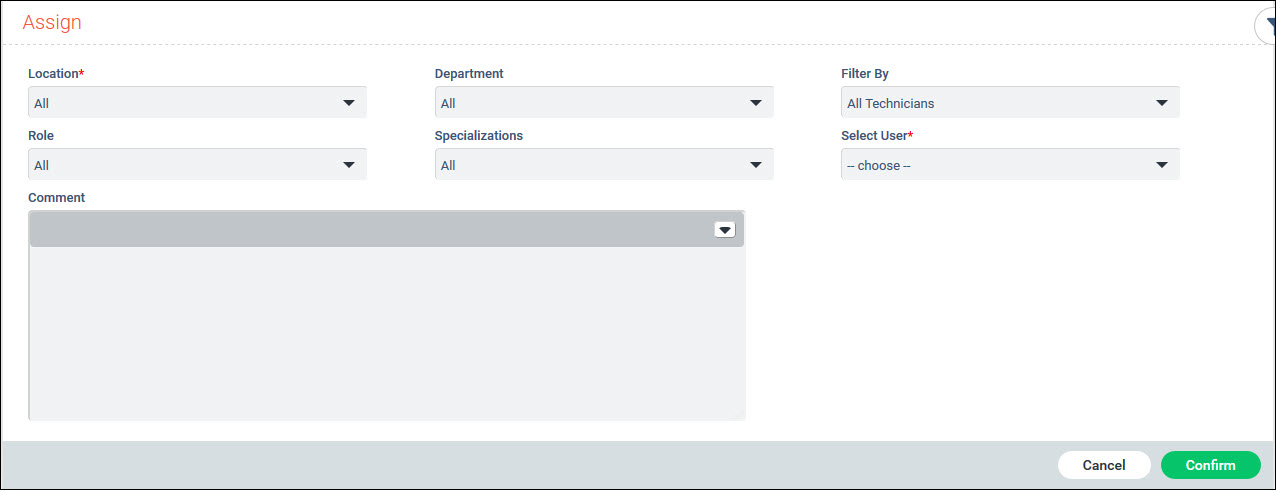
You can use the filters in the table below to select the engineer to whom the problem record has to be assigned.
|
Click on 'Confirm' to complete the assignment.
To assign the record to a workgroup, click on 'Show Actions', 'View Details' and 'Edit Details'.
Select the 'Workgroup' field.
Click on 'Update' to update the record.
Subsequently the record appears under the "My Workgroup" tab of all the users belonging to that group. Any user can then proceed to 'Assign' the record or carry out any further updates on the record.