
SapphireIMS has a new feature called Policy Analyzer which analyzes Windows systems for any security breach based on the security benchmarks defined by CIS (Center for Internet Security). At present, Policy Analyzer support is for Windows XP, Windows 7, Windows 8, & 2008 R2 Server.
1. Firstly, enable the setting key of Policy Analyzer Data Collection to ‘1’. Click the Settings tab. In the Advanced System Settings section, click Global Settings and enter the value of Policy Analyzer Data Collection as ‘1’.
2. Click IT Automation, Policy Analyzer Details (CIS)
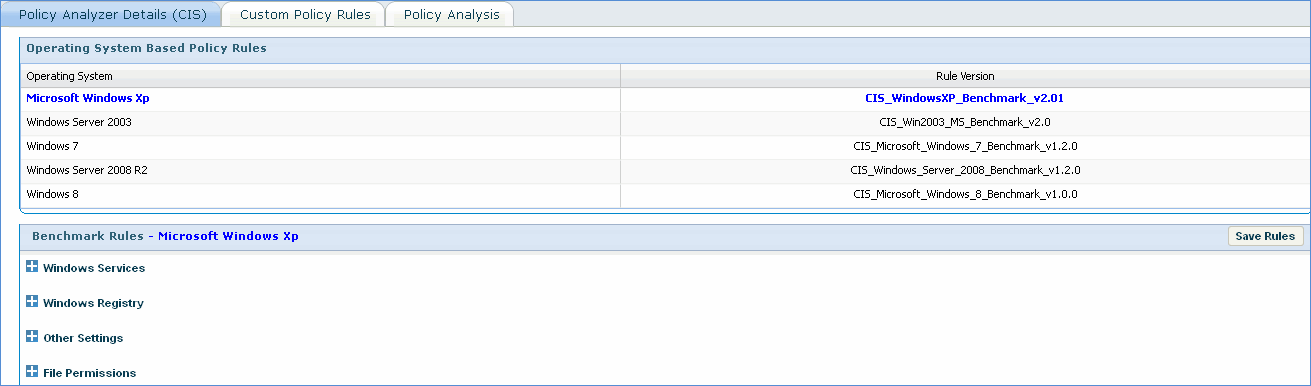
1. Check or clear the ‘Enabled’ checkboxes to enable or disable the corresponding windows service so that they conform to CIS benchmark rules
2. Click Save Rules
1. Click Policy Analysis and click on the selected IP Address
2. Policy Status Details screen is displayed with Status as Success or Failed
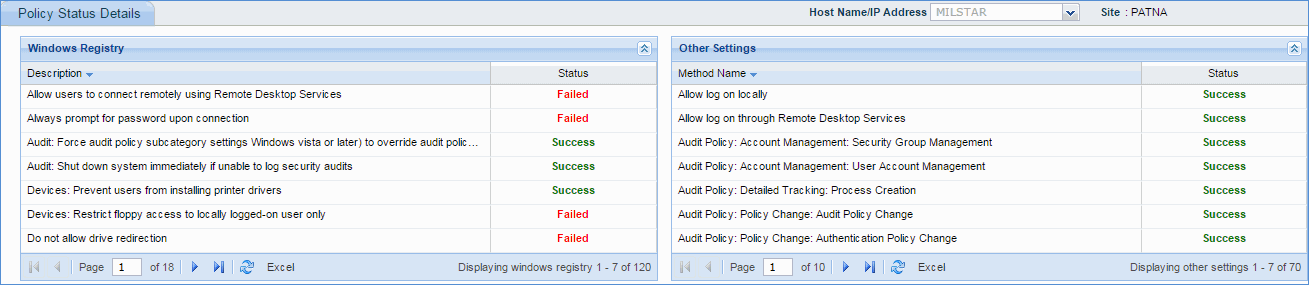
Note: You can use the 'Rule' and 'Choose Policy' drop downs to filter your search