
In order to manage the Service Desk record, a Priority level is assigned to the record during submission. The Priority can be manually entered or automatically determined based on a combination of Urgency and Impact. By default, in built projects have the Priority levels of 'High', 'Medium' and 'Low' defined. In addition, new Priority levels can be added. A Priority can be specified for each Service.
Click on 'Urgency, Impact & Priority' option on the right hand side panel.
Click on 'Priority'. The list of Priority levels is displayed.
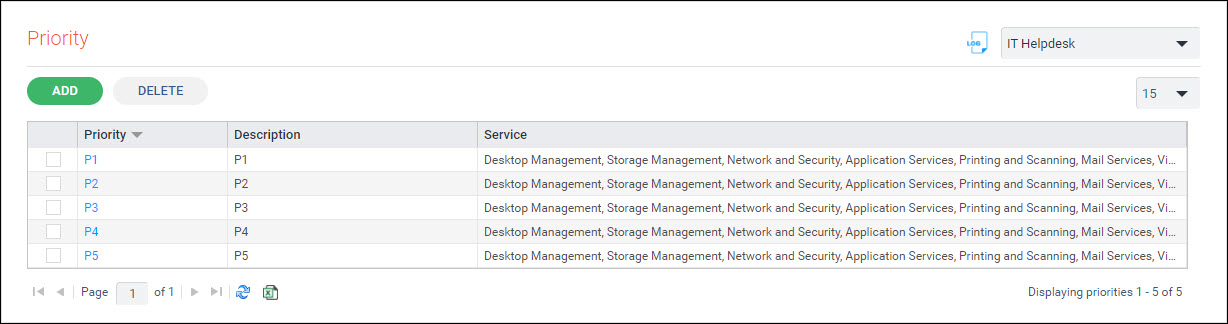
Click on 'ADD' to add a new Priority level or click on any Priority level to modify. The Priority addition screen is displayed.
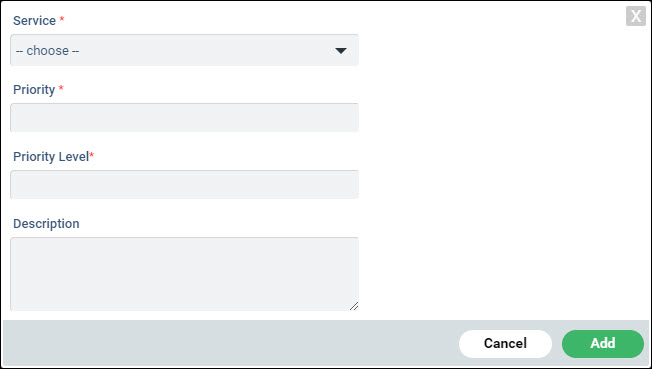
Select one or more 'Service' from the drop down list.
Enter a user friendly 'Priority' descriptor which indicates the priority.
Enter the 'Priority Level' which is a number.
Enter the 'Description'.
Click on 'Add'.
To delete a Priority level, select the Priority and click on 'DELETE'.