
While viewing the details of a problem record by clicking Problem ID in the problem listing page as shown in the above section, the details are organized into multiple sections in the problem record for better readability.
The details are organized into sections like Problem Classification, Submitter Info and Problem Details.
The categorization and prioritization details of the problem can be viewed from Problem Classification section in the problem record.
The fields Category, SubCategory, Urgency and Impact given in the problem record allow to classify the problem into appropriate category and automatically calculate the priority for the problem.

The complete information about the submitter of the problem are stored in different fields and shown under Submitter Info section.
The following image shows the Submitter Info section in the problem record.

The submitter of the problem is represented by Submitted By field and the mode of submission is represented by Submitted Through field. The different modes supported by Submitted Through field are Event Management, Incident Management and Pro-Active Problem Management.
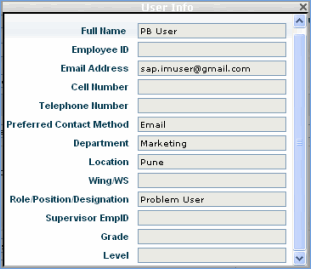
While the location and department of the submitter can be viewed from Location and Department fields, the contact details of the submitter like phone number, e-mail address, location etc can be viewed by clicking User Info (Insert Icon) icon besides the Submitted By field. The submitter details will be shown as below.
The CI
field indicates the asset that are impacted due to this problem. You can
choose the asset or select 'Other'. When you select 'Other' the CI
drop down list box will be visible. Select the required asset from CI
field. Select the required asset from CI field. After selecting the CI
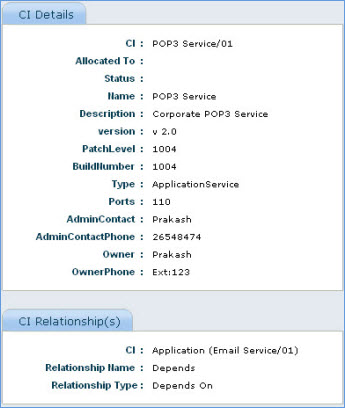
Click this  icon to view the CI details.
The CI details will be shown as shown below
Problem goes through various stages in the problem life cycle. The current status of the problem record can be viewed from Problem Details section.
The following picture shows the Problem Details section in the problem record.
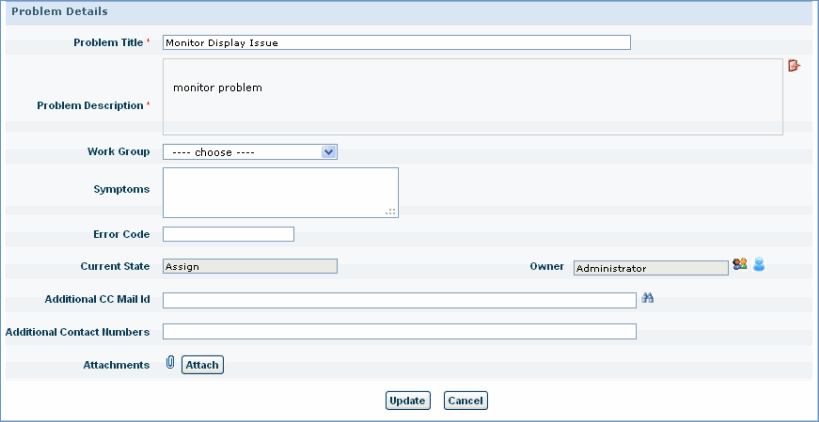
The Current State field in Problem Details section reflects the current status of the problem. The time of problem submission can be viewed from Submit Time field from Submitter Info section. The time details for the different modifications and updates to the problem can be viewed from Audit Log section of the incident.