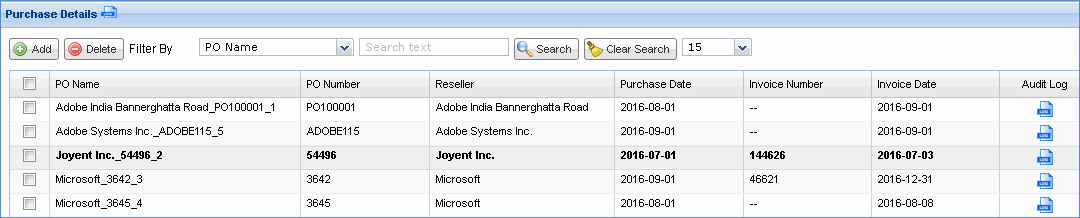
A purchase order is a commercial document and first official offer issued by a buyer to a seller indicating types, quantities and agreed prices for products or services. It is used to control the purchasing of products and services from external suppliers.
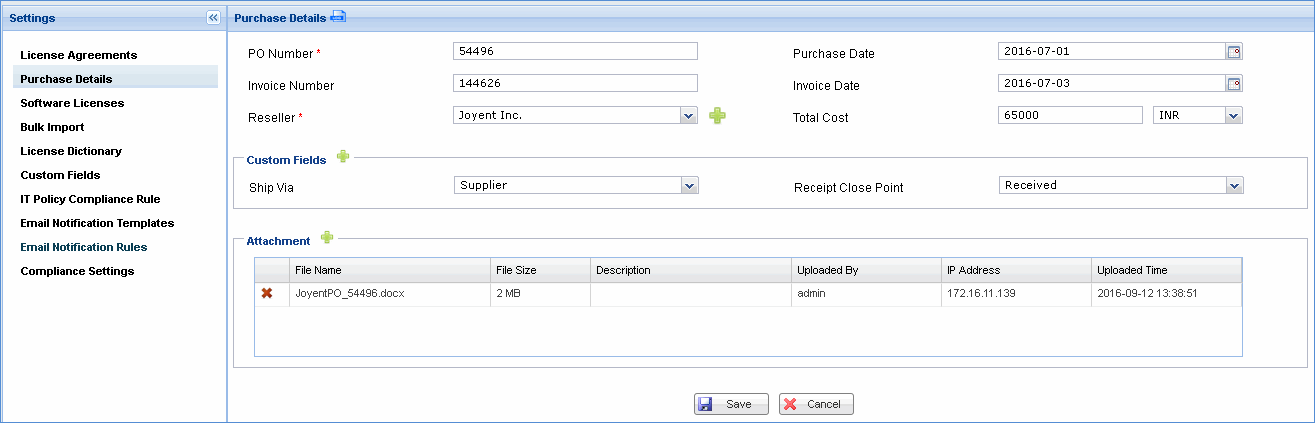
Purchase details help you to maintain all purchase order information such as PO number, purchase date, invoice number, invoice date, reseller and total cost; each of which is explained in detail below.
Click the 'Settings' tab. In the 'Asset and Inventory Management section, click 'Compliance'
In the 'Settings' panel, click 'Purchase Details'. All the purchase order details that are defined are listed here. To add a new purchase order, click 'Add'
|
Custom Fields
Custom fields refer to additional information
that you would like to capture for purchase orders. Click  to add a new custom field
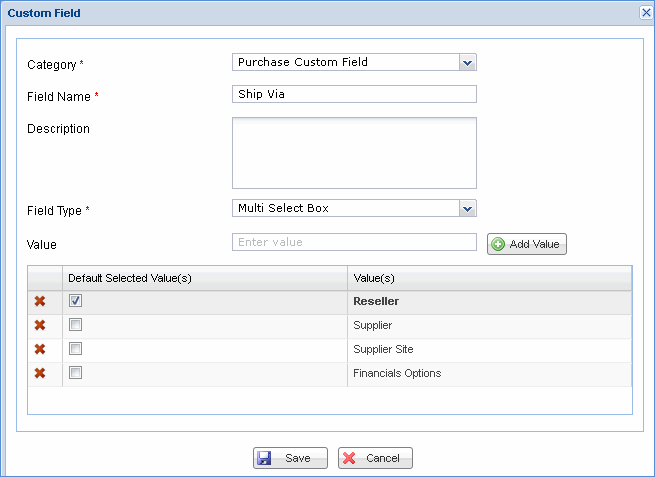
Note: You can also add custom fields from the Settings panel
Attachment
Click to add purchase
order related document files as attachment
Note: At the time of saving the purchase order, the PO name is auto generated with the name of the reseller followed by PO number and the number of the purchase order with the reseller.