
Relationship Configuration enables you to configure user defined forward and inverse relations between different assets. In addition, pre-defined relationships with inverse and forward options are provided. Relationships can be viewed graphically in a tree view. There are pre-shipped relationships available.
Under 'Settings', in 'Assets', click on 'Relationship Configuration'. The list of pre-shipped relationships are displayed.
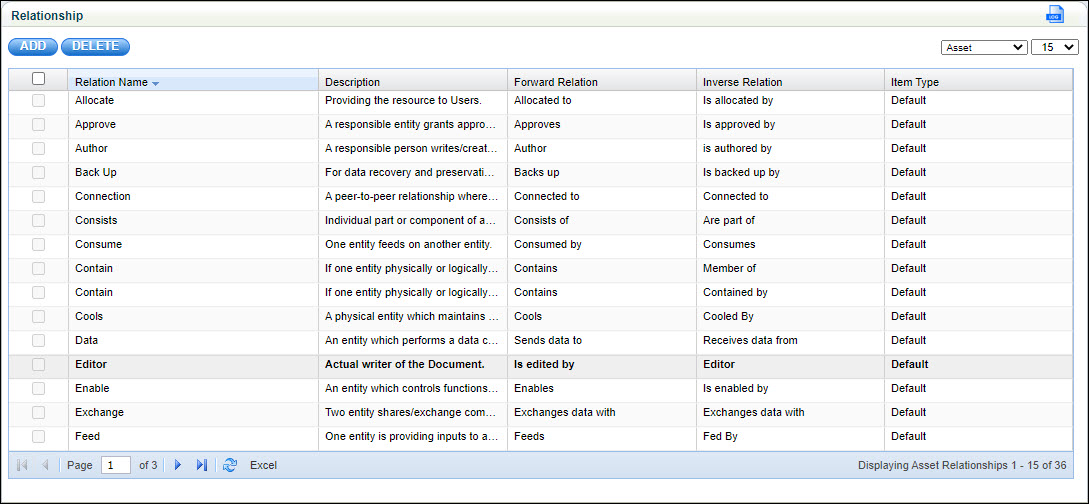
Click 'ADD' to add a new asset relationship
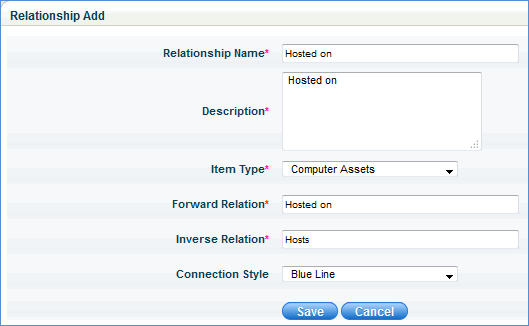
Enter the relationship name and description
Select the item type from the list. This drop down list displays all the asset types created in the CMDB
Enter the forward relation. This refers to the relation from the primary or parent asset to the secondary or child asset. For example, 'Hosted on' could refer to the host or server computer
Enter the inverse relation. This refers to the relation from the secondary or child asset to the primary or parent asset. For example, 'Hosts' could refer to the client or asset that is connected to the server.
Select the 'Connection Style' from the list.
Click 'Save'.