
SapphireIMS uses wirelessmessenger schema to convert SMS to service desk records. The SMS is sent to a hard coded mobile number which will be converted into a service desk record. This is to facilitate service desk users as well as those users who are not a part of SapphireIMS to submit a record.
To configure the SMS to Record Configuration rule, click the ‘Settings’ tab. In the ‘Service Desk Configuration’ section, click ‘SMS to Record Configuration’.
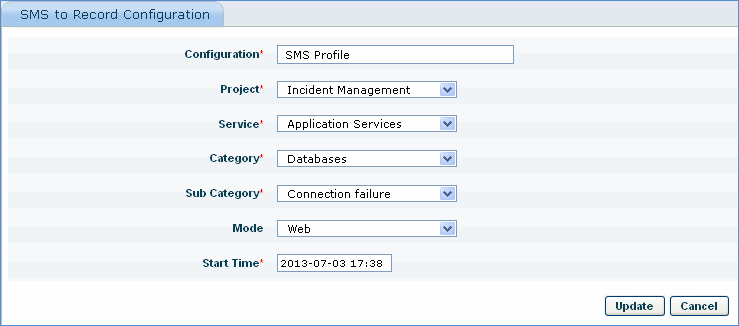
|
Global Settings Options
Note: The following global settings options must be configured appropriately if the SMS to Record conversion feature has to work:
1. SMS to record feature enable/disable = 1 (Enable the feature)
2. Submit sms as record = 1 (Convert the SMS to record)
3. Enable acknowledgement for sms to record = 1 (To send acknowledgement to the sender)
4. SMS to record time interval = 15 minutes (Time Interval for converting SMS to record)
Note: 1. Only one SMS to Record Configuration rule is allowed since SapphireIMS is able to map to only one mobile number present in the wirelessmessenger schema
2. This feature will work only in SapphireIMS Professional Edition.
3. The wirelessmessenger schema should be available in the same MySql server as SapphireIMS