
SapphireIMS Query Browser


SapphireIMS web portal allows you to access any SapphireIMS database server in the network.


http://<IMS System>/<SapphireIMS>SapphireIMSQueryBrowser.jsp where IMS System is the IP address of the system where IMS is running
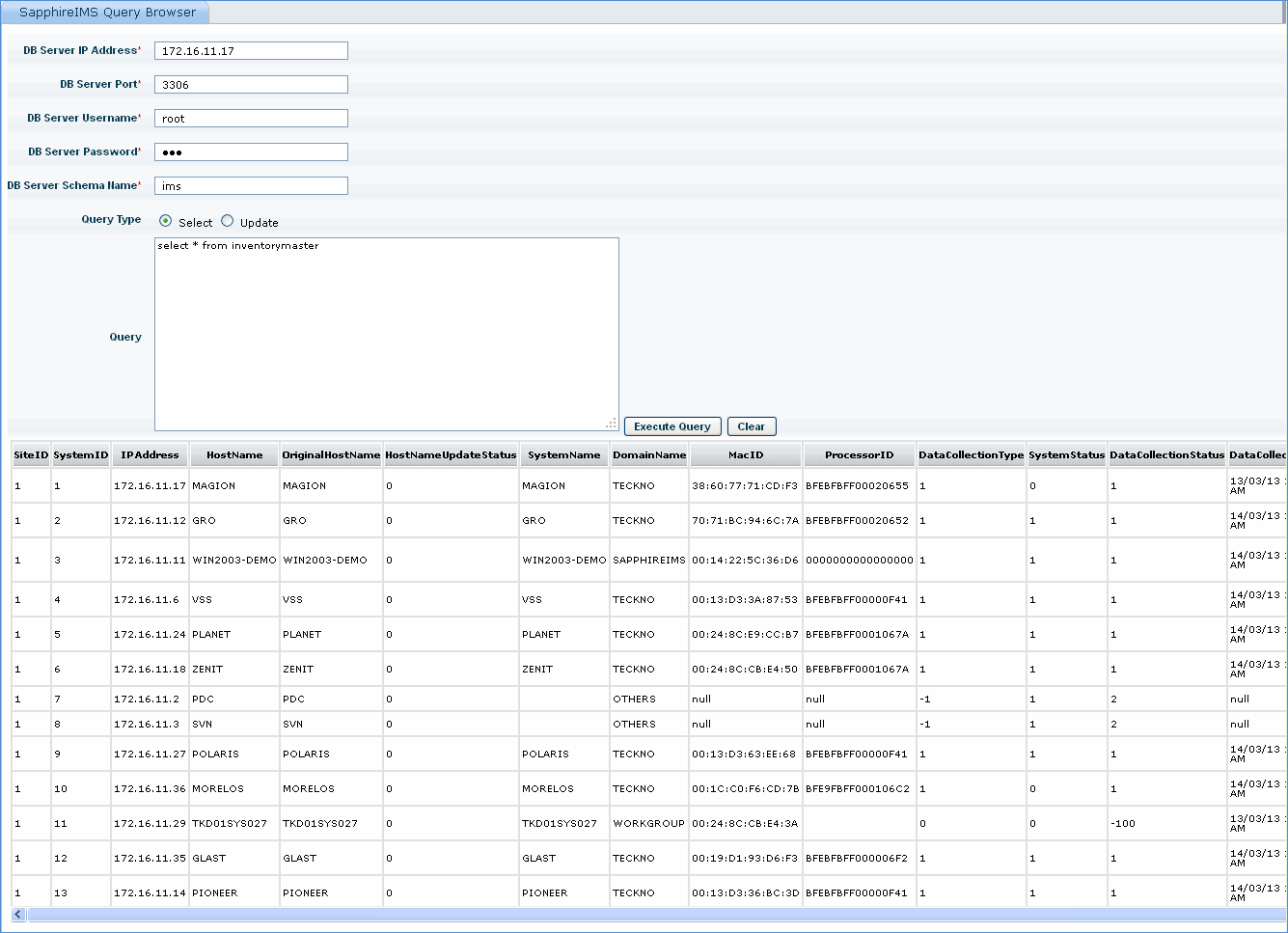
 

ims_query_browser.gif


  Sr. No

Field Name

Description


     1

DB Server IP Address

Enter IP address of the database server

     2

DB Server Port

Enter the port of the DB server


     3

DB Server username and password

Enter the login credentials for the DB server

    4

DB Server schema name

Enter the schema name of the DB server

    5

Query

Enter the query to fetch data from the database server and click 'Execute query'