
Based on the global settings key 'Enable/Disable force agent upgrade' , you can schedule the agent upgrade. The default value is 1, i.e. once the patch is updated, all the agents are forced to upgrade.
If the value is 0, you can schedule the agent upgrade as described below.
Click the 'Settings' tab. In the 'IT Automation' section, click 'Schedule Agent Upgrade'
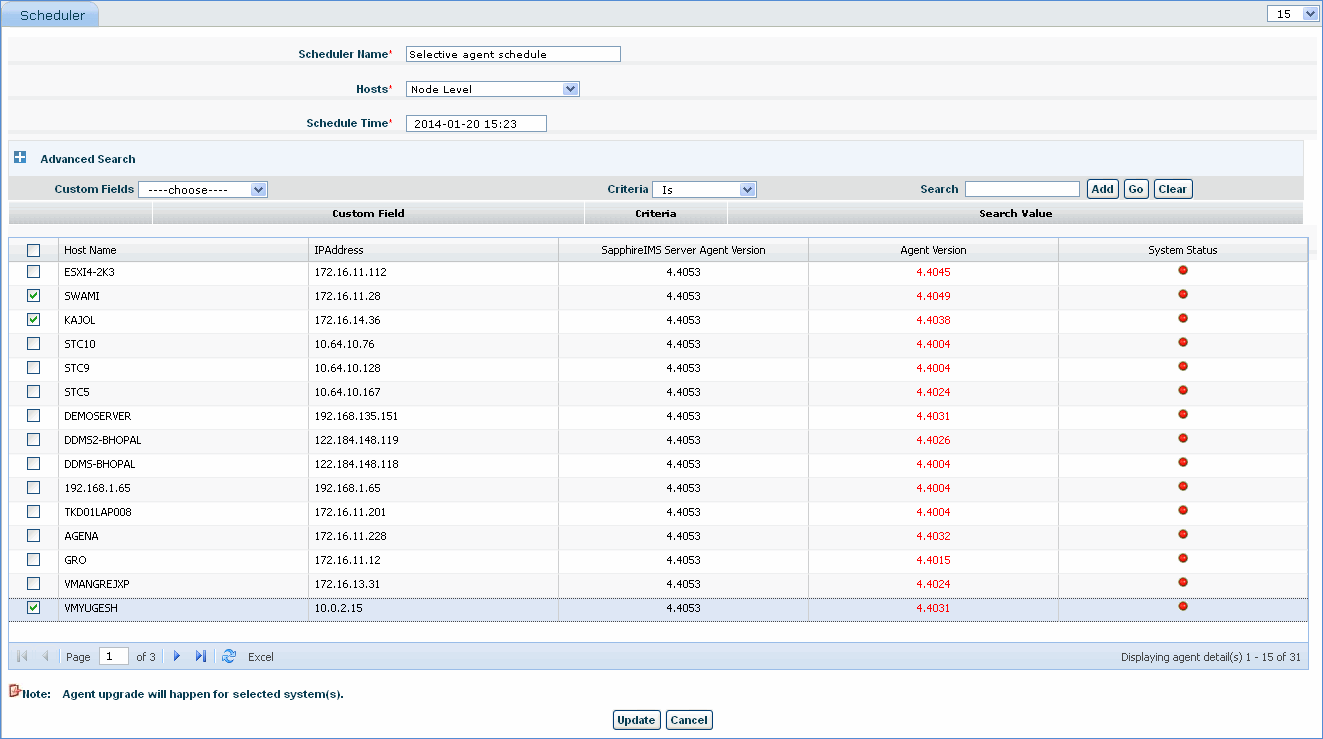
Click 'ADD'
|
Select the agent nodes to be upgraded and click the 'Update' button to save the agent schedule configuration. This configuration can later be edited.
Check the Scheduler Name and click 'Delete' to delete the agent scheduler
The 'Run Diag' utility is useful in debugging issues with SapphireIMS Agent.
To execute this utility, right click the SapphireIMS Agent tray icon and click 'Run Diag'. It takes about 30 seconds to generate the SapphireDebug.zip
Next, go to the installed folder of SapphireIMS Agent and double click SapphireDebug.zip and please send the required files to the SapphireIMS support team.
Notes: 1. In case, the SapphireIMS Agent tray icon is disabled or not visible, go to the installed folder of SapphireIMS Agent and run AgentServiceTray.exe. Alternately, you can run SIMS_AgentDiag.exe. This will generate the SapphireDebug.zip file