
The configuration of SNMP traps is different for different devices. An example of SNMP traps configured on D-Link Router to a Windows host machine is provided below.
In the router properties page, go to Administration > SNMP Manager > SNMP Host Table
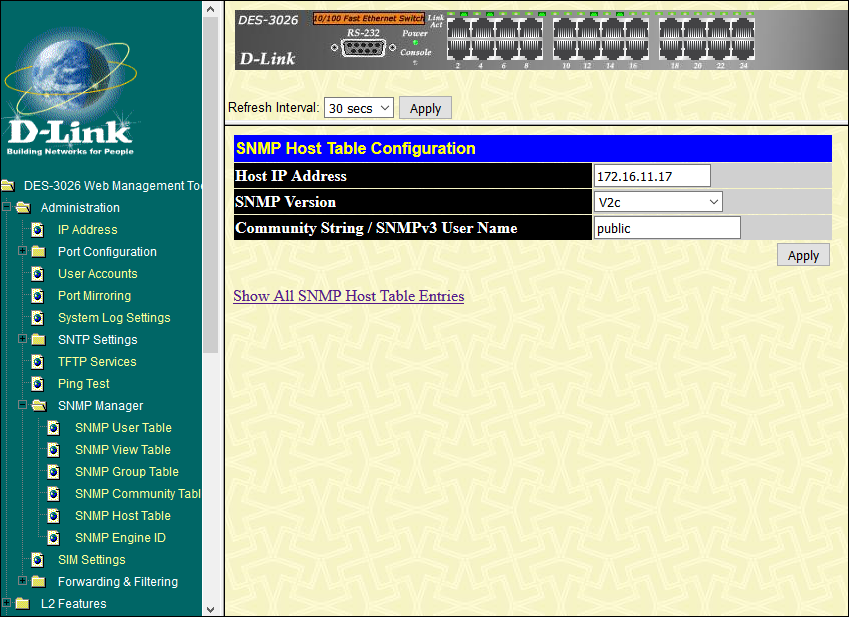
Enter the Host IP Address, select the SNMP Version and enter the Community String.
Note: For details on SNMP Host table configuration, please refer to the Syntax Description in the following URL "http://www.cisco.com/c/en/us/support/docs/ip/simple-network-management-protocol-snmp/13506-snmp-traps.html"
Click 'Show All SNMP Host Table Entries'
Click 'Add' to save the SNMP Traps configuration
