
Software metering reports provide the detailed report of host wise software usage, software usage details i.e. how frequently or rarely a software is used and report on software that are detected as unused. These reports are in-built reports. In addition, you can configure your own reports for software metering as shown below.
On the SapphireIMS menu, point to 'Reports' and click 'Asset and Inventory Reports'.
Click the ‘Software Metering Reports’ link. Click on the ‘Add’ button. A screen to display the report details is displayed. As an example, the report below displays the software usage details.
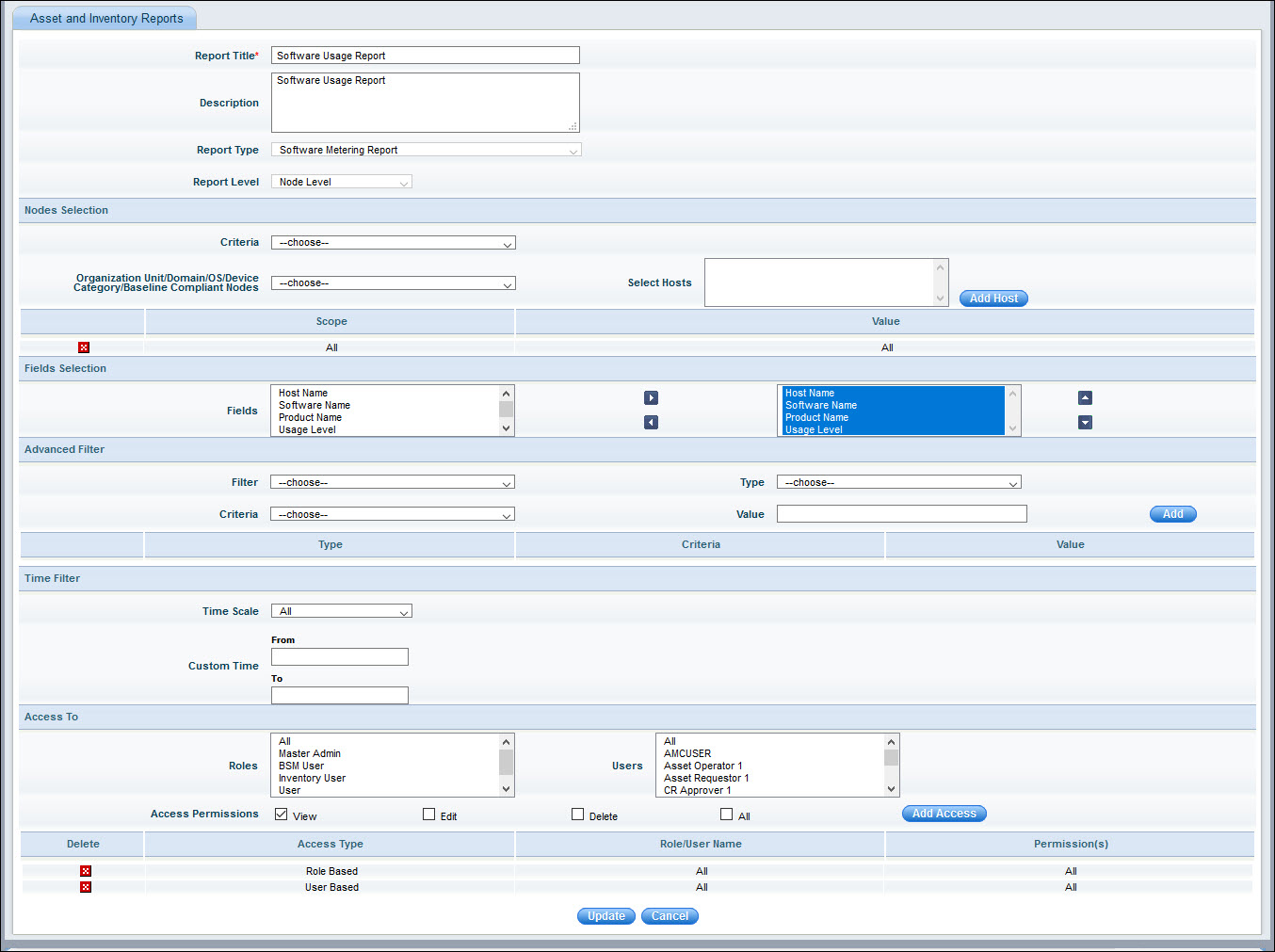
The fields are described below.
|
Enter the fields and click on 'Save'. The report gets added and appears in the report list.
 ’
to select the hosts from the ‘Search Hosts’ window.
’
to select the hosts from the ‘Search Hosts’ window.