
Records are tracked through the workflow by means of States. However as there could be a number of States, these can be grouped together into State Categories which can be used for tracking the records. In-built projects have some predefined State Categories. New State Categories can be created or existing State Categories can be modified.
Click on 'Work Flow Management' option on the right hand side panel.
Click on 'State Category'. The list of State Categories is displayed.
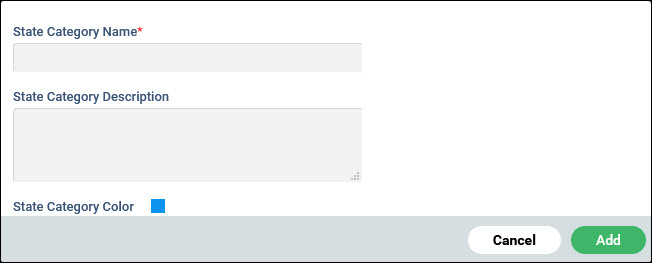
Enter the 'State Category Name', the 'State Category Description' and select the 'State Category Color'.
Click on 'Add'.