
SapphireIMS provides a facility to create teams of Service Desk engineers to work on Service Desk records. A Service Desk engineer belonging to the team can only view tickets of all other team members including records assigned to him or her in 'My Team Incidents' / 'My Team Problems' / 'My Team Changes' or 'My Team Requests' as the case may be. Teams can be created based on the Location, Department or the Organization units to which team members belong.
Select 'Group Access Control' option on the right hand side panel.
Click on 'Team Configuration'. A list of Teams which are configured.

You can edit an existing Team configuration by clicking on it or click on 'ADD' to create a new team configuration.
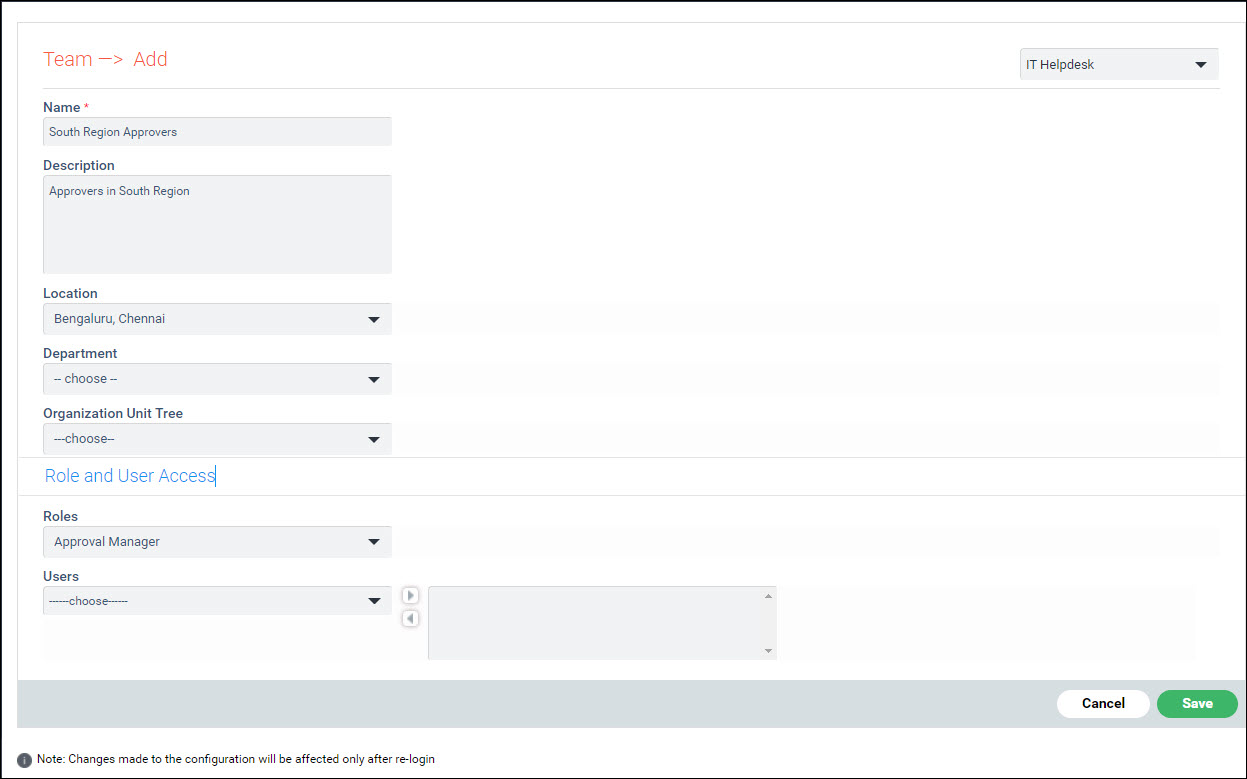
The fields are described below.
|
Click on 'Save' or 'Update'.
To delete a team configuration, select the configuration and click on 'DELETE'.