
User acceptance mail allows the asset owner to define the e-mail template for accepting or denying assets to avoid sending paper forms for accepting assets after allocation. The user to whom the assets are allocated can accept or deny the asset. There is a provision to enable auto acceptance of the asset in case the allocated user does not respond within a certain number of days which can be pre-configured.
Under 'Settings', in 'Assets' click on 'User Acceptance Mail'.
Click on 'Add' to create an Asset Ownership Acceptance or Denial Email Notification Rule. The screen below is displayed.
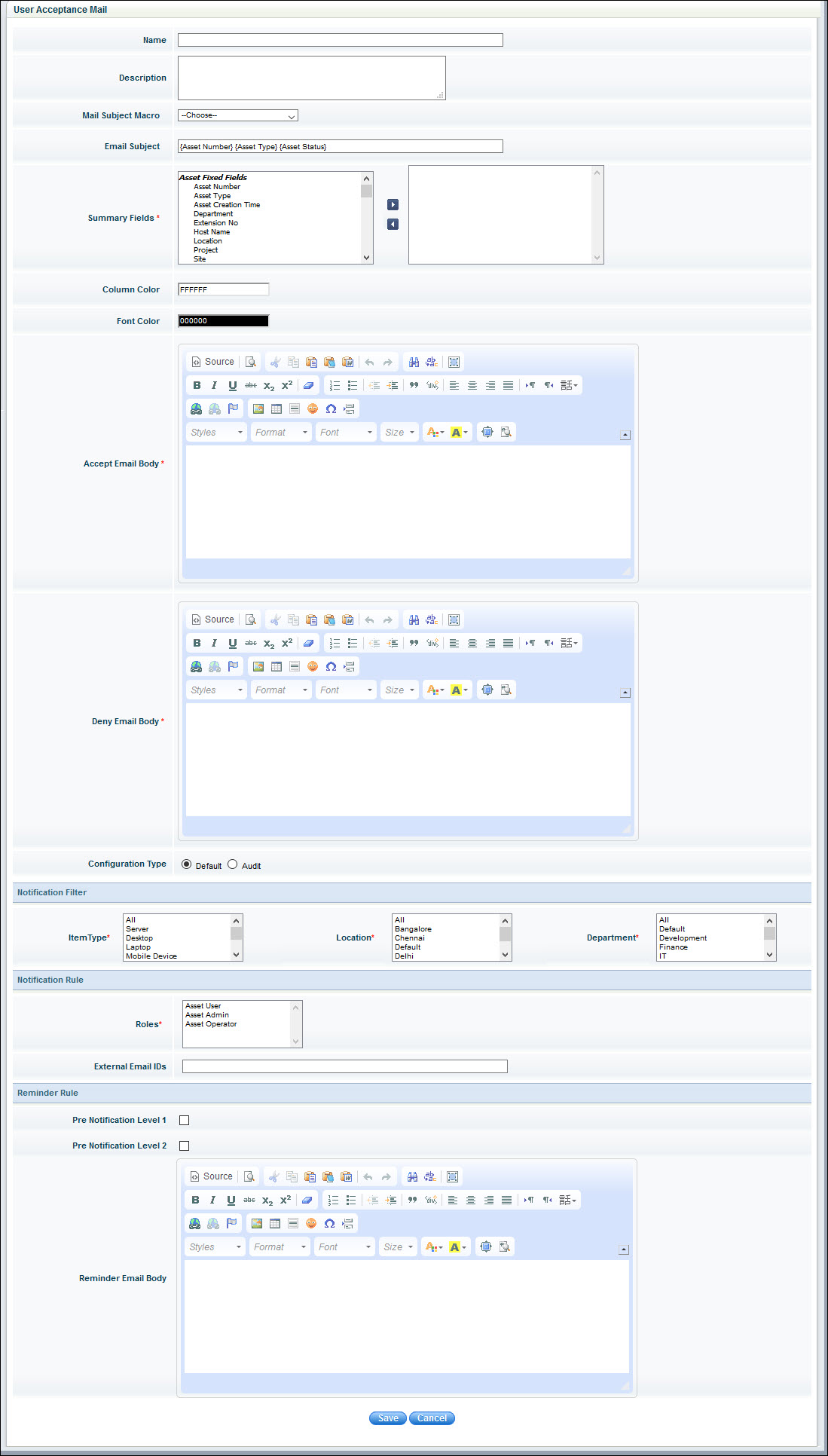
The fields are described below.
|
In 'Settings > Asset and Inventory Management > Asset > Mail Notification Rules', select 'Link' or 'Button' option in 'Enable User Acceptance' to enable appearance of the 'MyAsset' link in the mail.
Click on 'Save' to save the mail template.
Note: Once the user acceptance mail template is created, the asset owner can accept or deny the asset ownership in CMDB > 'My Assets' page.
To enable auto acceptance of assets, you need to carry out the following configuration
In 'Settings', under 'Advanced Settings' click on 'Global Settings'.
Search for the setting key 'Enable Auto Acceptance for User Acceptance Feature'. Set the value to 1 to enable.
Search for the setting key 'Auto User acceptance timeout'. Set the value as the number of days after which the asset should be auto accepted.