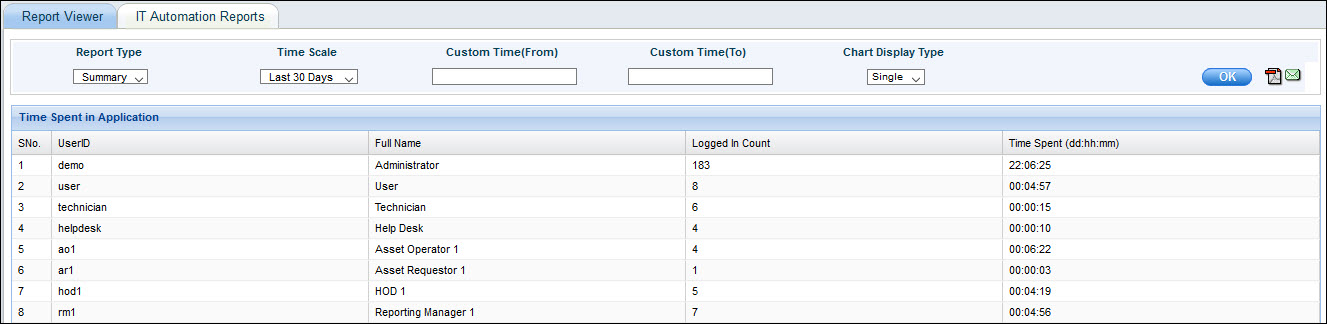
User Management Reports provides in-built reports on application usage, time spent in application by users, list of users unlocking their accounts, resetting their passwords and list of disabled and deleted accounts.
On the SapphireIMS menu, point to 'Reports' and click 'IT Automation Reports'.
Click the ‘User Management Reports’ link. As an example, click on 'Time Spent in Application' to display the report. The report displays the usage of SapphireIMS in terms of number of times users logged-in and the time they have spent in it.