
SapphireIMS has provision to configure a Service Catalogue for Request Fulfillment projects which users can use to get to know the details of the services including the description, scope, contacts, charges and time line. In addition if Quick Templates have been defined, the Request Fulfillment records can be submitted from the Service Catalogue itself.
Click on  in the menu
on the left hand panel to access the Service Catalogue. The list of
services is displayed.
in the menu
on the left hand panel to access the Service Catalogue. The list of
services is displayed.

Click on the service for which you want details. The Service details are displayed.
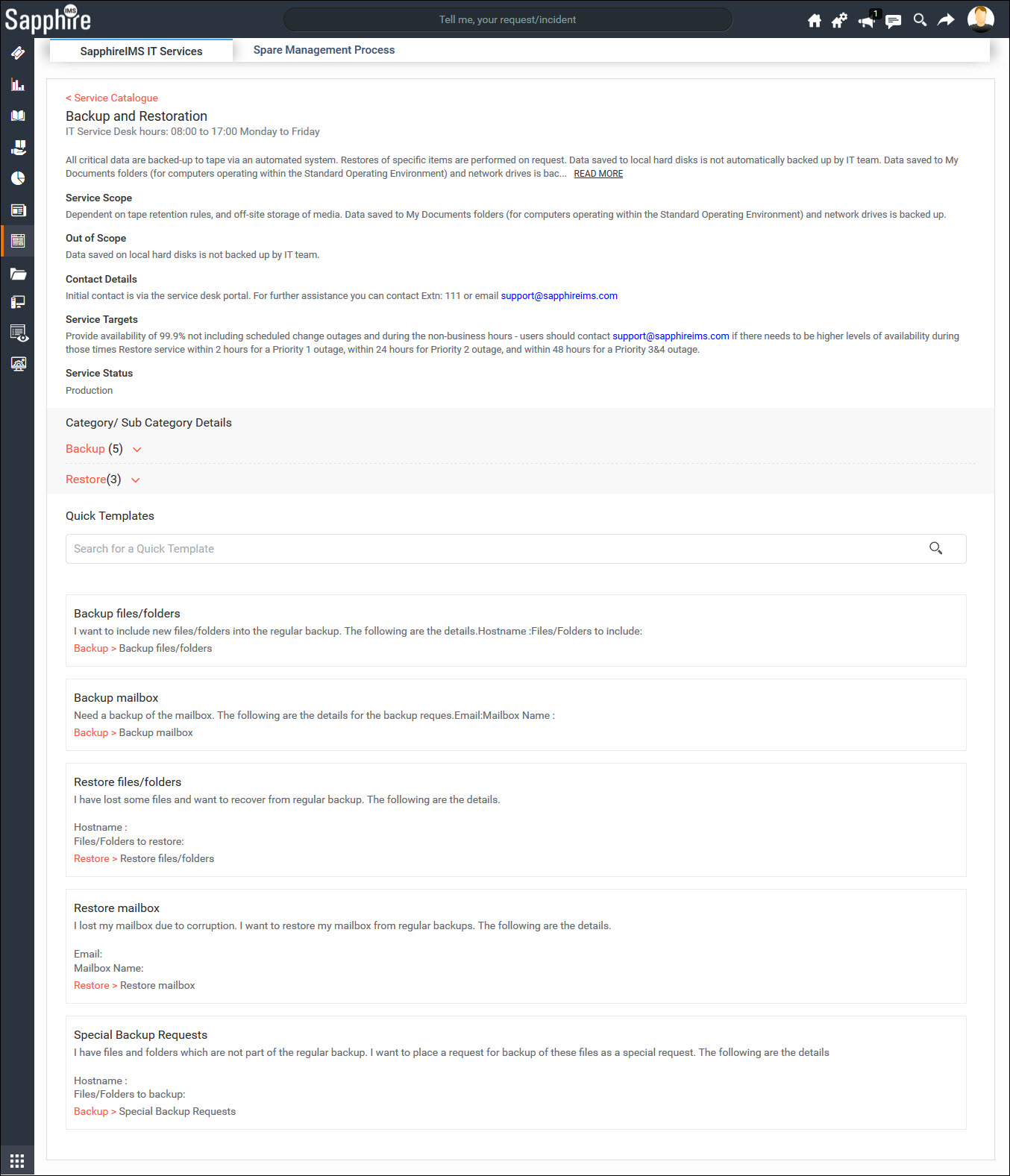
You can expand on Category/ Sub-Category to get more details on services including cost and SLA.
If there are Quick Templates configured these are displayed in the Service Catalogue. You can select a service for which you want to submit a request.

Click on 'Submit'. The Service Fulfillment request screen is displayed. Enter the details and submit to create a new request.
If there are no Quick Templates are available, you need to select the project and submit a new request.