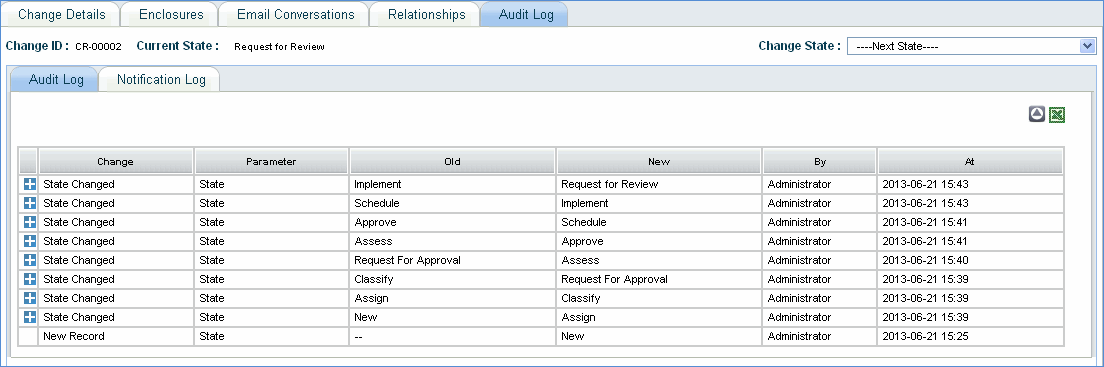
Change request history is recorded and viewed in 'Audit Log' tab. This tab contains change record specific history details like the state changes and time of change. To view the history of the change record, navigate to 'Change' > 'My Changes' or 'Changes' > 'All Changes'.
1. Click the 'Change ID' then click 'Audit Log' tab. The history details as shown below will be displayed.
2. Change column lists the modifications made to the change record. Click the plus sign to expand and read details.
3. Parameter column lists the name of the parameter that was modified
4. Old column lists the value of the parameter which was modified
5. New column lists the new value of the parameter
6. By column lists the name of the user who carried out the modifications
7. At column name lists the time at which the modifications were made
8. Click the 'LIFO' button to sort the records starting from the most recent state to 'New' state.