DACX Ameyo is an all-in-one communication suite, including IP-PBX, ACD/IVR, Dialer, Voice-logger,
CTI, Contact Management, System Administration, CRM and Reporting. The IP based software
solution does not require any proprietary hardware for functioning but is to be deployed on
inexpensive industry grade OTS (Off the shelf) servers like SapphireIMS. DACX Ameyo is a next generation technology solution incorporating extreme extensibility and flexibility in terms of offerings and deployments, and can be customized to a great extent exactly as per customer’s requirements.
DACX Ameyo and enterprise system like SapphireIMS are integrated to actualize business value for the customer. DACX philosophy for third party integration is based on service oriented architecture wherein all the functionalities provided by the system are exposed as services and other services can be discovered and used as and when required. For instance, SapphireIMS system may be interested in customer information (phone number, caller-id, digits pressed etc)
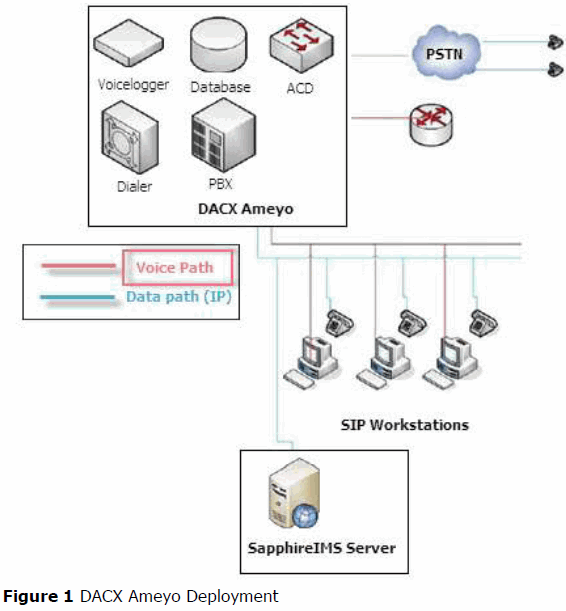
Figure 1 shows a typical integration scenario for an enterprise deployment. It consist of enterprise applications like SapphireIMS Server with DACX Ameyo as a communication platform.
To enable fine grained integration, the state of the system is exposed through a series of events and accepts events from the external system at various integration points.
1. Call Model API: Represents the state model for telephony (including calls and telephonic
channel) and contains functions to perform operations (transfer, confer, hang-up, dial etc) on them.
The information contained in the API is:
a. Details of calls including API/DNIS/Caller ID/Digits collected etc.
b. Real-time call events like Ringing, Busy, and Hang-up etc.
c. Number of parties in the call and their details
d. Applications on the call like Answering Machine
e. Conference/Transfer details etc.
2. Agent Model: Represents the state model for agent including its state (busy, free, on break,
handling call etc)
3. Customer Model: Represents the state model for a customer in the DACX Ameyo system. It
captures the telephony as well as application status of the customer
a. Connection type: inbound, outbound (manual or auto), callback etc.
b. On call, hung-up, being disposed by agent etc.
Step 1: Enable the service desk project settings key 'Enable/Disable Ameyo Toolbar' to 1
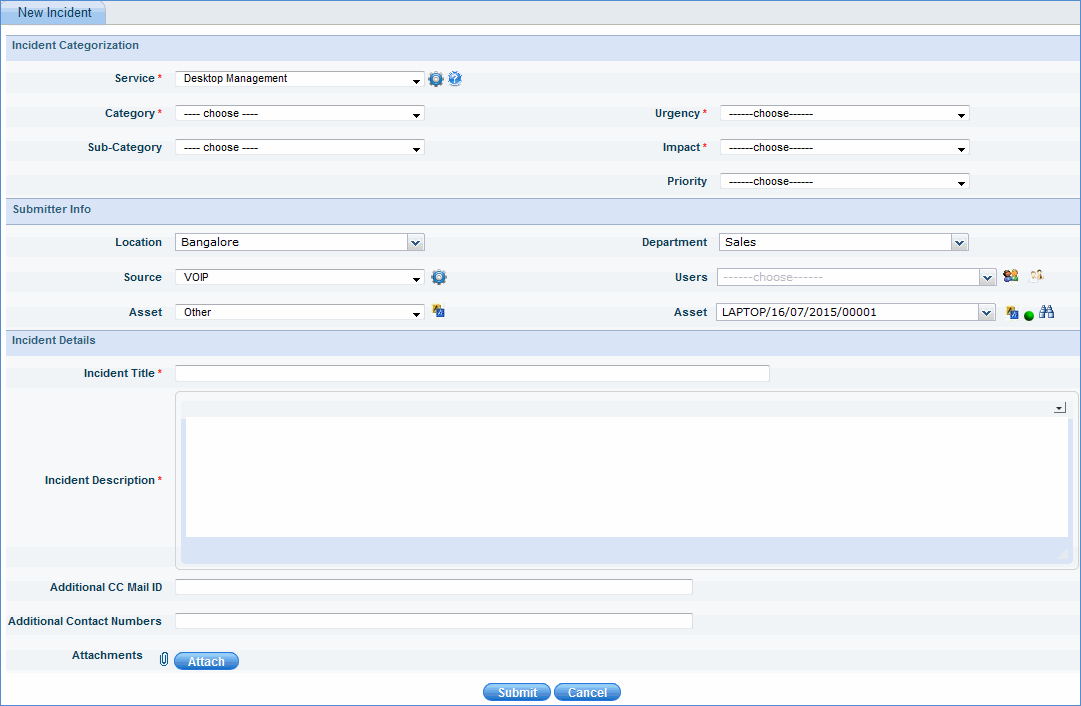
Step 2: Go to service desk project settings > Mode of Creation > Source and create a source called 'VOIP' and check the box for 'Display User's List'
Step 3:
Go to service desk project settings > User/Role/Management > Roles.
Click the user whose role permission has to be changed
Enable the 'Ameyo Toolbar Access' permission and update the user role
The Ameyo toolbar appears on the SapphireIMS web portal
Note: The Ameyo toolbar is hosted on a particular IP address which is available after the user registers his account at Ameyo.

Enter the Ameyo registered user name and password

Enter the phone number of the user and select the Ameyo provided extension from the list and click 'OK'. The Ameyo toolbar is displayed as follows:

Change the Autocall status to 'Available'
When an incoming call is received, you can search for the user by typing a key word in the Search box as shown below:
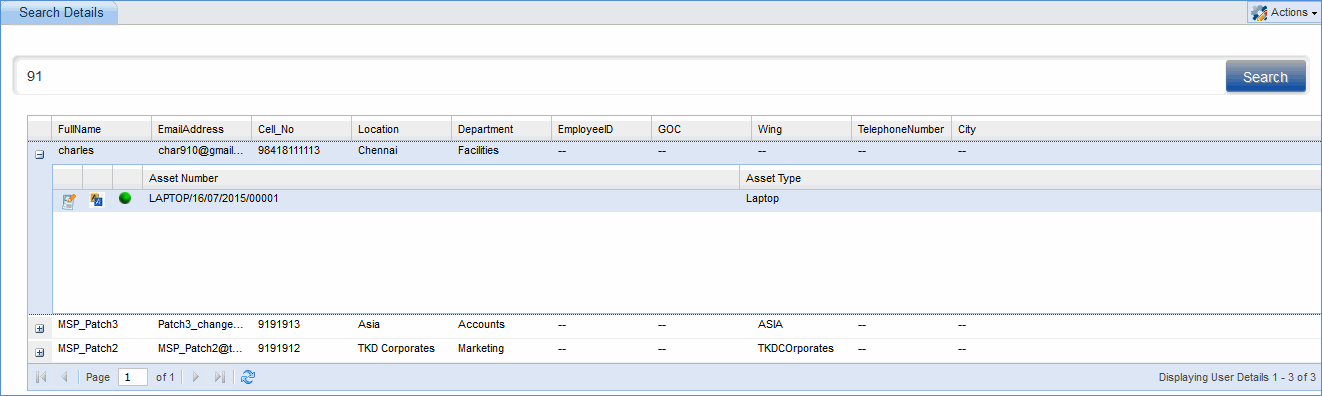
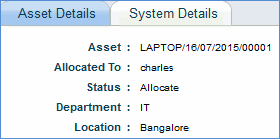
Click on  to view
the asset details of all assets that are allocated to the user.
to view
the asset details of all assets that are allocated to the user.
Click on  to submit
a new service desk ticket through VoIP source on behalf of the user.
to submit
a new service desk ticket through VoIP source on behalf of the user.