
In case of agent installation errors, perform wbemtest for Windows machines to check remote wmi connectivity
1. Go to Windows 'Start', run wbemtest and click 'Connect'
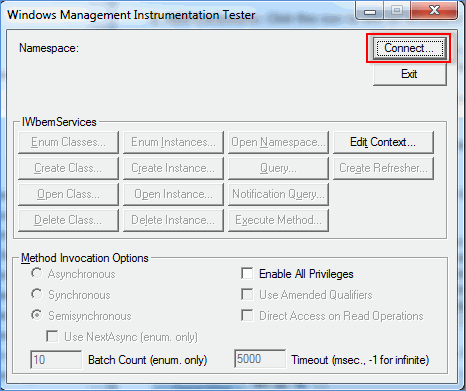
2. In the 'Namespace' box of the connect dialog, type: \\computername\root\cmiv2 where computername is the name of the computer whose logs are to be read.
3. In the 'Credentials' section, enter the domain user name and password to connect to the remote machine and click 'Connect'.
4. If the test is a failure, enable the ports and services as listed in the SapphireIMS pre-requisites document and execute the test again.
