
Web Service API for IT Asset Management provides support for integration with third party applications to get discovery and inventory information, post software installation job and get the software/script package information.
The following table provides the list of web service API's and their functions, a detailed explanation of which is provided below.
Service API |
Web Service API Format |
Post |
Description
|
GetITAMInfo |
GetITAMInfo |
Post |
Get the discovery, inventory, software and VM information |
GetPackageInfo |
GetPackageInfo |
Post |
Get the software or script package information |
PostSWJob |
PostSWJob |
Post |
Post the software deployment job |
GetJobStatus |
GetJobStatus |
Post |
Get the jobs status |
Steps to be followed to execute ITAM web service api:
1. Unzip the ITAM.war.zip file and place the folder ITAM.war in the “<SapphireIMSInstall location>\WebManagement\standalone\deployments\”. Unzip the ITAM.war.zip file and place the folder ITAM.war in the “<SapphireIMSInstall location>\WebManagement\standalone\deployments\”
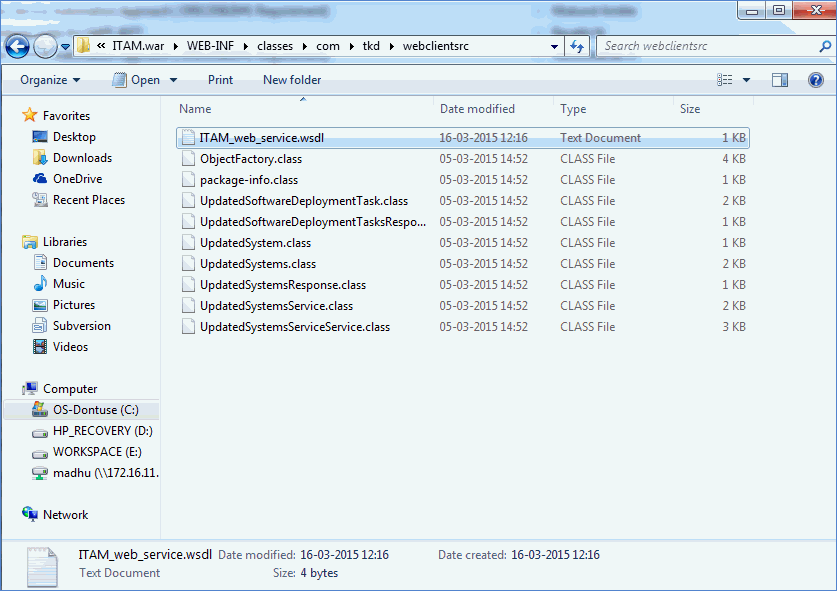
2. Place the "ITAM_web_service.wsdl" file inside the <SapphireIMSInstall location>\WebManagement\standalone\deployments\ITAM.war\WEB-INF\classes\com\tkd\webclientsrc directory
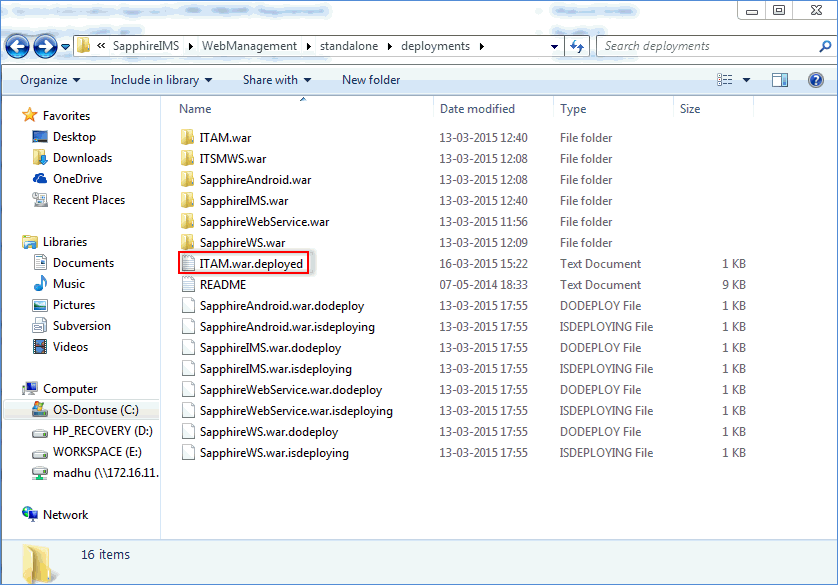
3. Manually create the ITAM.war.dodeploy file for ITAM web service
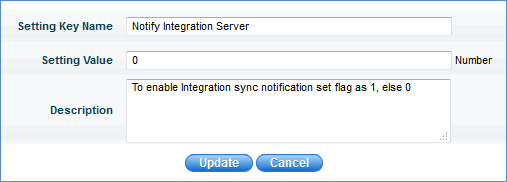
4. Enable the global settings key "Notify Integration Server" to 1
This web service method is used to get the following data for a node:
Node discovery information (Discovered using conventional discovery)
Node inventory information
Node software information (normalized info or complete software inventory depending on the flag “bIsNormalizationReq”)
VM cluster or VM host information
If the requested system ID is a “Cluster” then the output will have cluster details information with cluster ID and associated host ID.
If the requested system ID is a VM Host then the output will have the VM Host Details and the Guest System Details along with the System ID of the guest (if the Guest System ID is a managed one in the SapphireIMS Server)
Input parameters:
nSiteID:
SiteID of the SapphireIMS probe. If the setup is SapphireIMS professional setup, then “SiteID” will always be “1”
nSystemID:
SystemID of the node for which inventory and software information is required
bIsNormalizationReq:
Set the flag to true when the normalized software field is required
strNormalizationField:
Software is normalized for Manufacturer, Category, Type and Product. Any one of these fields can be mentioned to get the normalized software list
Note:
VM Status Code
Status Code |
Status Description |
0 |
The entity definitely has a problem |
1 |
The entity might have a problem |
2 |
The status is unknown |
3 |
The entity is OK |
This web service method is used to get the available package list (ID) and the package information
Input Parameters:
nSiteID: SiteID of the node
nPackageType: Type of the package (1- Software, 2- Script)
Note: Package distribution for Linux system can be done using script package type
nType: Type of action (1- Query the available packageID, 2- Query the package information)
List<nPackageID>: Pass the packageid in the list if it requires the package information to be passed (i.e. when nType = 2 )otherwise ignore
URL: http://localhost/ITAM/Automation?wsdl
This web service method is used to post the software deployment job to the given nodes
Input Parameters:
nSiteID: SiteID of the node
JobInfo<strKey, strValue>: Job parameters information
Jobpriority: Pass the priority for the job
SystemIDLIST: List of system ids to which the job needs to be posted
URL: http://localhost/ITAM/Automation?wsdl
Note: Fill the Job parameters in “JobInfo”structure. Here “strKey” parameter will specify the type of the job, e.g. for software deployment job the “strkey” is “SWPKGID” and “strValue” will be “packageid” of the software package.
If the job posted properly then the return parameter will contain the scheduler id of the posted job. In case of failure, it will return the error description for the job failure.
The response will have the systemID for which the package is applicable out of requested systemIDs
Example: If there are 2 Linux machines with systemID 1,2 and one windows system with systemID 3 and during package distribution if ssh script package is selected (which is only applicable for Linux systems) then windows systems will be ignored ( systemID 3 in this case)
This web service is used to get the job status
Input Parameters:
nSiteID: SiteID of the node
nSchedulerID: SchedulerID of the Job
JobIDList: JobId of the job
URL: http://localhost/ITAM/Automation?wsdl
Go to Settings -> Asset and Inventory Management -> Node Operations. Select Scope as Inventory sync notification
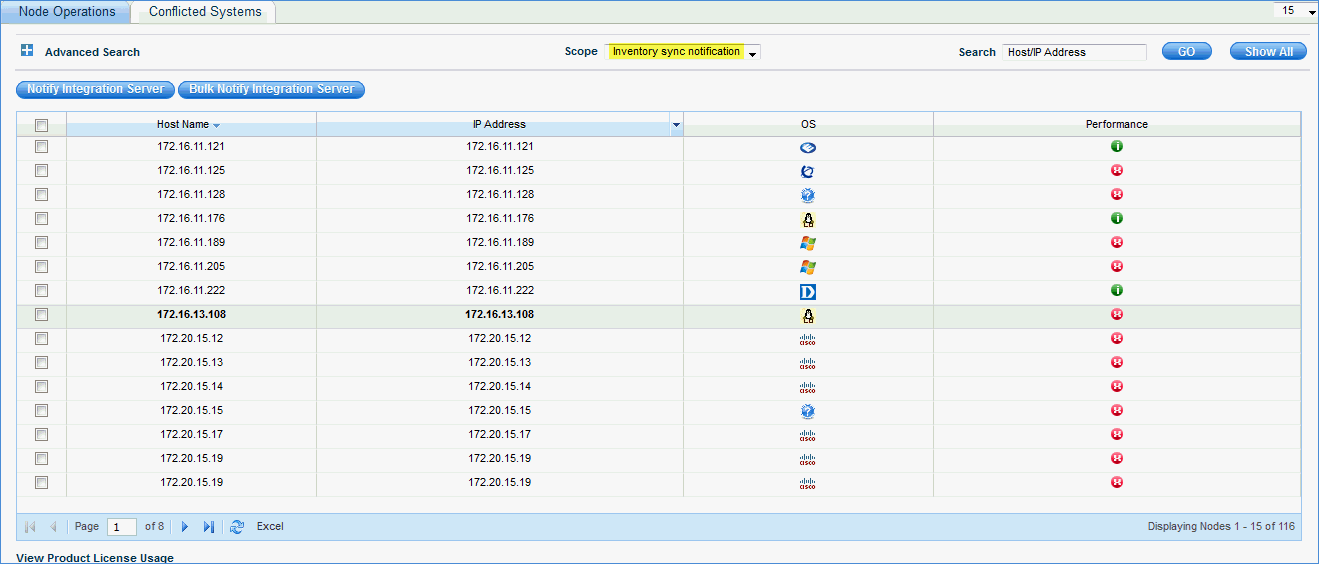
a) Click
Notify Integration Server to trigger inventory sync for selected nodes
b) Click Bulk Notify Integration Server to trigger inventory sync for all
the nodes
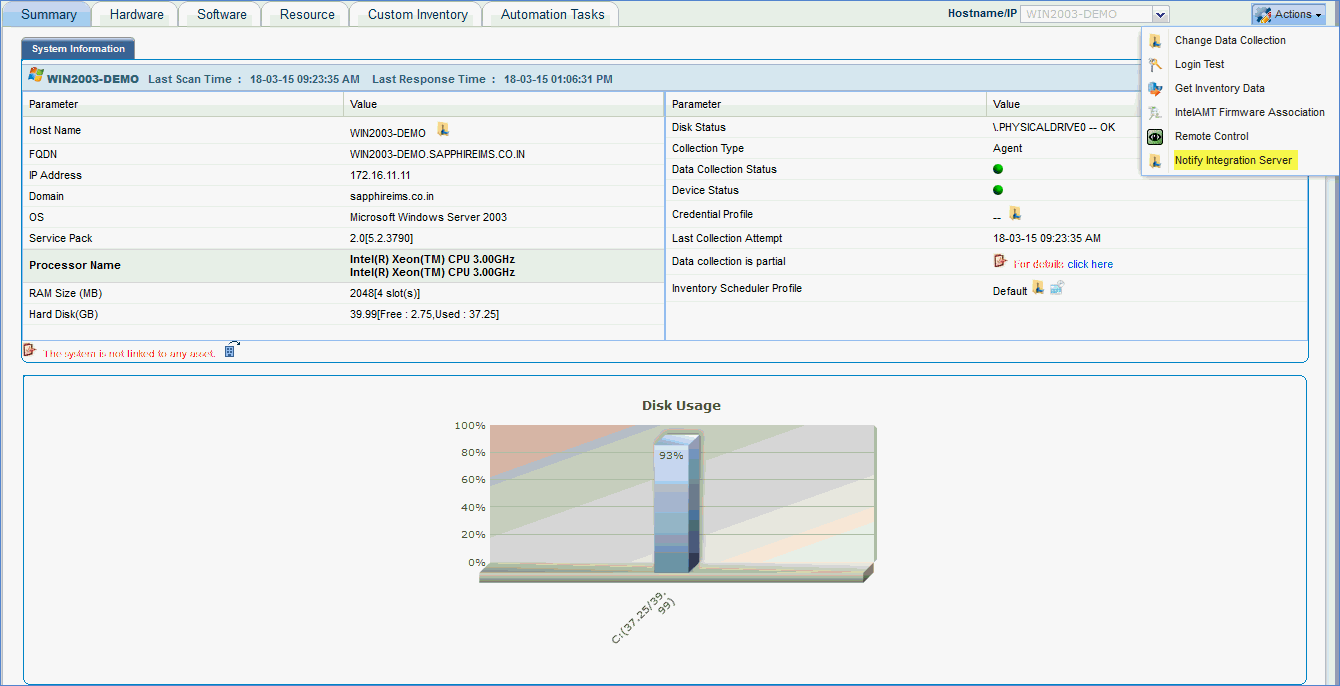
Go
to Inventory -> Discovery. In the List View click on a specific
node. In the “Actions” menu click on “Notify Integration Server” to
send inventory sync signal to the external web server.
Notes: 1. In case wsdl file (ITAM_web_service.wsdl) changes, place the file in the folowing location
<Installed Path>SapphireIMS\WebManagement\standalone\deployments\ITAM.war\WEB-INF\classes\com\axiossystems\integration\itam
2. In case SapphireIMS MSP edition is installed, please manually change the db.properties file to reflect MySqlIMSMSP. The db.properties file is present in the following location:
<Installed Path>SapphireIMS\WebManagement\standalone\deployments\ITAM.war\WEB-INF\classes\com\tkd\database