
The Windows Services running on any of the nodes can be monitored for availability . The details for configuring the process monitoring is given under 'Business Service Monitoring' under 'Settings' .
You can view the performance details by selecting 'Performance', clicking on 'Enterprise' and 'List View'.
Click ‘Windows Services’. The following screen with the list of hosts along with the system processes is displayed. You can use the Advanced Search filters to search for specific hosts and services.
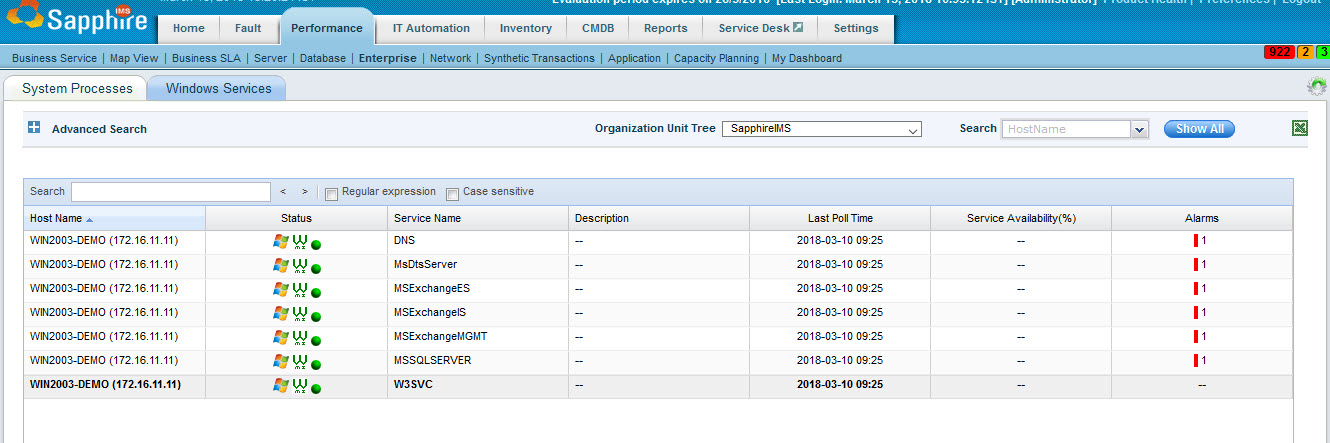
Select the specific host/service combination by clicking on the entry under 'Host Name'.
The following screen with the availability trend is displayed.
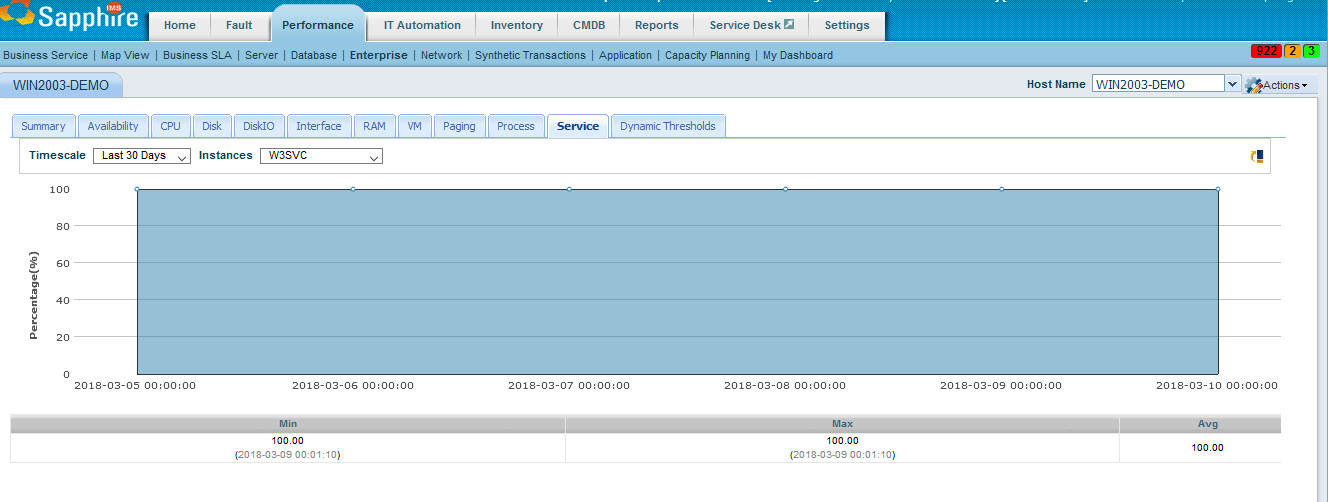
You can select the time period and service.
Click on the icon ' ' to add any thresholds
and notifications for alarm generation.
' to add any thresholds
and notifications for alarm generation.