Adding an Announcement


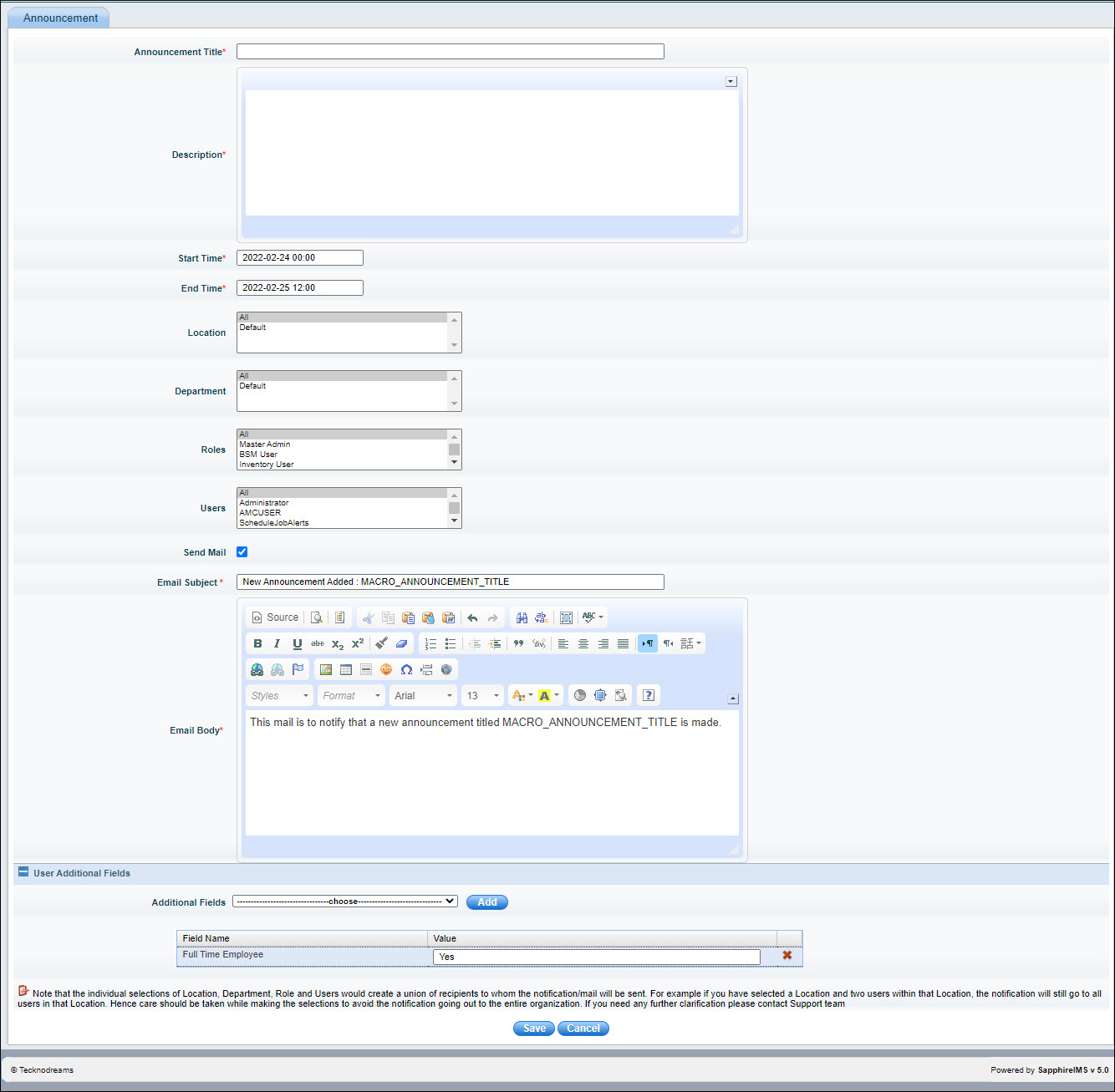
This section explains the steps to add a new announcement. Announcements can be viewed on the Service Desk Home page. The announcements are refreshed every 2 minutes. If the option is enabled, the announcements are also sent as an e-mail notification. The announcements will be visible or e-mail sent only to a filtered set of recipients. The recipients can be filtered based on fixed fields like Department, Location, Role and selected Users. If user additional fields are defined, then the announcements can be filtered based on specific values of these fields.  


Settings-SD-AnnouncementAdd.jpg

Serial No

        Field Name

        Description

   1

Announcement Title

      Provide the title of the announcement

   2

Description

      Description of the announcement

   3

Start Time

      Specify the start time of the announcement

   4

End Time

Specify the end time of the announcement. The announcement will be active only between the specified start and end times

   5

Location

      Select a specific location for the announcement. This field is optional

   6

Department

      Select a specific department for the announcement. This field is optional

   7

Roles

      Select one or more roles that will receive the announcement. This field is optional

   8

Users

      Select the users who will receive this announcement. This field is optional

   9

Send Mail

Select this check box if an e-mail needs to be sent to the selected users. A notification template is displayed and this can be customized. The macro MACRO_ANNOUNCEMENT_TITLE is replaced with the Announcement Title when the e-mail is sent.

  10

User Additional     Fields

Select the user additional field which has to be used for filtering. Click on 'Add'. Enter the filter value. Repeat for adding more additional fields as filters.