
Availability Reports are based on two types, ping status and the system uptime parameter.
On the SapphireIMS menu, point to 'Reports' and click 'Availability Reports'.
1. Availability report based on ping - This report shows the ping status of the node to the SapphireIMS server in the time scale specified.
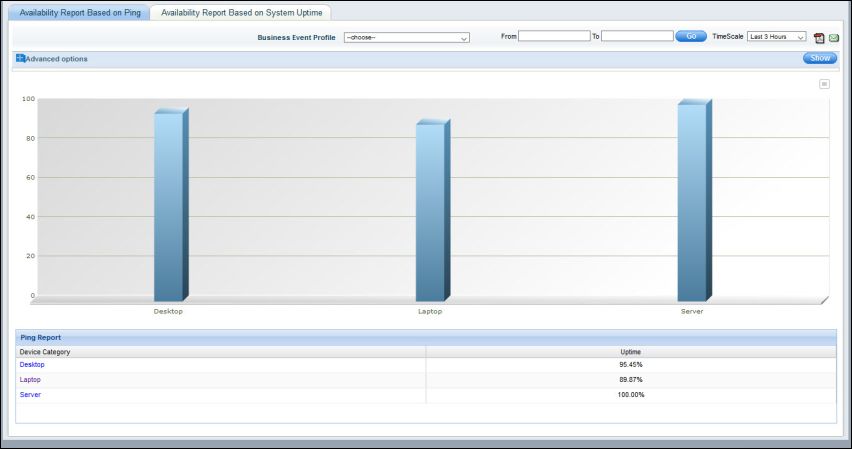
Click on the bar to view the ping details for the host

Click on a host to view the availability report

2. Availability report based on System Uptime - This report shows the availability of the system based on the 'SystemUp Time' parameter. Click 'Availability Report Based on System Uptime' tab and follow similar instructions as for the 'Availability Report Based on Ping' to view the report.
Note: The 'SystemUp Time' parameter has to be enabled for System Performance of the respective host as mentioned earlier.