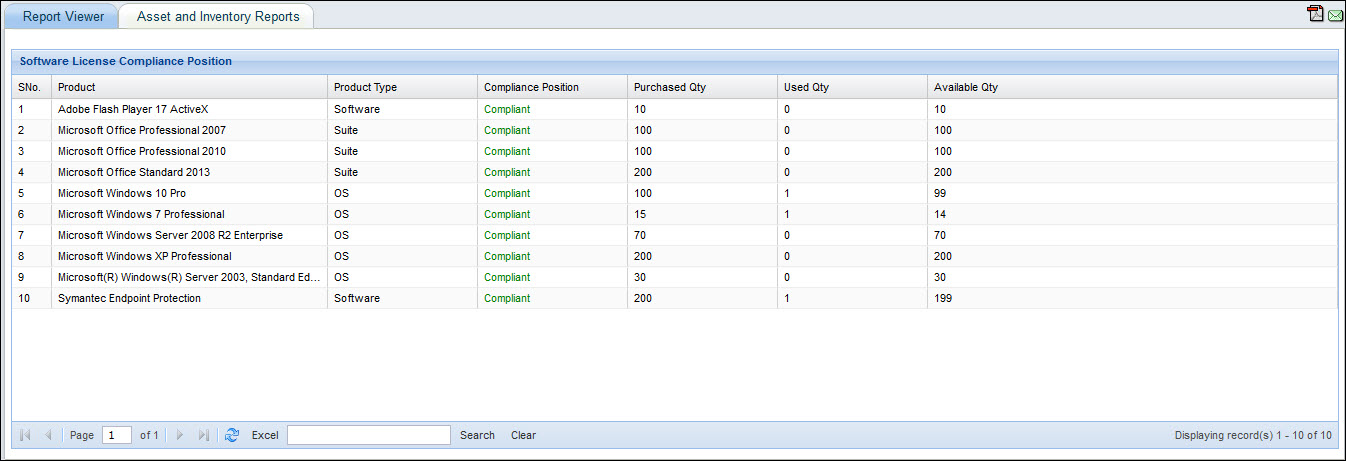
Compliance reports provide License Compliance of software, operating systems and compliance to IT policies configured.
The following in-built software compliance reports are provided:
Microsoft Compliance Report
Adobe Compliance Report
Compliance Summary Report
License Allocation Report
Oracle Compliance Report
Suite Compliance Report
Operating System Compliance Report
Agreement and License Mapping Report
Unsupported License Report
On the SapphireIMS menu, point to 'Reports' and click 'Asset and Inventory Reports'.
Click the ‘Compliance Reports’ link. Click on the ‘Add’ button. A screen to display the report details is displayed. As an example, the report below is a Software Compliance Summary reports which displays the License Compliance status for software.
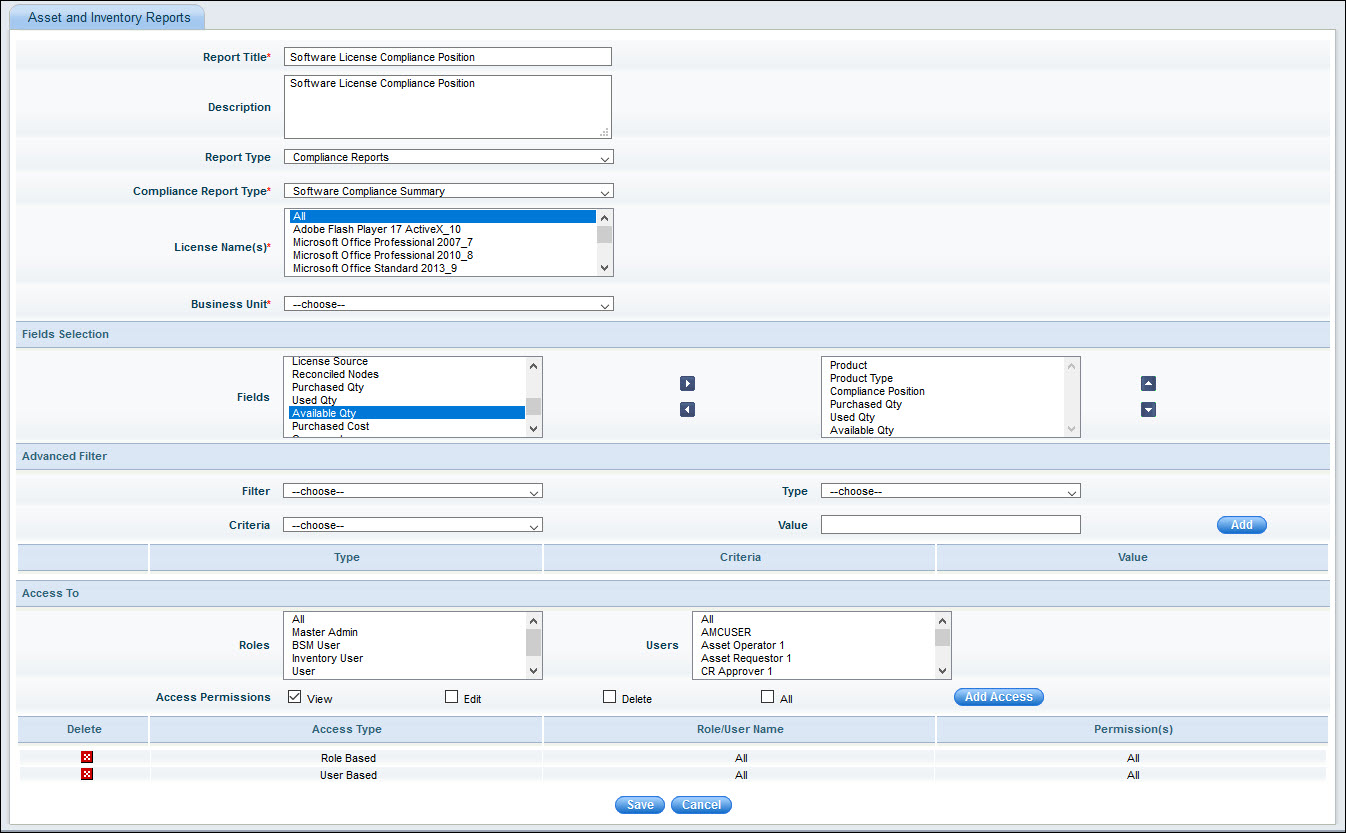
The fields are described below.
|
Enter the fields and click on 'Save'.
Run the report and the following is displayed.