
Service Request Fulfillment project captures information regarding the change record release details.
1. To submit a new service request, click 'Service Request' > 'New Service Request'
2. In the section of Release and Deployment type the details for the fields as explained in the table below.
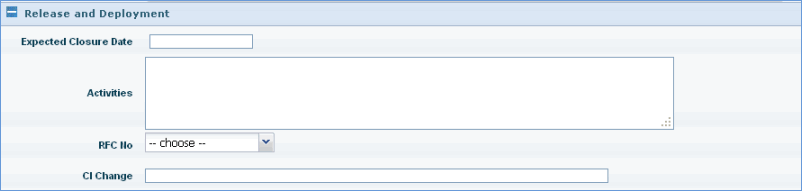
Sr. No |
Field name |
Description
|
1 |
Expected Closure Date |
Type the expected date of closure for the change record
|
2 |
Activities |
Type the details of the tasks involved in releasing the change record
|
3 |
RFC No |
Select the respective change record number
|
4 |
CI Change |
Type any CI that will be affected by the proposed change
|