
Once problem has been diagnosed and analyzed a 'Request for Change' can be submitted into 'Change Management' right from 'Problem Management'.
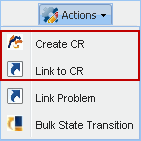
This section shows you how to link problem with the change once it has been analyzed. Problem can be linked to the existing change if problem of similar nature is recurring.
To do this, follow the steps below:
1. In the ‘Problem Management’ project select one or more problem ID
2. In the ‘Actions’ drop down list box, select ‘Create CR’
3. Enter the details and click ‘Submit’
If problems of similar nature occurs to the ones that has already been linked to the change, then it can be added to the existing ‘Change ID’ by following the steps below:
1. Select problem/problems ID. In the ‘Actions’ drop down list box, select ‘Link to CR’
2. Select the ‘ID’ and click Link
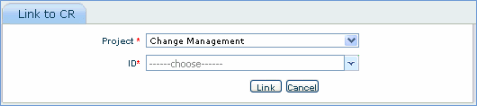
 Note: Problems that has already been linked to a change cannot be linked with any other change ID