Here the respective rule names and rule types that are used in the e-mail notification templates can be defined.
Click 'Settings'. In the 'Asset and Inventory Management section, click 'Compliance'
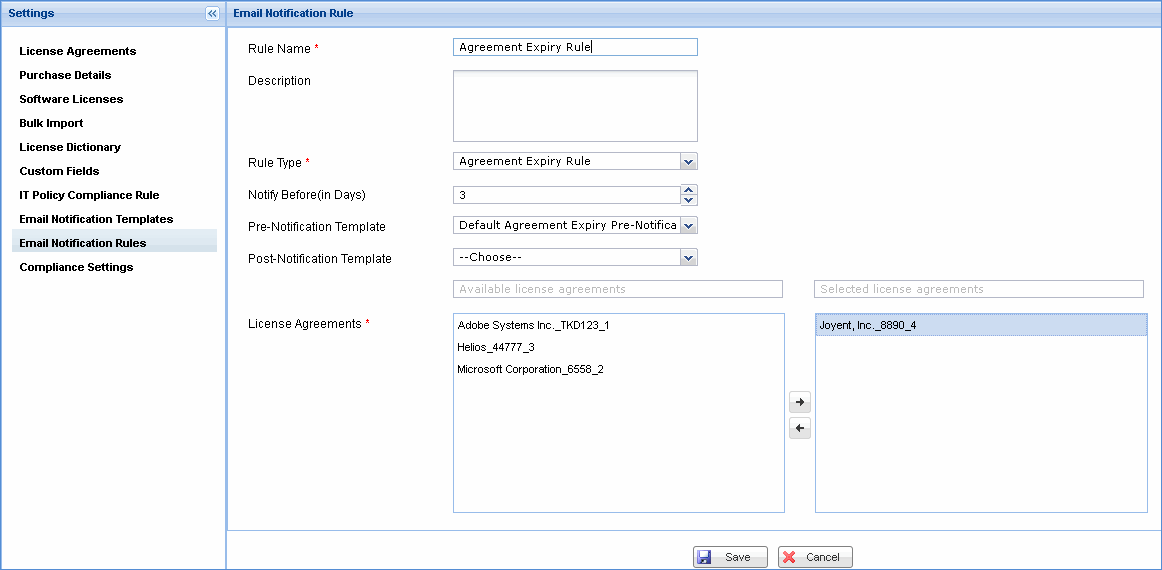
In the 'Settings' panel, click 'Email Notification Rules'. All the user defined mail notification rules are listed here. To add a new mail notification rule, click 'Add'
|
Note: You can make changes to the properties file 'ComplianceEmailInfoLink.properties' to enable redirection to the Compliance dashboard from the compliance mail notification.
1. Open the properties file located in 'Installed Folder\SapphireIMS\WebManagement\standalone\deployments\SapphireIMS.war\WEB-INF\classes\IMSPackage' and provide the IP Address and Port of the SapphireIMS server and save the file.
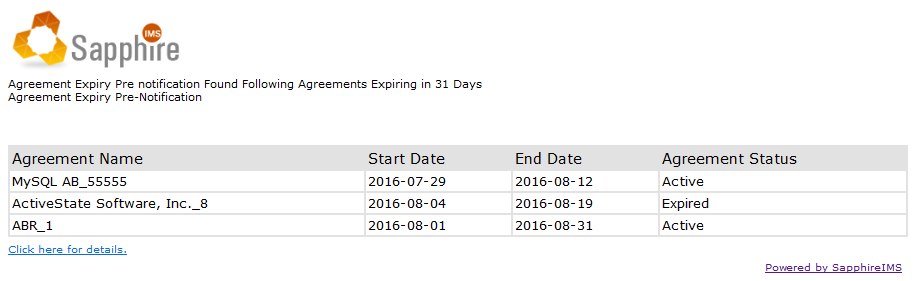
2. Click the link provided in the compliance mail notification as shown below to navigate to the Compliance dashboard