
SapphireIMS provides extensive reporting options and templates to create reports of your choice. These varied range of reports display summarized or detailed data collected from all the modules. These monitoring reports are single click reports that you can customize. The following section best describes the usage of these reports.
Note: The monitoring reports can be disabled if necessary.
1. Go to Settings > Advanced System Settings > Global Settings
2. Change the value of the setting key 'Enable or disable inbuilt monitoring reports' to 1
To view the monitoring reports, on the SapphireIMS menu, point to 'Reports' and click 'Monitoring Reports'
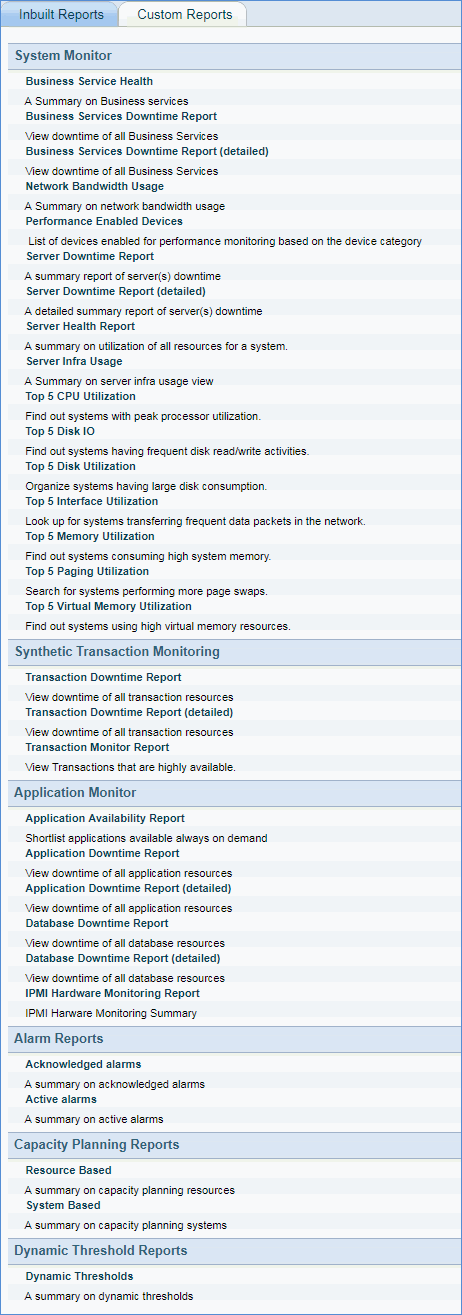
To view the monitoring reports perform the following
1. Select the report that needs to be generated. Provide any additional parameters if prompted (for instance if the ‘Server Health Report’ is selected it will prompt for the target hosts).
2. The report will be displayed based on the selections. Following are the filter conditions provided to view specific reports.

|
.gif)
