Business SLA Reports


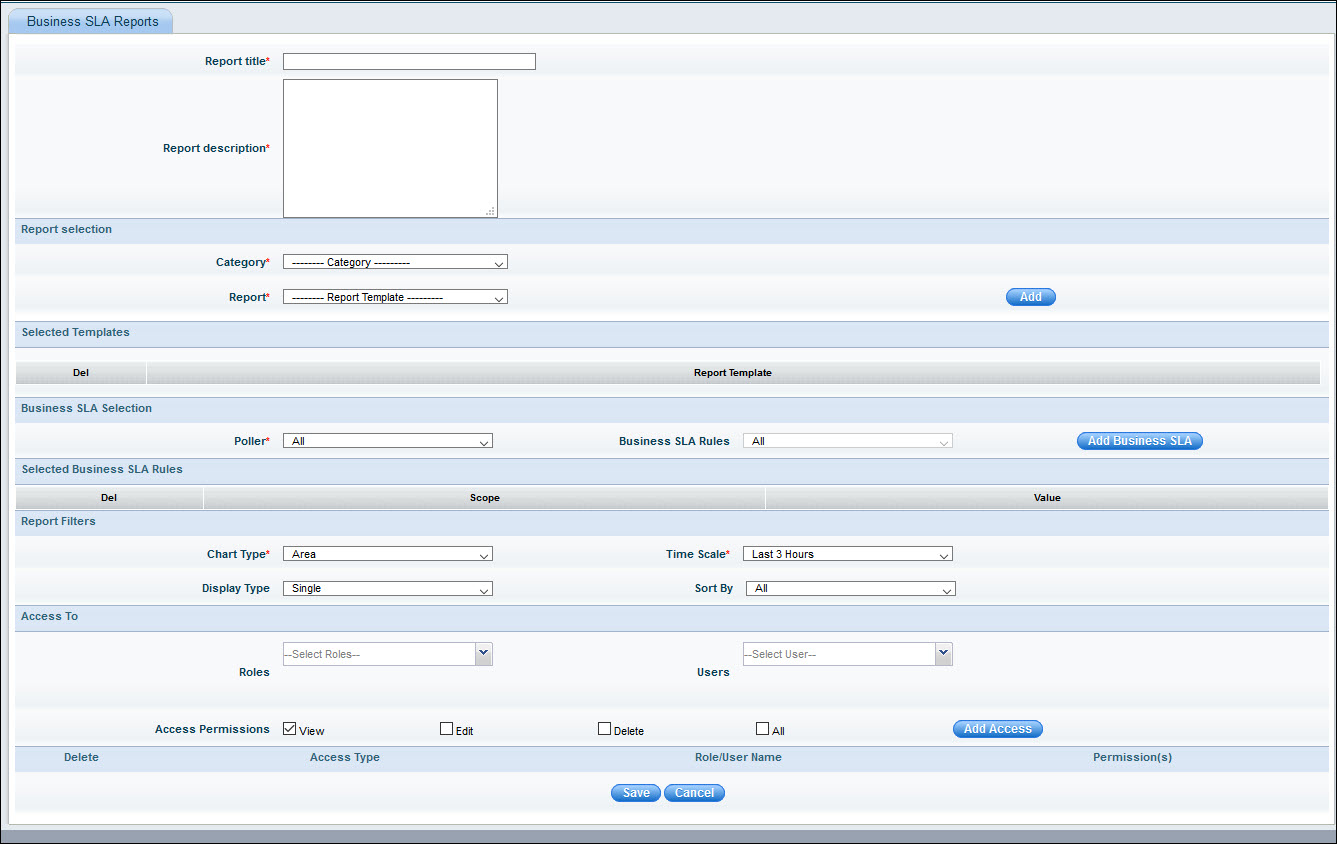
Business SLA reports provide details of SLA availability and SLA health for all the business SLA’s defined.


Reports-BSM-BizSLAAdd.jpg

SLA Reports


Sr. No

     Field Name

Description

      1

Report Title

Enter report title

      2

Report Description

Enter report description

      3

Report Selection

Select the Category as SLA reports

Select the Report Type as SLA availability or SLA health. Click 'Add' to confirm the selection


      4

Business SLA Selection


Poller: Select the poller and the corresponding Business SLA rules.  Click ‘Add Business SLA’

Report Viewer Options

      5

Report Type

Each built-in report has a default chart type associated with it. This can be changed using this option

      6

Display Type

There are two kinds of display mode

Single – This will list each parameter as an individual graph

Multiple – This will break up each parameter/instance as a separate graph

Sort By: Select 'Sort By' option


     7

Time scale

Change the time scale, and the report gets re-generated with the selected time scale.

     8

Access To

Select the roles and the users the report is accessible to

     9

      PDF_(icon).gif

Saves the report as a PDF


     10

       Mail_icon.gif

Enables the report to be mailed to others.