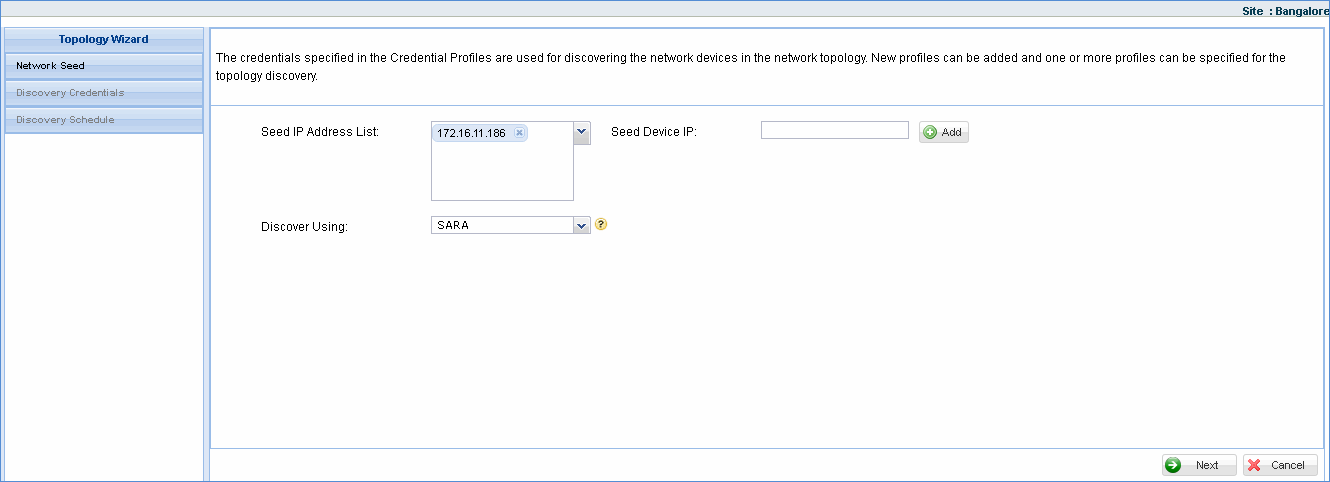
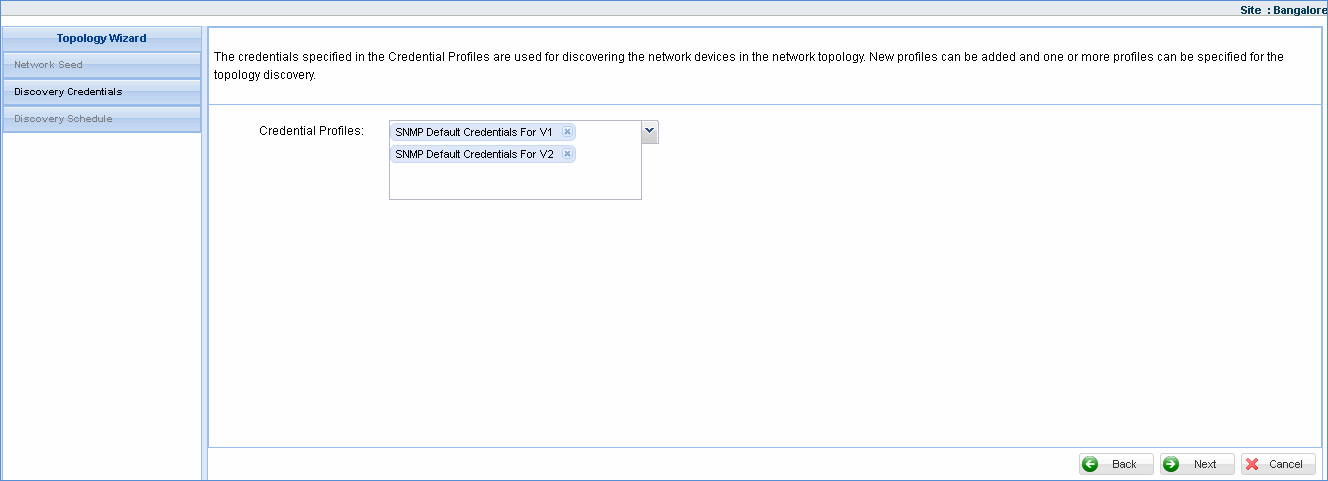
This is a graphical network view showing the nodes directly connected to the seed device IP and its neighbors. The seed device is added in ‘Topology Profiles and Wizard’ section. The nodes directly connected to the seed IP should be compliant with any one of the discovery protocol for it and its neighbors to be detected in the topology view.
To view the network topology you need to configure the seed device in ‘Topology Profiles and Wizard’.
Click ‘Settings’ > ‘Asset and Inventory Management' section > click ‘Discovery Profiles and Wizard’.
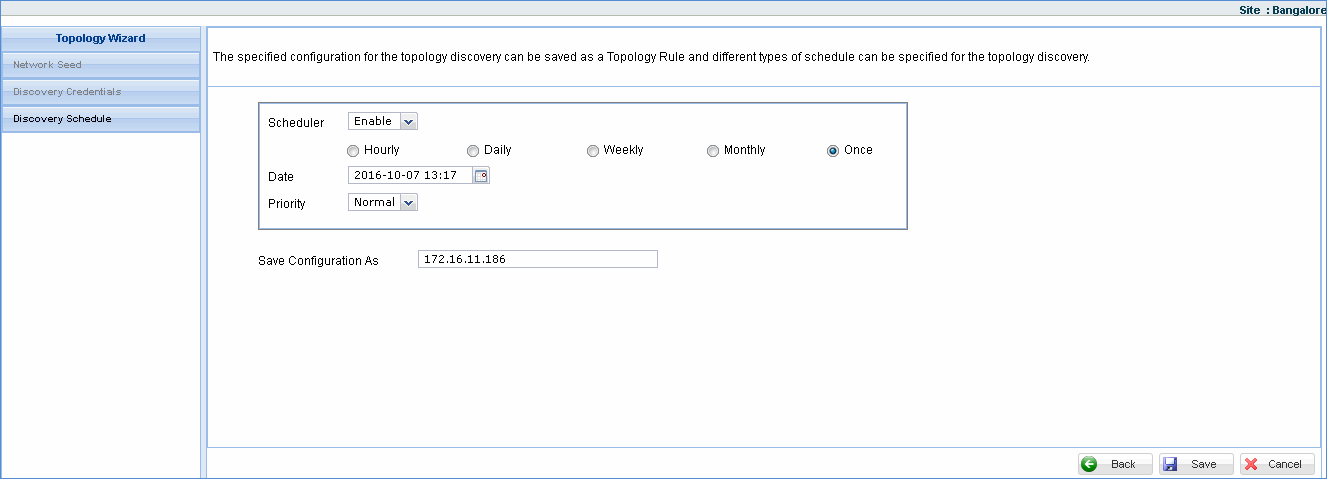
Click ‘Topology Profiles and Wizard’ tab and click ‘Add’ to display the ‘Seed Info’ window. Refer to the section below.
1. To access topology view, click ‘Inventory’ and click ‘Topology Maps’
2. The image shown below is a graphical representation of the seed devices that were configured in the topology rule 'Topology-222'
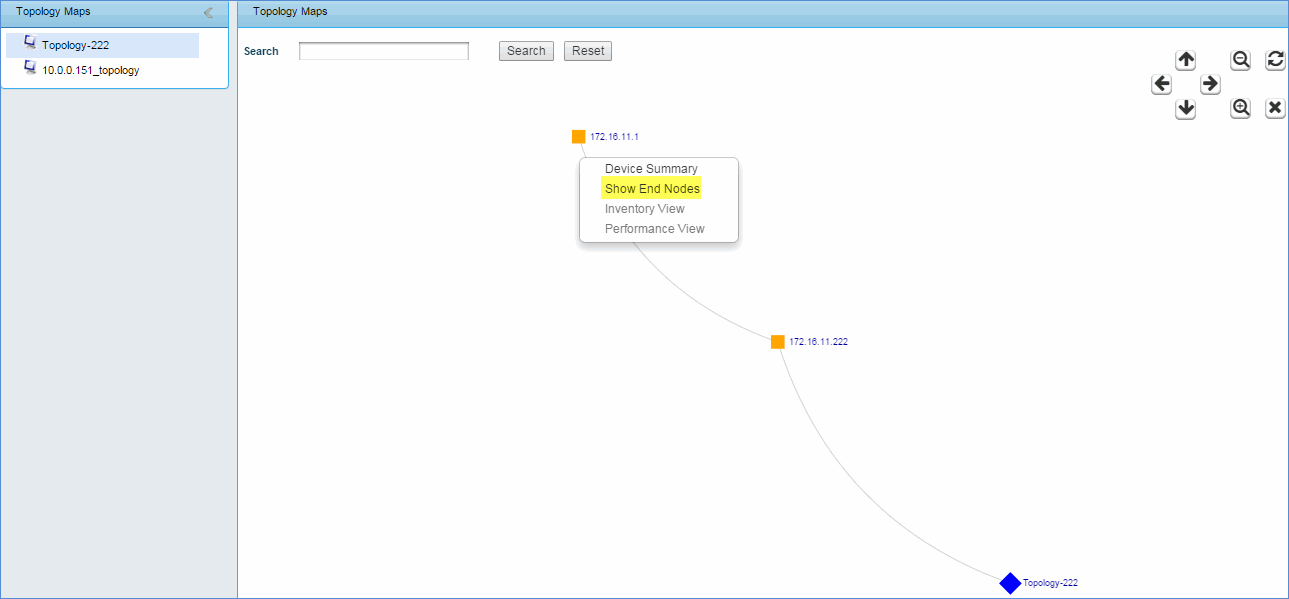
Right click the node to view end nodes/Inventory View/Performance View
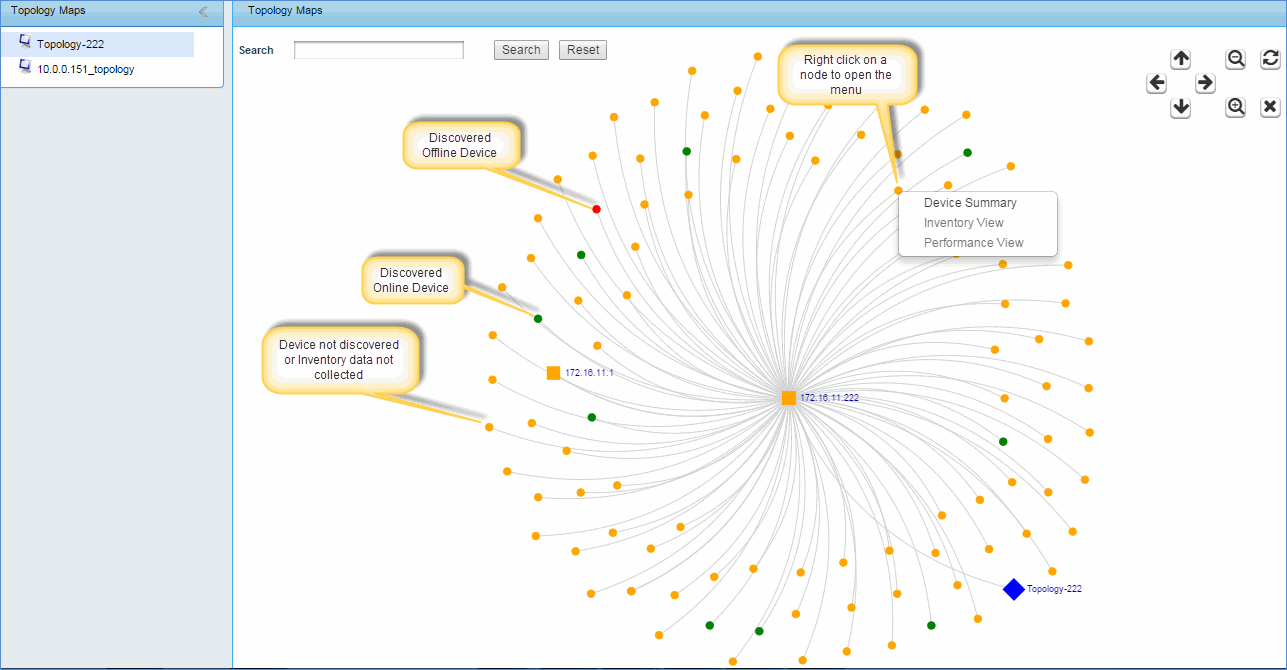
This image is a graphical representation of the end nodes connected to 172.16.11.222.