
To track the status of the remote management jobs perform the following steps
1. On the SapphireIMS menu, point to ‘IT Automation' and click ‘Automation Tasks’.
2. Click 'Automation Task Status'
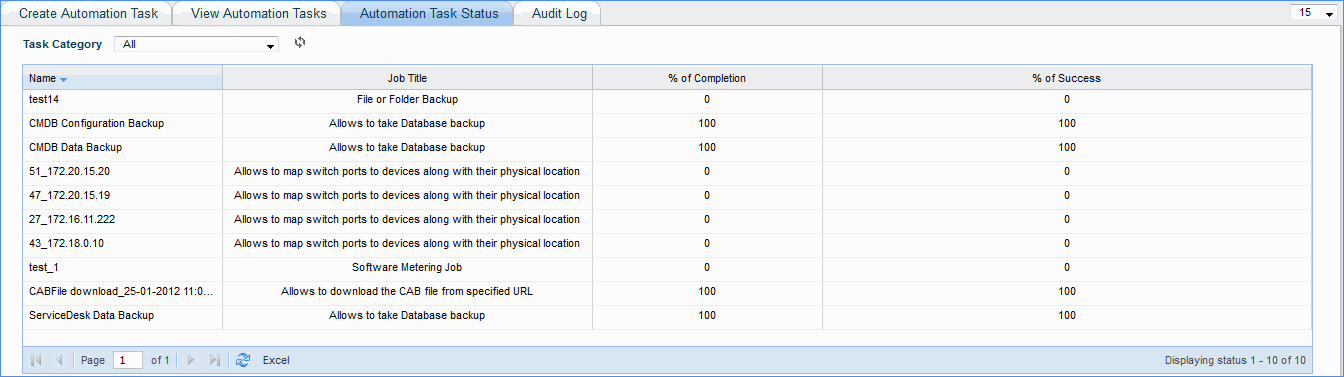
3. The screen will list all the remote jobs that are posted. To know the status of the job select the job type.
4. If a system management job is performed on a group of devices, you can track the individual status on each device by clicking on a specific job.
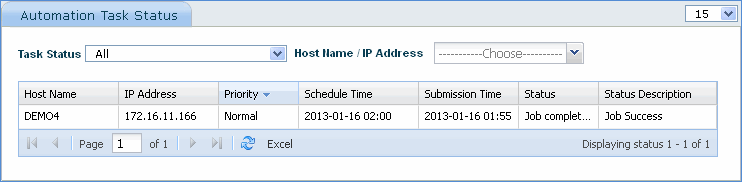
 Note: Status Description displays 'Job Reposted' for failed automation tasks that are re-posted.
Click the 'View Automation Tasks' button, check the automation task to be posted and click 'ON DEMAND' to immediately post the automation job