Viewing a Report
Reports created or listed under 'Asset &
Inventory Reports', 'Automation Reports', 'Monitoring Reports', 'Business
SLA Reports' and 'MIS Reports' can be viewed in the Report Viewer utility.
Sr.
No |
Field
Name |
Description |
1 |
Report Type |
Displays
the report type that is selected as part of the report creation.
This can be changed using this option |
2 |
Time scale |
Change
the time scale, and the report gets re-generated with the selected
time scale |
3 |
Custom Time |
Select
a custom time using the ‘From’ and ‘To’ option. The report will
get re-generated with the selected time frame
Note:
The above three features may not be present for all the reports
|
4 |
Excel |
Click
this button to export the report to EXCEL |
5 |
.gif) |
Exports
the report to PDF |
6 |
 |
Enables
the report to be mailed to others |
|
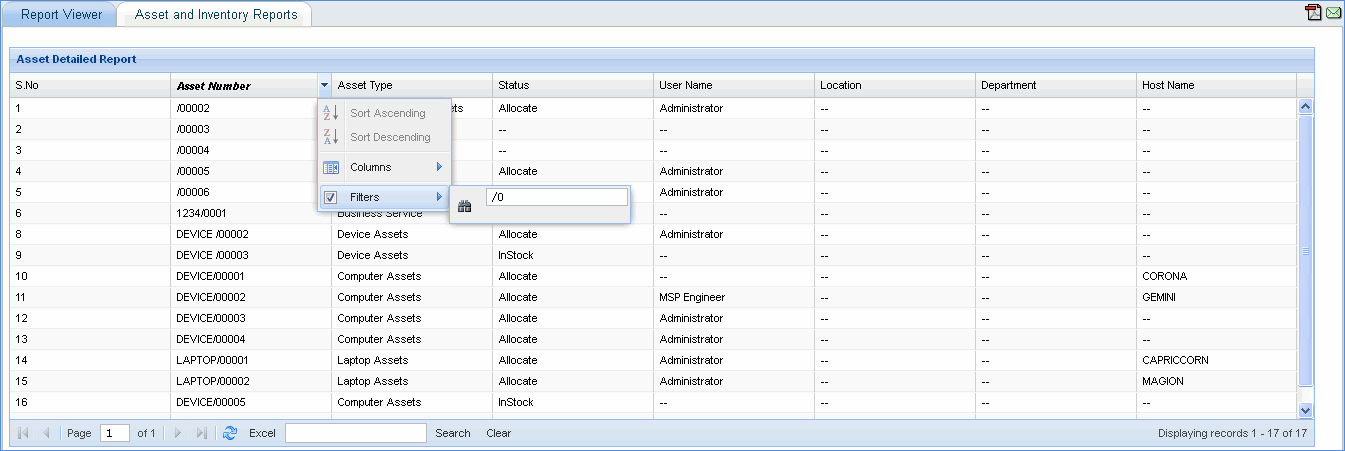
Note: Click on the
column drop down to filter data presented in the report viewer as shown
in the above image.
