
Business Service Level Agreements (SLA) can be defined for Business Services and the compliance to the SLA can be measured and reported. The compliance can be defined for Availability and Health of any business service. For setting the SLA, refer to the topic 'Settings->Business Service Monitoring->Business SLA'.
To view the Business SLA, on the SapphireIMS menu, point to 'Performance' and click ‘Business SLA’. A list view of the Business SLA is displayed.
Click ‘Performance’ >, ‘Business SLA’ > ‘List View’ to view the list of alarms generated for a particular business SLA. Red indicates alarms generated as an error when there is a breach in SLA, orange indicates alarms generated as a warning when there is a breach in pre-notification compliance.
Click ‘Alarms’ column to view the alarm details.
Click ' ' to
customize the business SLA list view columns.
' to
customize the business SLA list view columns.

The split of alarms as Info, Warning and Critical is displayed along with the counts. Clicking on any alarm indicator, causes the Alarm List View to be displayed in a pop-up containing the alarm details.
Click on any of the SLA for a graphical view of the SLA compliance.
The dashboard displays the graph of all the SLAs configured in the 'Business SLA' section under Settings > Business Service Monitoring > Business SLA.
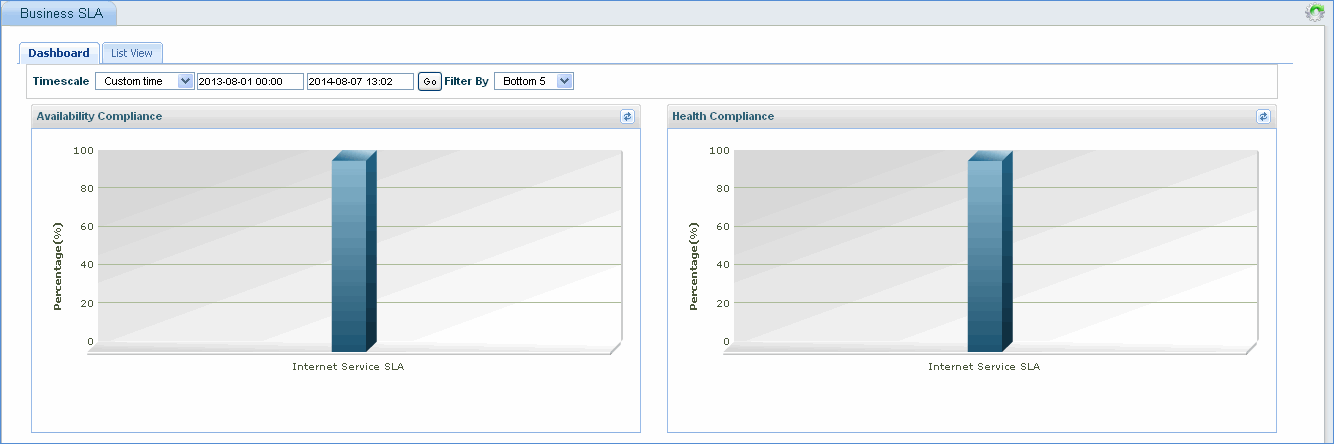
Click on the business SLA graph to view more details.
Note: ‘Fault’>’Alarms’>’Alarm View’ displays a dashboard of current business SLA alarms