
Contract information can be captured in CMDB very similar to Assets. Examples of contracts are Purchase Orders, Maintenance Contracts, Warranty Contracts etc. Relationships can be established between contracts and assets.
To view the contracts, click ‘Contract’. The list of contracts is displayed.

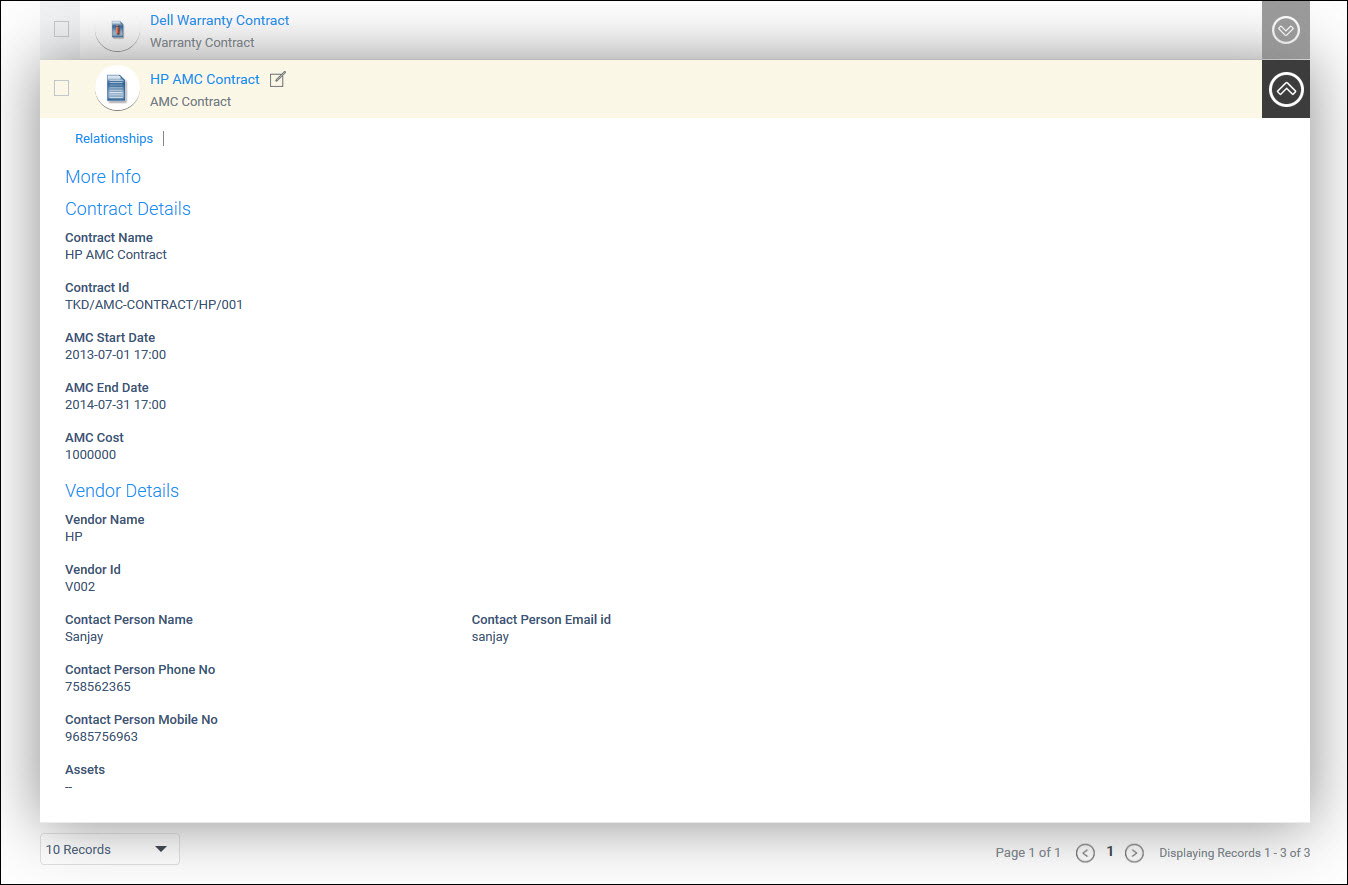
To expand and view any the details
of any Contract, click on  against the Contract
Click on the Audit Log button  to view the Contract audit log.
Click on  to switch
between the List View (default) and the Grid View for the Contracts.
to switch
between the List View (default) and the Grid View for the Contracts.
Click  to create a new contract.

The fields are described below
|
Click on 'Save'.
To delete Contracts, select one or more Contracts and click on 'Delete'.
Click on the desired contract or the arrow on the right to view the details of the contract.
To edit the
details click on  . Modify
the details and click on 'Update'.
. Modify
the details and click on 'Update'.
 Note:
The ‘Contract Type’ and ‘Contract Name’ are not editable.
Note:
The ‘Contract Type’ and ‘Contract Name’ are not editable.
A contract document can be mapped to an asset.
Click on the desired contract or expand using the down arrow and click on 'Relationships' option.

For the explanation on creating relationships, refer CMDB->Asset Management->Asset Operations->Relationships.