
Each Service Desk record has a number of fields which are fixed. These are basic information which are entered while submitting the record and can be updated as the record progresses through the workflow. Each field has some attributes which can control the field. These pertain to whether the field is visible, mandatory and available in Child Records.
Click on 'Fields & Forms' option on the right hand side panel.
Click on 'Fixed Fields'. The Fixed Fields configuration screen is displayed. For the in-built projects, the fields are configured by default.
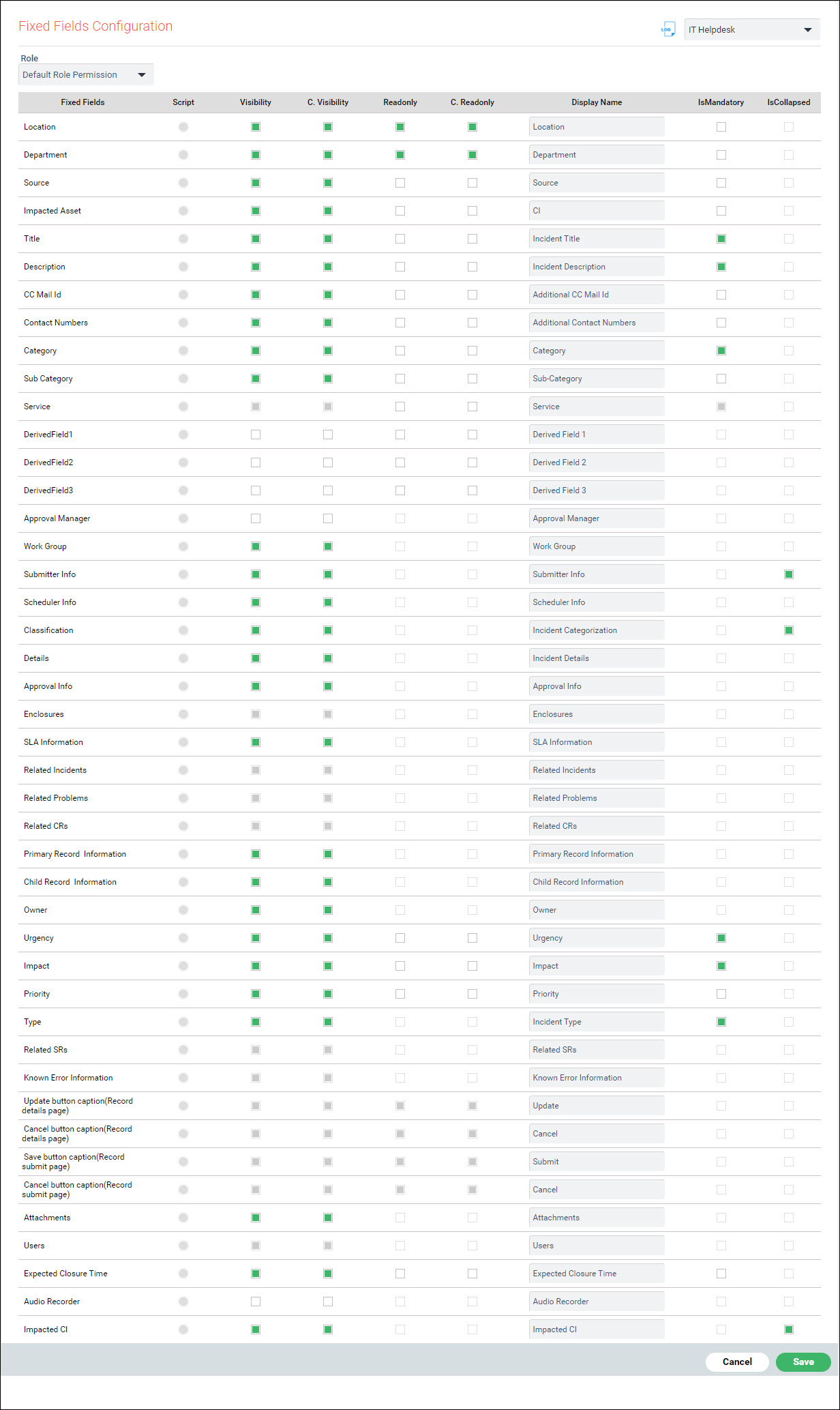
Select the role for which the fields have to be configured if the permissions are different from the Default. For a role, if there is no configuration done, then the default role permissions are used. If any other role is selected, an option is displayed to copy the default privilege. After copying the default permissions, specific fields can be edited.
The columns are described in the table below. The fields themselves are described in the topic Service-Desk->Basic Operations->
|
After updating, click on 'Save' to save the configuration.